

 Zyntra OS
 Zyntra Legal
 Zyntra Real Estate
 Zyntra Hotel
 Zyntra E-commerce
 Zyntra Appointments
 Zyntra Repair
 Zyntra Garage
 Zyntra Concierge
 Zyntra Contracting
 Zyntra Clinic
 Zyntra Dental
 Zyntra School
 Zyntra University
 Zyntra Call Center
 Zyntra OTA
Where
School › Online examsWho
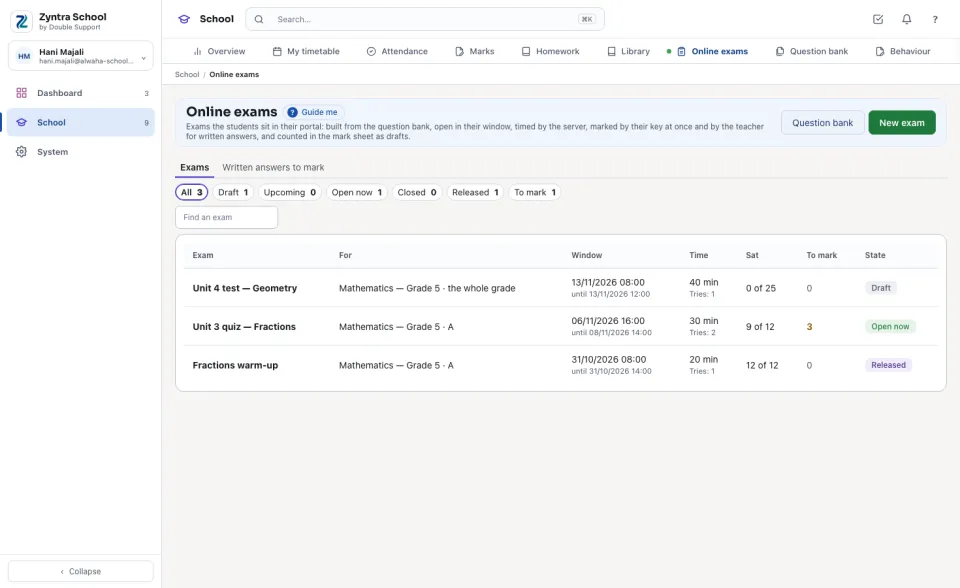
«Build and publish online exams» builds, publishes and releases exams. «Mark written answers» marks them. «Reports» reads an exam's figures. A student sits an exam only with their own sign-in to the portal; a guardian reads the results once they are released.Each line is one exam: what it is for (a subject and a section, or the whole grade; a course section at a university), its Window, its time and tries, how many of its students Sat it, how many written answers wait To mark, and its state — Draft, Upcoming, Open now, Closed or Released. Press a line to open it.
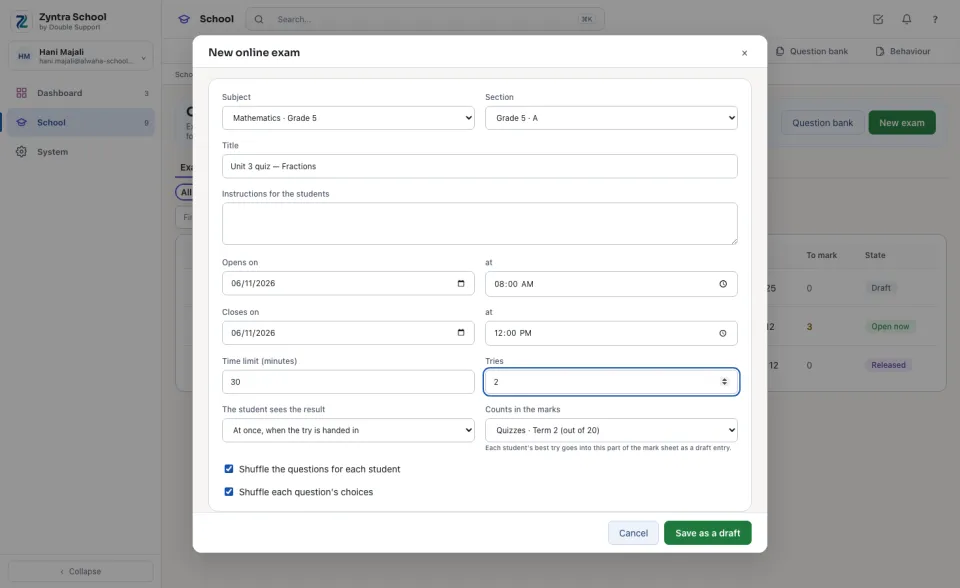
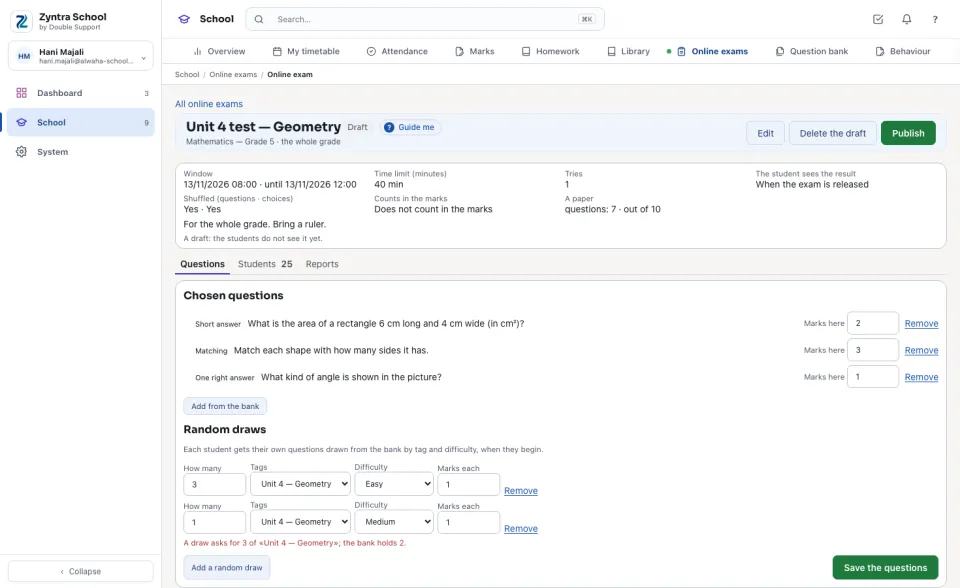
Set an exam
Who sat it
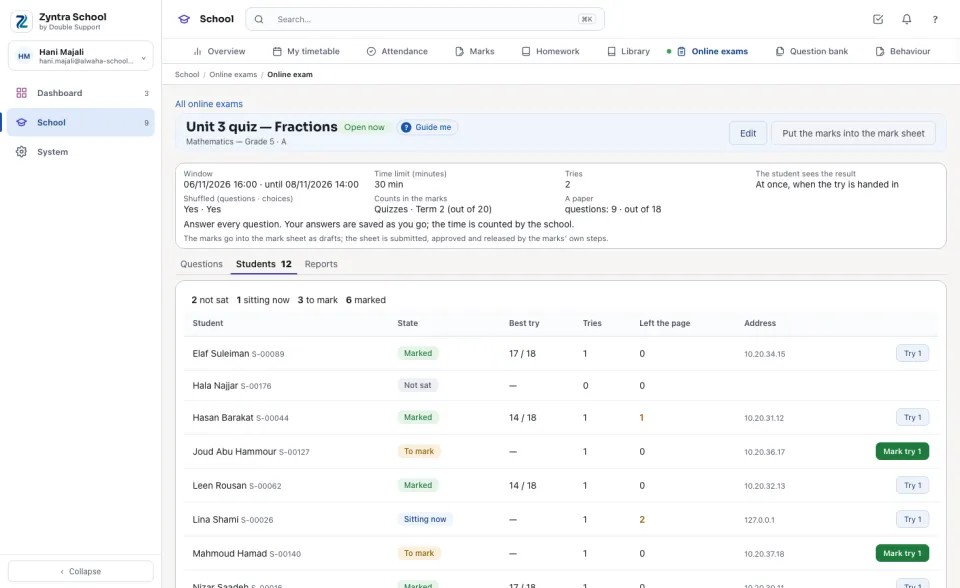
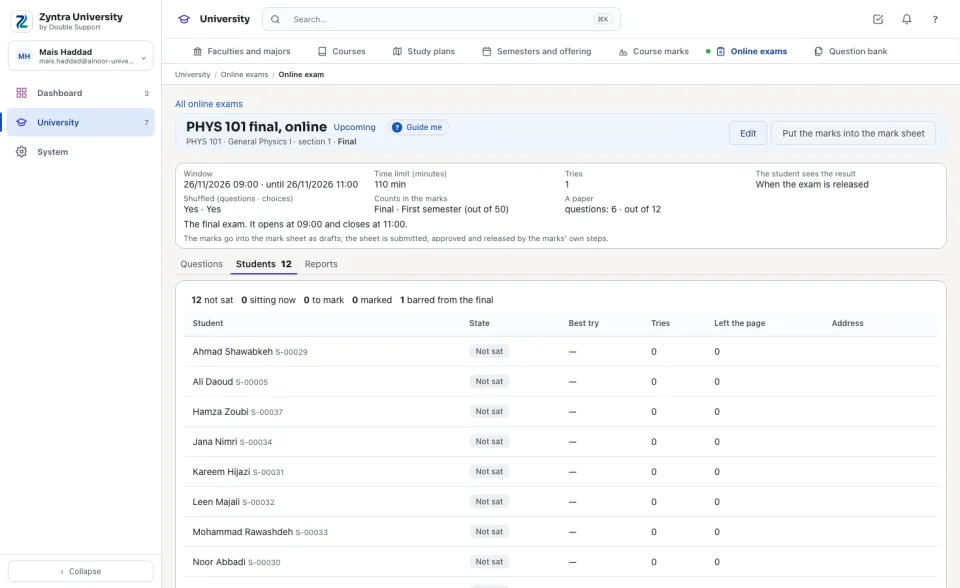
Under Students every student who should sit the exam is listed: Not sat, Sitting now, To mark or Marked, with their Best try, the Tries used, how many times they Left the page during a try and the Address it came from. The time of every try is counted by the server: it is handed in by itself at its limit, or when the window closes, with the answers saved until then.
Mark the written answers
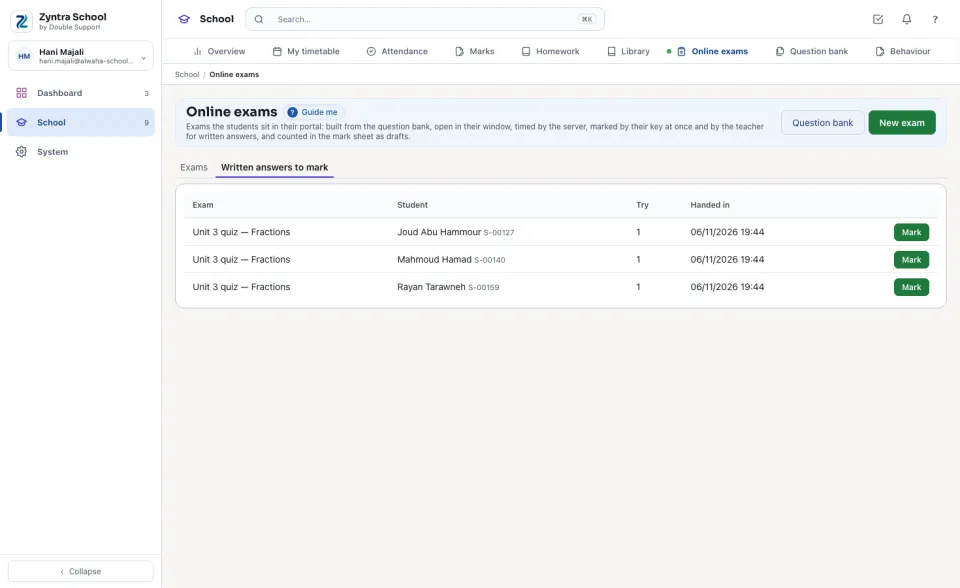
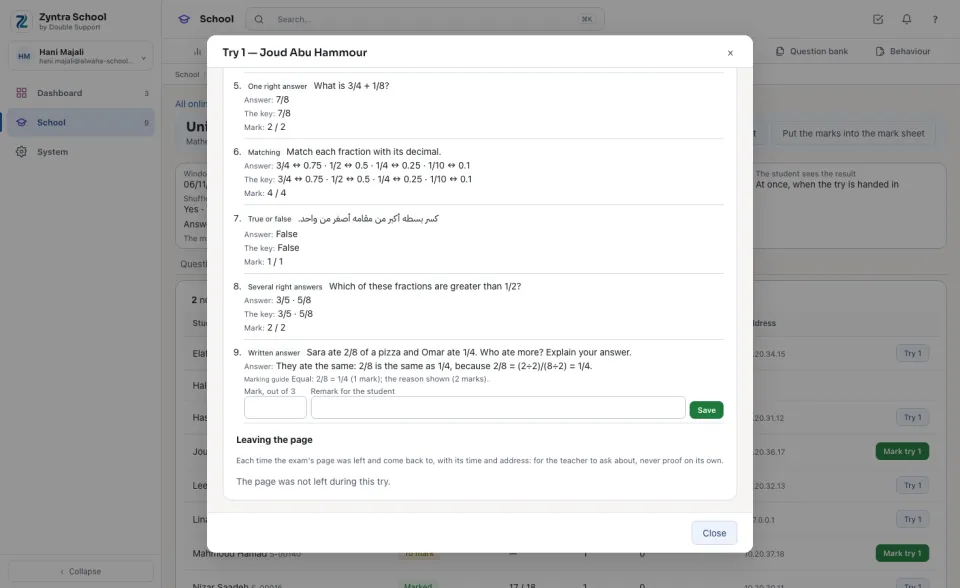
Release the results
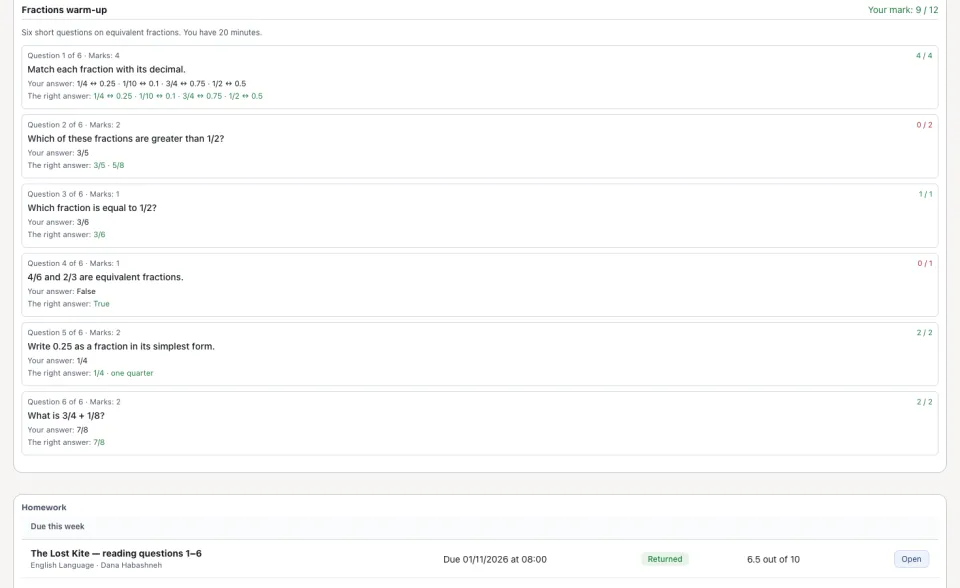
Once the exam has closed and no written answer waits, press Release the results. The students and their guardians then read each try's marks and the right answers. Before that, nothing of the key reaches the portal.
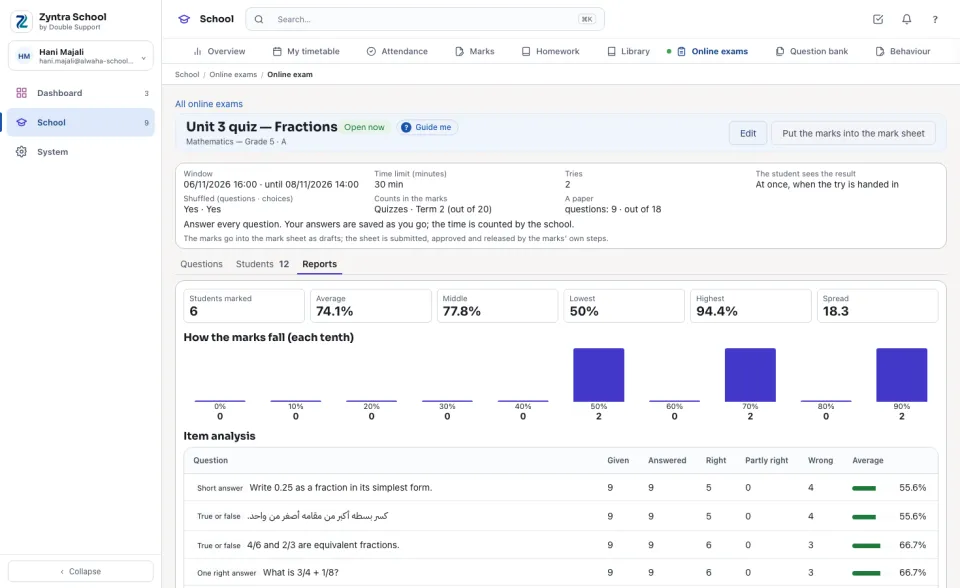
Reports
Under Reports: how many students were marked, the Average, the Middle, the Lowest, the Highest and the Spread; how the marks fall in each tenth; the Item analysis — for each question, how many were given it, answered it, got it Right, Partly right or Wrong, and its average (the hardest come first); and who has Not sat it.
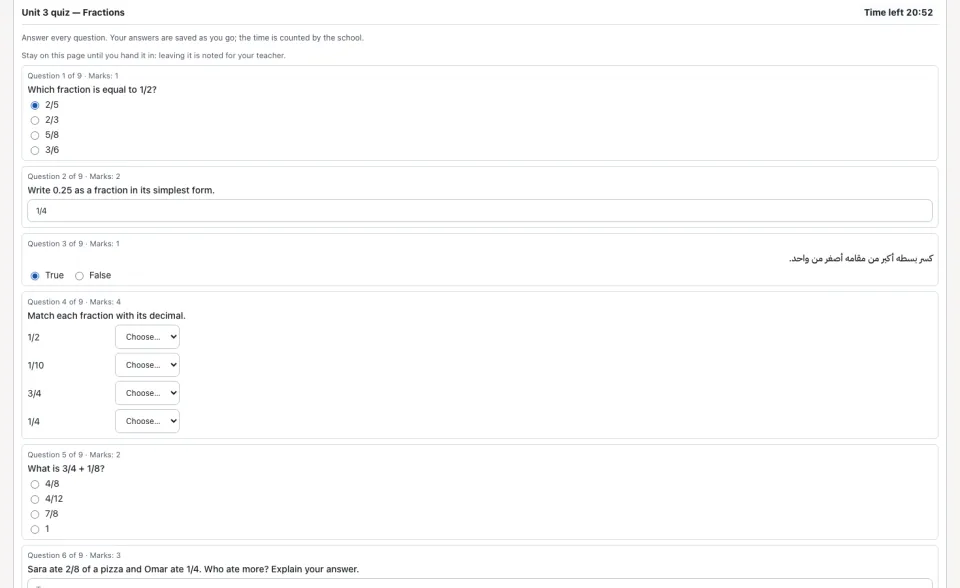
Sitting it (the student)
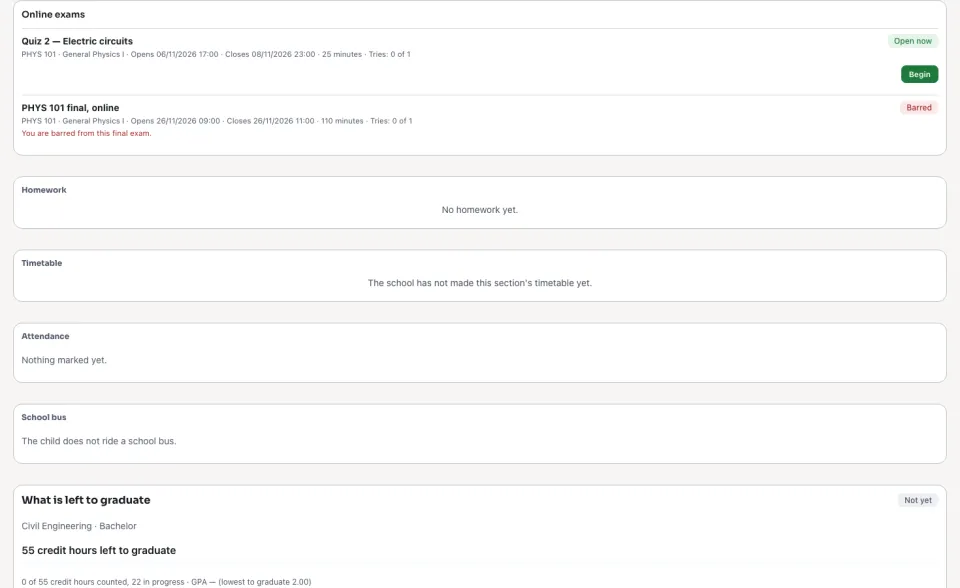
In the portal, under Online exams, the student presses Begin while the exam is open. The Time left stays at the top; each answer is saved as they go. Leaving the page is noted for the teacher. Hand it in ends the try (or the time does). Afterwards See the try shows the marks — and the right answers once the exam is released.
At a university
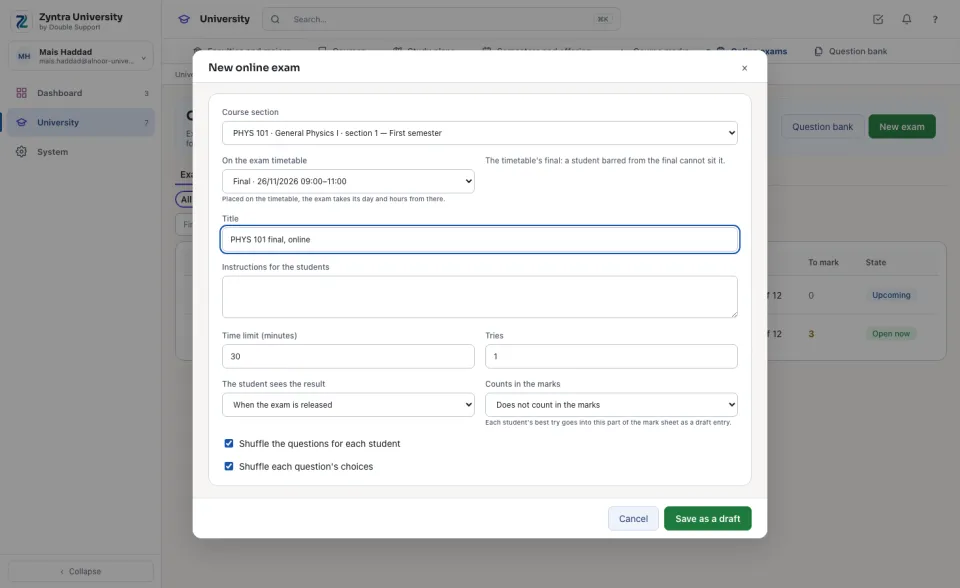
An exam is set for a Course section, from the course's questions in the bank. Placed On the exam timetable, it takes its day and hours from there; when it is the course's final, a student barred from the final (past the absence limit) cannot sit it, and the exam's page counts them as barred. The marks go into the course section's mark sheet the same way.
Questions
Where is “Online exams” in Zyntra OS?
School › Online exams
Who can use “Online exams”?
«Build and publish online exams» builds, publishes and releases exams. «Mark written answers» marks them. «Reports» reads an exam's figures. A student sits an exam only with their own sign-in to the portal; a guardian reads the results once they are released.