

 Zyntra OS
 Zyntra Legal
 Zyntra Real Estate
 Zyntra Hotel
 Zyntra E-commerce
 Zyntra Appointments
 Zyntra Repair
 Zyntra Garage
 Zyntra Concierge
 Zyntra Contracting
 Zyntra Clinic
 Zyntra Dental
 Zyntra School
 Zyntra University
 Zyntra Call Center
 Zyntra OTA
Where
School › Attendance reportsWho
The right to view the school attendance.A student
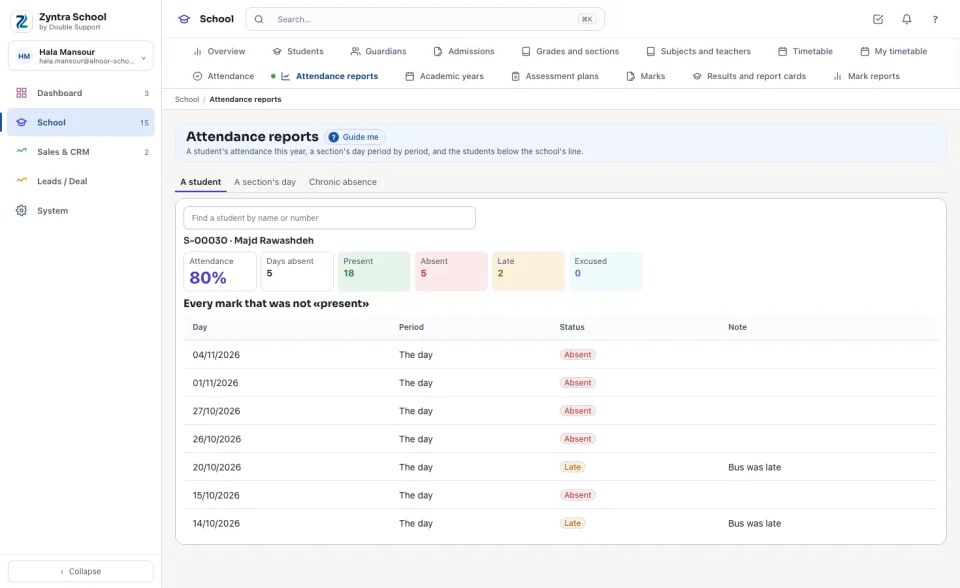
Find the student by name or number. Attendance is the share of present and late marks among every mark that is not excused; beside it the Days absent and how many marks of each kind. Under them, every mark that was not «present», with its day, period and note.
A section's day
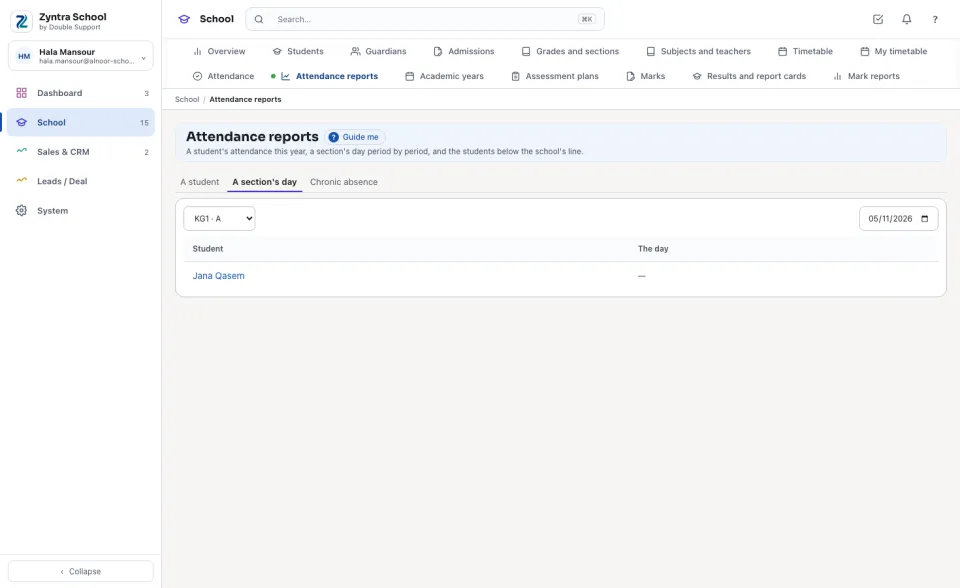
Choose the section and the day: every student with the day's mark, or each period's mark when the school takes attendance in every period. Press a name to open that student's attendance.
Chronic absence
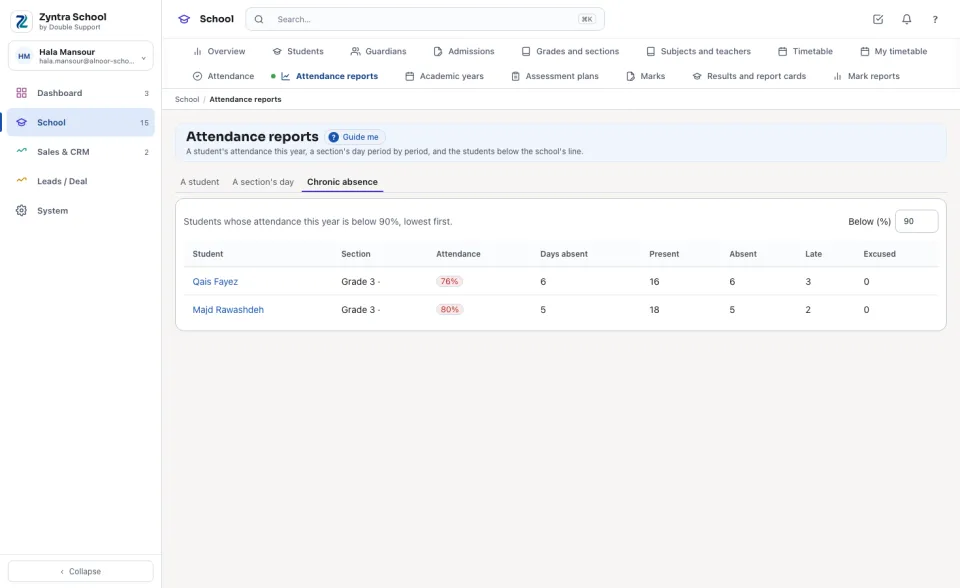
The students whose attendance this year is below the school's line (90% unless the school sets another in Setup › Settings › School), lowest first. Type another number in Below (%) to look at another line.
Before: Attendance · Next: Students
Questions
Where is “Attendance reports” in Zyntra OS?
School › Attendance reports
Who can use “Attendance reports”?
The right to view the school attendance.