

 Zyntra OS
 Zyntra Legal
 Zyntra Real Estate
 Zyntra Hotel
 Zyntra E-commerce
 Zyntra Appointments
 Zyntra Repair
 Zyntra Garage
 Zyntra Concierge
 Zyntra Contracting
 Zyntra Clinic
 Zyntra Dental
 Zyntra School
 Zyntra University
 Zyntra Call Center
 Zyntra OTA
Where
School › AttendanceWho
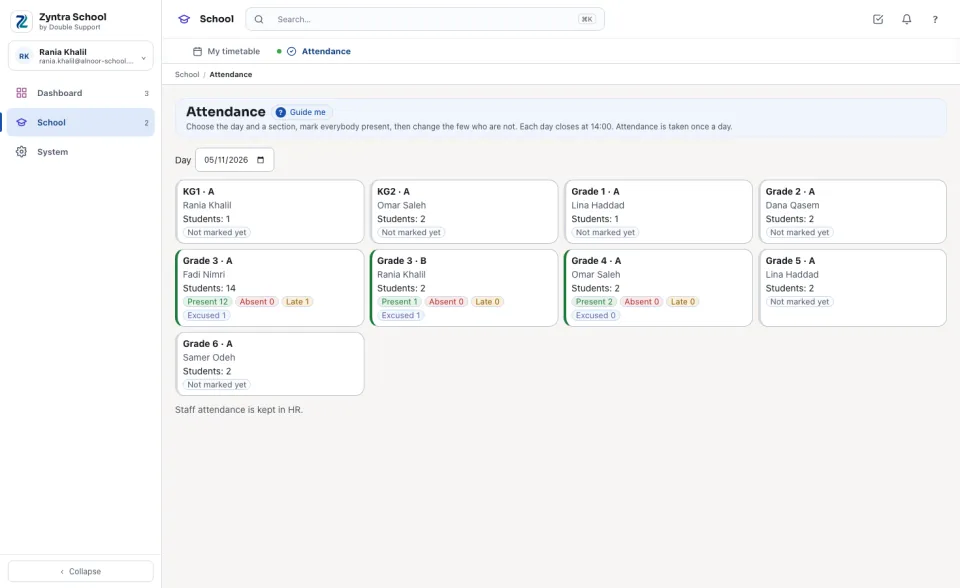
«Mark — every section» marks any section; a teacher given «Mark — only their own sections» marks the sections they teach. «Reopen a locked day» opens a closed day again. «View» reads every sheet.Choose the Day. Every section of that day shows its homeroom teacher, its students and, once marked, how many are present, absent, late and excused; one not marked yet says Not marked yet. A teacher sees only their own sections.
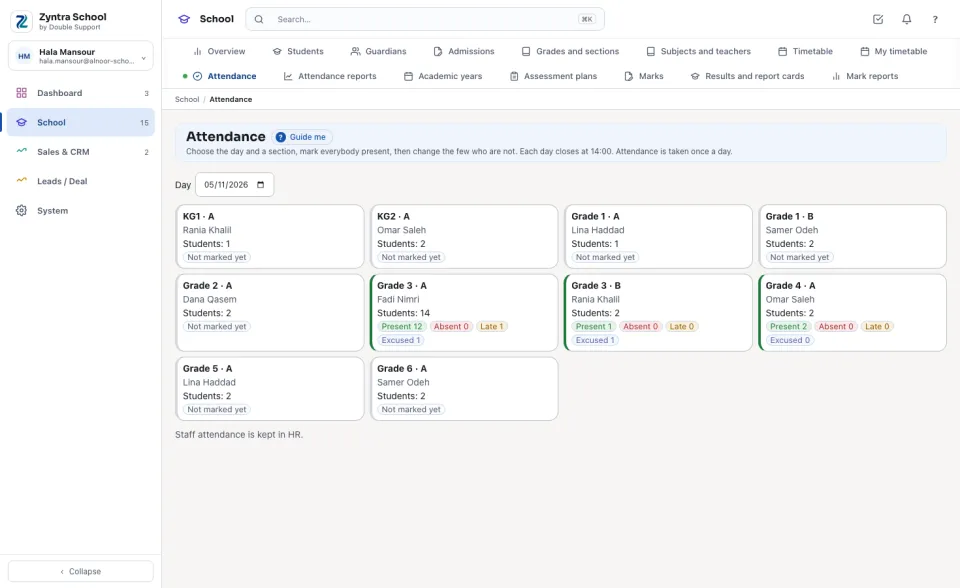
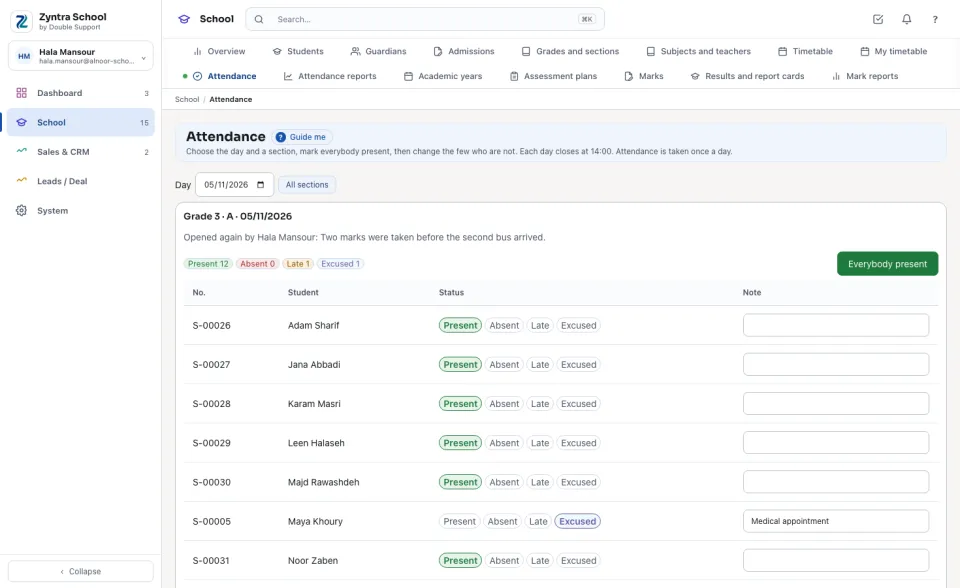
Take the attendance
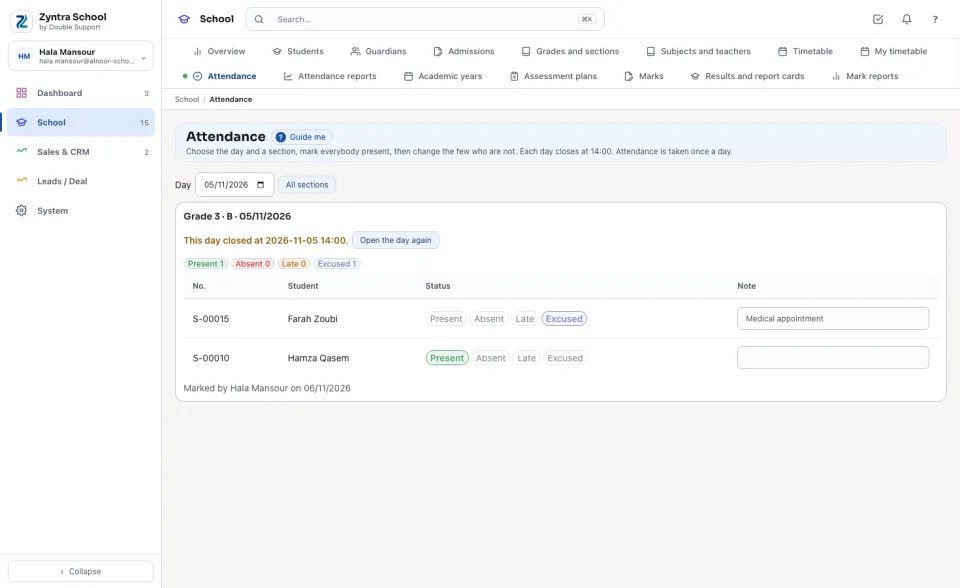
A closed day
A day closes at the school's time (14:00 unless the school sets another). After it, the sheet is read only and says when it closed. Someone with the right presses Open the day again, types Why and confirms: the day stays open until the end of today, and the reason is kept on the section's history.
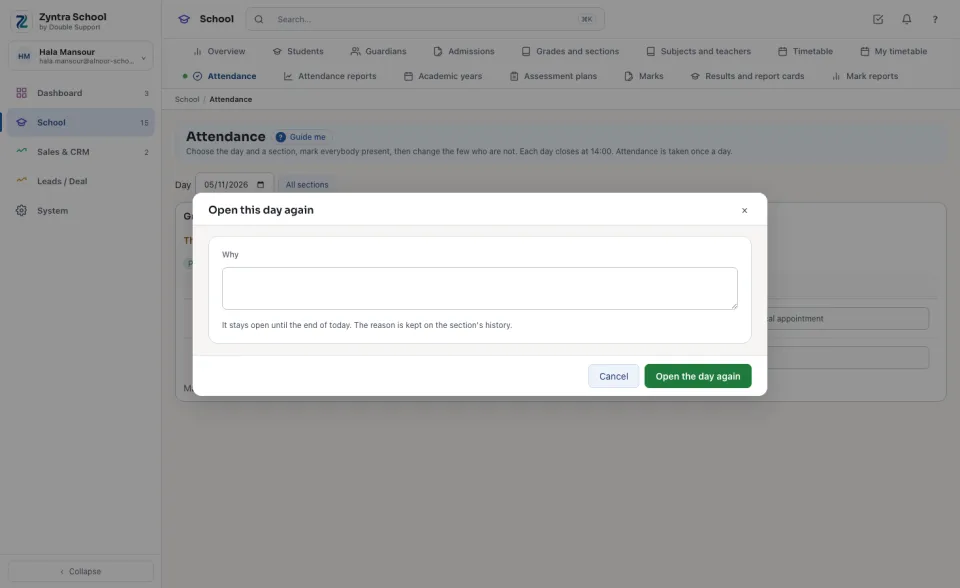
A teacher's own sections
A teacher sees the sections they are the homeroom teacher of or teach; in a school that takes attendance in every period, they mark the period they teach.
The guardian is told
When the school switches on «Tell the guardian of an absence» (Setup › Settings › School), the primary guardian receives the «Absence from school» email on the day a student is marked absent — once a day at most, from the absence the school chose — and the school's approved WhatsApp template beside it when one is named. The message waits in the mail queue like every other message.
With Attendance devices, a student's first punch of the day at the gate marks them present (late after the school's time) on this sheet before the teacher opens it; the teacher still marks the sheet, and the teacher's mark wins.
Questions
Where is “Attendance” in Zyntra OS?
School › Attendance
Who can use “Attendance”?
«Mark — every section» marks any section; a teacher given «Mark — only their own sections» marks the sections they teach. «Reopen a locked day» opens a closed day again. «View» reads every sheet.