Zyntra OS
 Zyntra Legal
 Zyntra Real Estate
 Zyntra Hotel
 Zyntra E-commerce
 Zyntra Appointments
 Zyntra Repair
 Zyntra Garage
 Zyntra Concierge
 Zyntra Contracting
 Zyntra Clinic
 Zyntra Call Center
 Zyntra OTA
Where
Sales & CRM › Setup › Customer healthWho
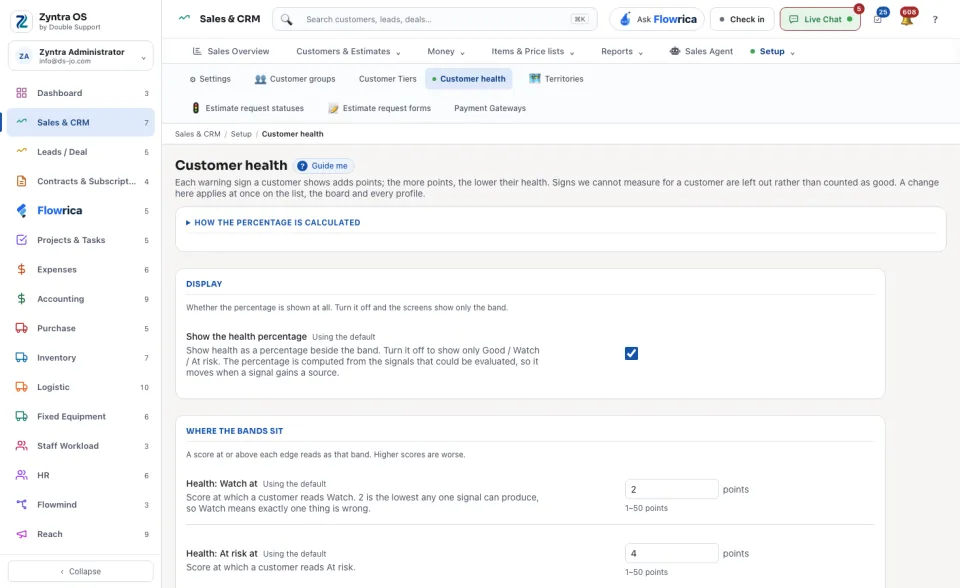
Anyone allowed to see this screen.The screen has three kinds of settings. Under Display, Show the health percentage decides whether a percentage is shown beside the band, or only the band: Good, Watch or At risk. Under Where the bands sit, set the score at which a customer reads Watch and At risk; higher scores are worse. Then set what each signal is worth and when it fires. Press Save changes.
A change here applies at once on the list, the board and every profile. A sign that cannot be measured for a customer is left out, not counted as good.