

 Zyntra OS
 Zyntra Legal
 Zyntra Real Estate
 Zyntra Hotel
 Zyntra E-commerce
 Zyntra Appointments
 Zyntra Repair
 Zyntra Garage
 Zyntra Concierge
 Zyntra Contracting
 Zyntra Clinic
 Zyntra Dental
 Zyntra School
 Zyntra University
 Zyntra Call Center
 Zyntra OTA
Where
School › AnnouncementsWho
School Announcements — View; writing needs School Announcements — Create, Edit or Delete.Each announcement shows its title, its text, who it goes to, whether it is Published or a Draft, and how many guardians switched on and students signed in it reaches now.
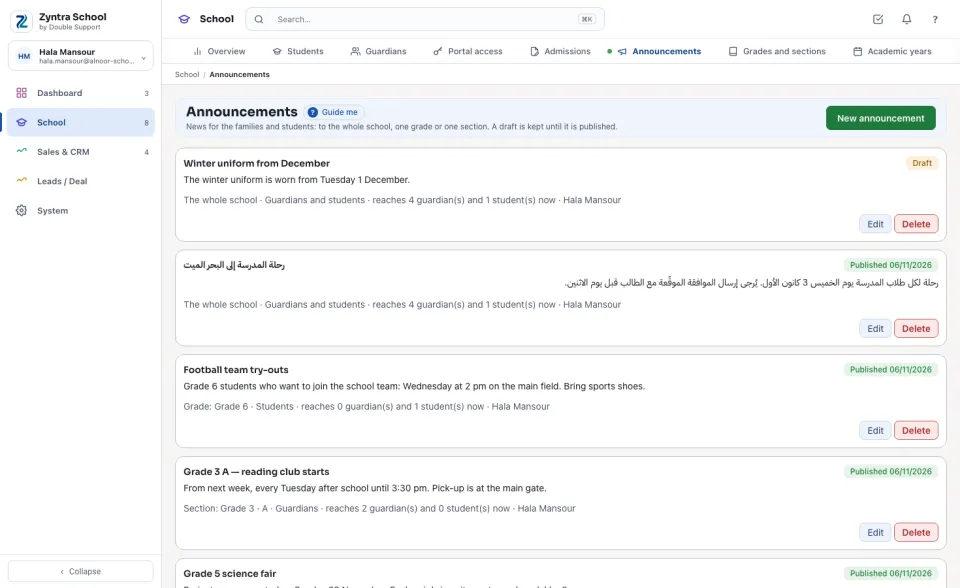
Send an announcement
1
Press New announcement.
2
Type the Title and the Announcement.
3
Under To choose The whole school, A grade or A section of the current year, then the grade or section.
4
Under For tick Guardians, Students or both. Leave Publish now ticked to show it at once, or untick it to keep a draft, and press Save.
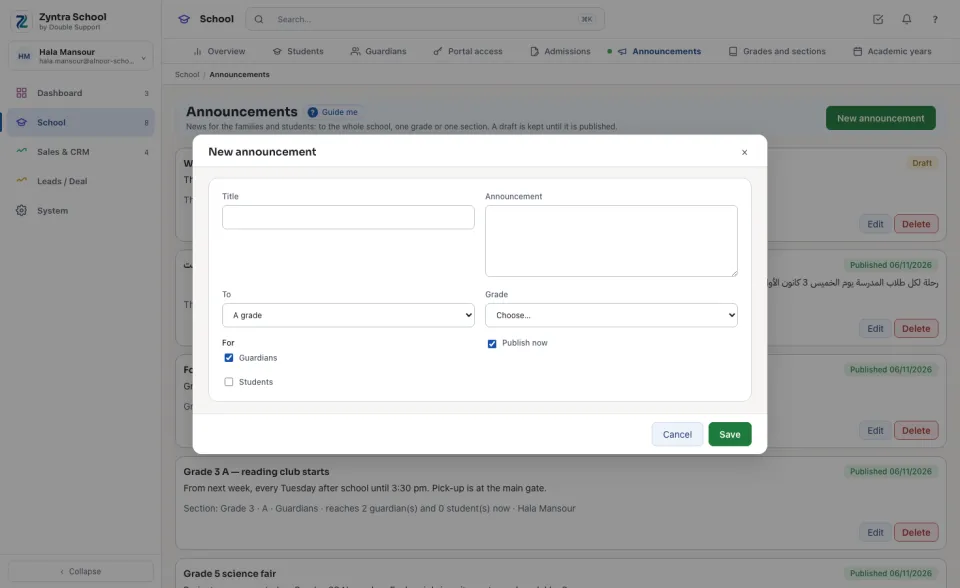
An announcement to a grade reaches only the families of that grade's students this year; a draft reaches nobody. Nothing is emailed: the families read it in the portal.
Before: Portal access · Next: The parent and student portal
Questions
Where is “Announcements” in Zyntra OS?
School › Announcements
Who can use “Announcements”?
School Announcements — View; writing needs School Announcements — Create, Edit or Delete.