

 Zyntra OS
 Zyntra Legal
 Zyntra Real Estate
 Zyntra Hotel
 Zyntra E-commerce
 Zyntra Appointments
 Zyntra Repair
 Zyntra Garage
 Zyntra Concierge
 Zyntra Contracting
 Zyntra Clinic
 Zyntra Dental
 Zyntra School
 Zyntra University
 Zyntra Call Center
 Zyntra OTA
Where
School › Library reportsWho
The library's reports right.Each report says how many loans or copies it looked at.
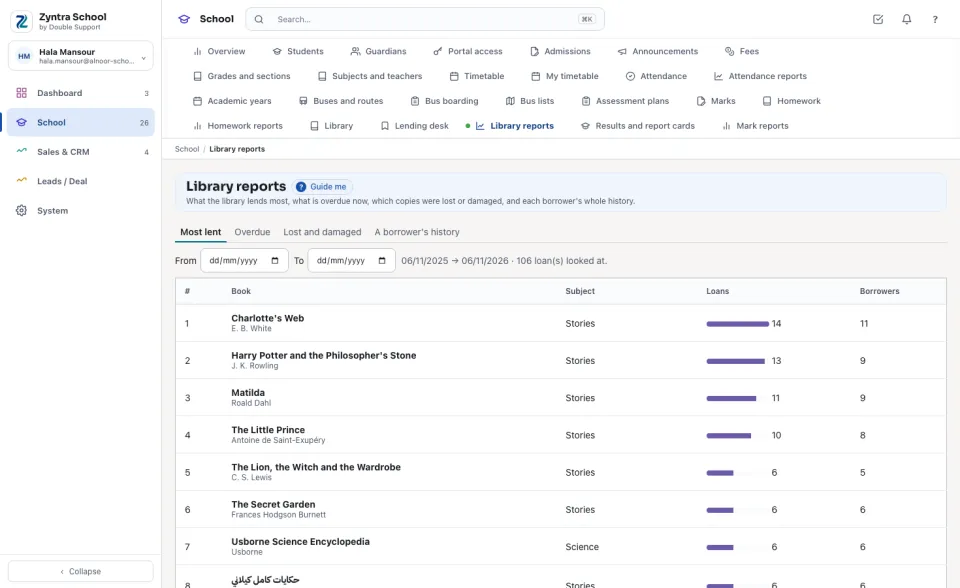
Most lent
The books lent most between From and To (the last year when both are empty): how many Loans each had and how many different Borrowers.
Overdue
Every loan past its due day now, with the borrower, the book, how many days late and the fine so far — the same list as on the Lending desk.
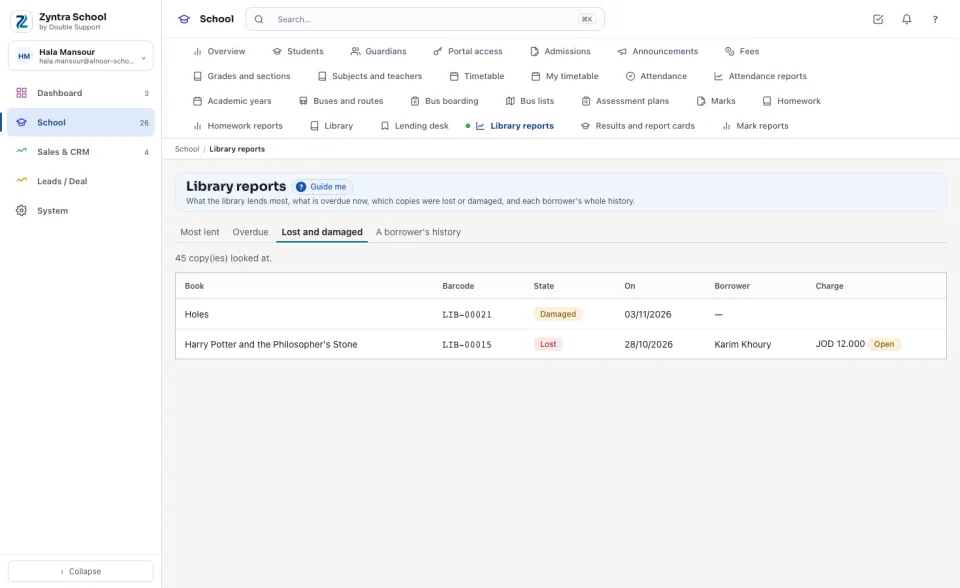
Lost and damaged
Every copy lost or damaged: the book, the barcode, its state and since when, the borrower who lost it, and the lost-book charge with its state (Open, Billed or Waived).
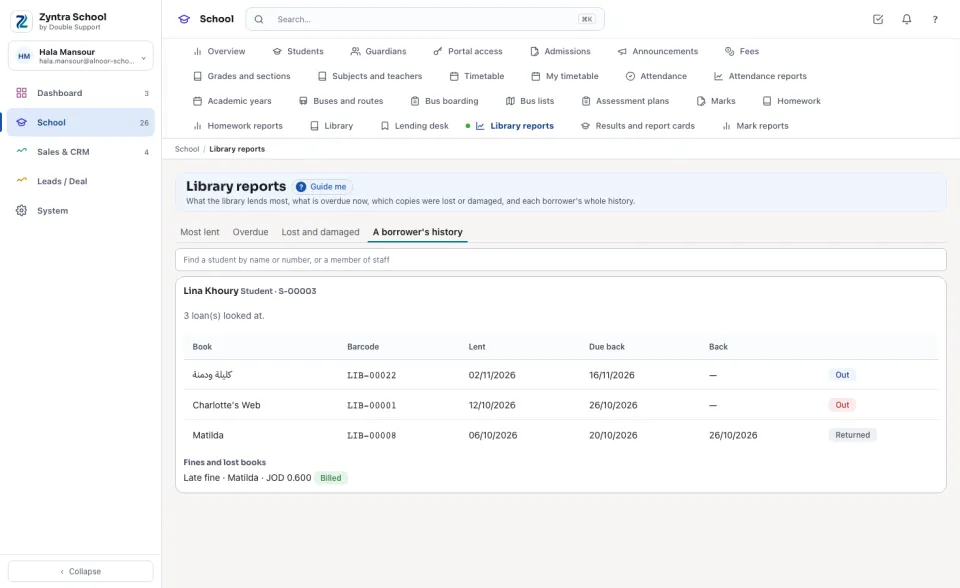
A borrower's history
Find a student by name or number, or a member of staff: every loan they had — the book, the barcode, the day Lent, the day Due back, the day Back and its state — and their fines and lost books.
Questions
Where is “Library reports” in Zyntra OS?
School › Library reports
Who can use “Library reports”?
The library's reports right.