

 Zyntra OS
 Zyntra Legal
 Zyntra Real Estate
 Zyntra Hotel
 Zyntra E-commerce
 Zyntra Appointments
 Zyntra Repair
 Zyntra Garage
 Zyntra Concierge
 Zyntra Contracting
 Zyntra Clinic
 Zyntra Dental
 Zyntra University
 Zyntra Call Center
 Zyntra OTA
Where
School › Mark reportsWho
Whoever views every section's marks.Three reports, each for the year and term chosen. Unlike the report cards, they read every mark already typed — draft or submitted too — and say each sheet's step beside it.
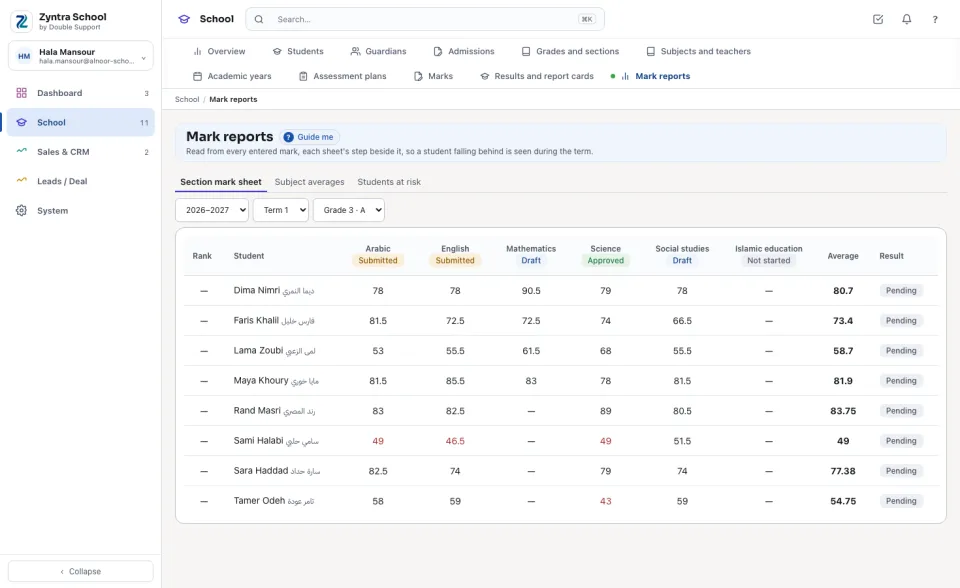
Section mark sheet
Choose the section: the students in rank order, each subject's total (in red below the pass mark), the Average and the Result.
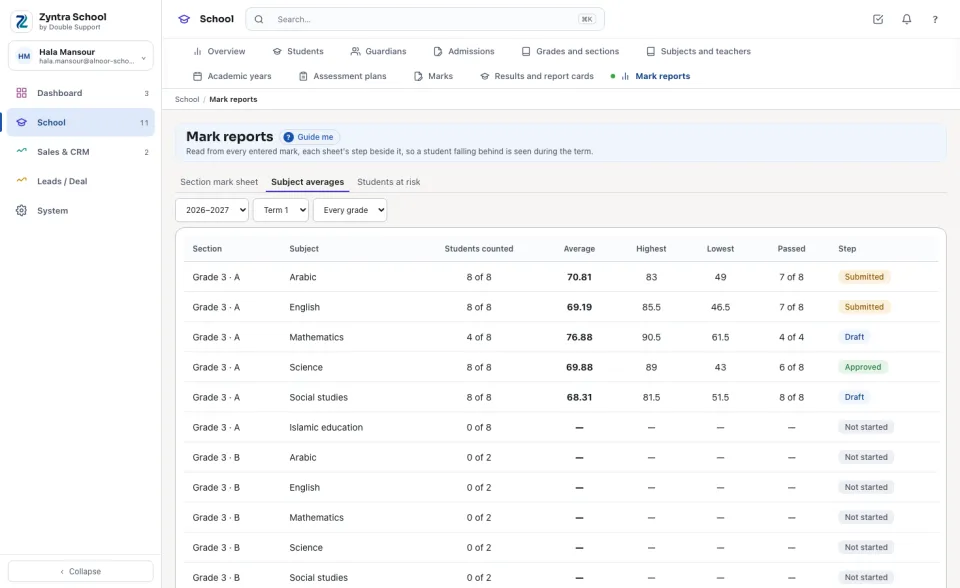
Subject averages
For every grade, or the one chosen: each section's subject with the Students counted, the Average, the Highest, the Lowest and how many Passed.
Students at risk
Every student below the pass mark in at least one subject — the most subjects first — with the subjects named and their totals against the pass mark. The line above says how many students were looked at. Each name opens the student's file.
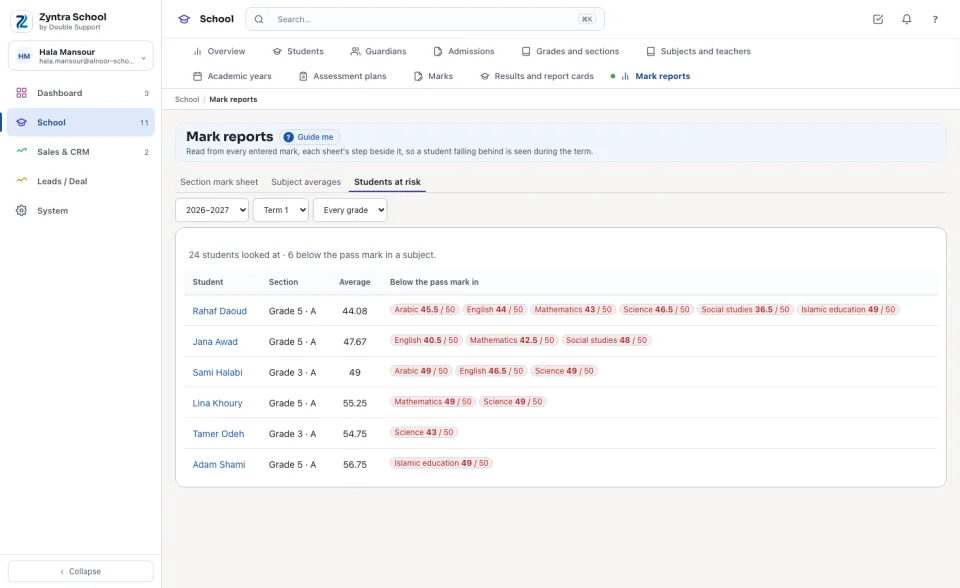
A draft mark can still change: these reports warn early, the Results and report cards decide.
Before: Results and report cards · Back to:  Zyntra School
Questions
Where is “Mark reports” in Zyntra OS?
School › Mark reports
Who can use “Mark reports”?
Whoever views every section's marks.