

 Zyntra OS
 Zyntra Legal
 Zyntra Real Estate
 Zyntra Hotel
 Zyntra E-commerce
 Zyntra Appointments
 Zyntra Repair
 Zyntra Garage
 Zyntra Concierge
 Zyntra Contracting
 Zyntra Clinic
 Zyntra Dental
 Zyntra School
 Zyntra University
 Zyntra Call Center
 Zyntra OTA
Where
School › Re-enrolmentWho
The right «Re-enrolment and waiting list». The families ask from the parent portal.Open re-enrolment
1
Make next year first in Academic years, and its sections with their capacity in Grades and sections: a grade's seats next year are its sections' capacity (a section with no capacity: no limit).
2
Under Next year choose Re-enrol into, type the Seat deposit (0 for none) and the Last day, and press Save. Then press Open re-enrolment.
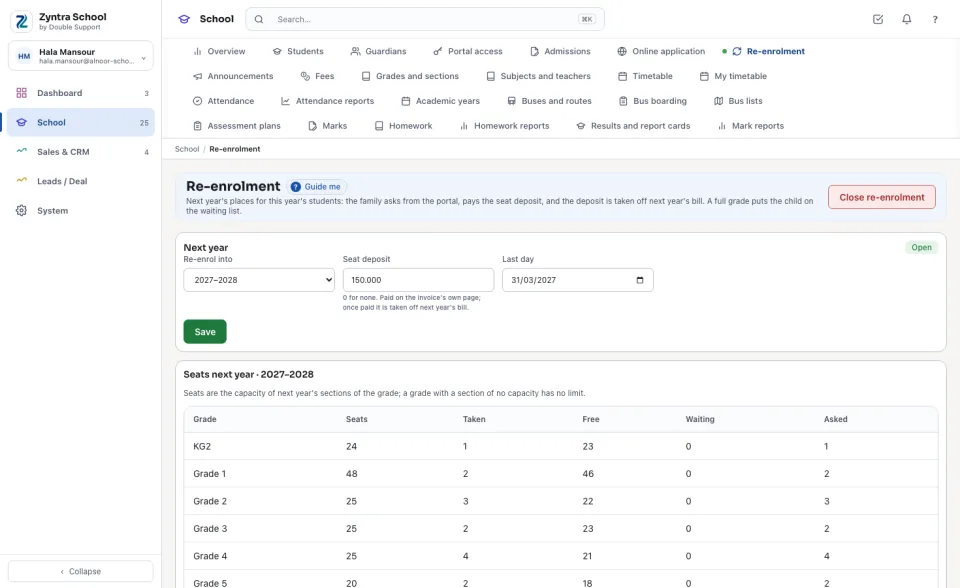
Seats next year shows each grade: its Seats, how many are Taken (enrolled, reserved or confirmed), how many are Free, how many are Waiting, and how many families Asked.
The children who asked
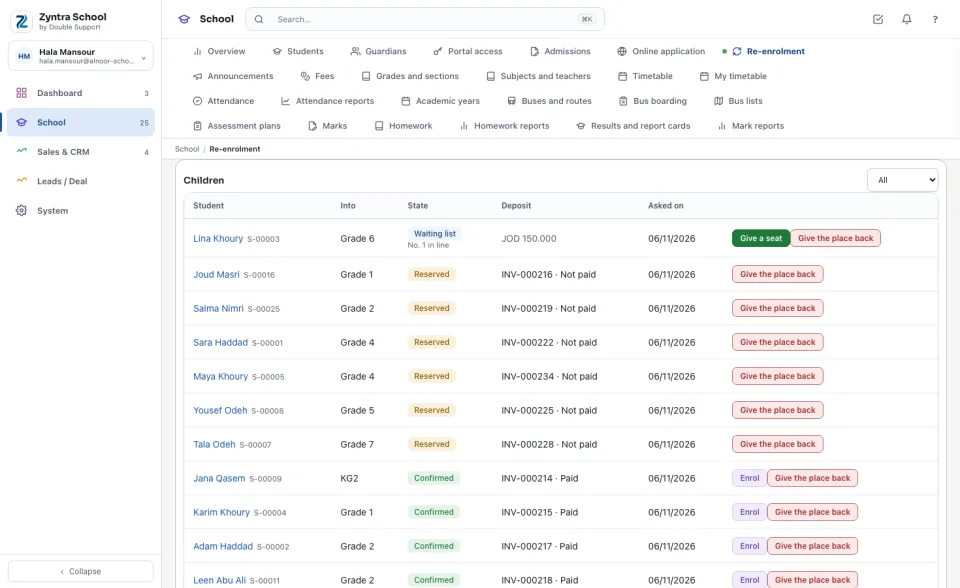
Each child is listed with the grade they move Into, the State and the Deposit's invoice: Reserved (the seat is held, the deposit not paid yet), Confirmed (the deposit is paid), Waiting list with the child's place in line, Enrolled or Given back. The waiting list comes first.
1
When a seat is free in a full grade (add one to a section's capacity, or a place is given back), press Give a seat on the waiting child: the seat is reserved and the deposit is asked of the family.
2
On a confirmed child press Enrol, choose the Section (or none yet) and press Enrol: the child is enrolled into next year's grade.
3
Give the place back asks why, and frees the seat.
A paid deposit is put on next year's bill by itself: Bill the year in Fees takes it off as «Seat deposit», with the deposit invoice's number as its reason.
Before: Online application · Next: Fees
Questions
Where is “Re-enrolment” in Zyntra OS?
School › Re-enrolment
Who can use “Re-enrolment”?
The right «Re-enrolment and waiting list». The families ask from the parent portal.