

 Zyntra OS
 Zyntra Legal
 Zyntra Real Estate
 Zyntra Hotel
 Zyntra E-commerce
 Zyntra Appointments
 Zyntra Repair
 Zyntra Garage
 Zyntra Concierge
 Zyntra Contracting
 Zyntra Clinic
 Zyntra Dental
 Zyntra School
 Zyntra University
 Zyntra Call Center
 Zyntra OTA
Where
School › Buses and routesWho
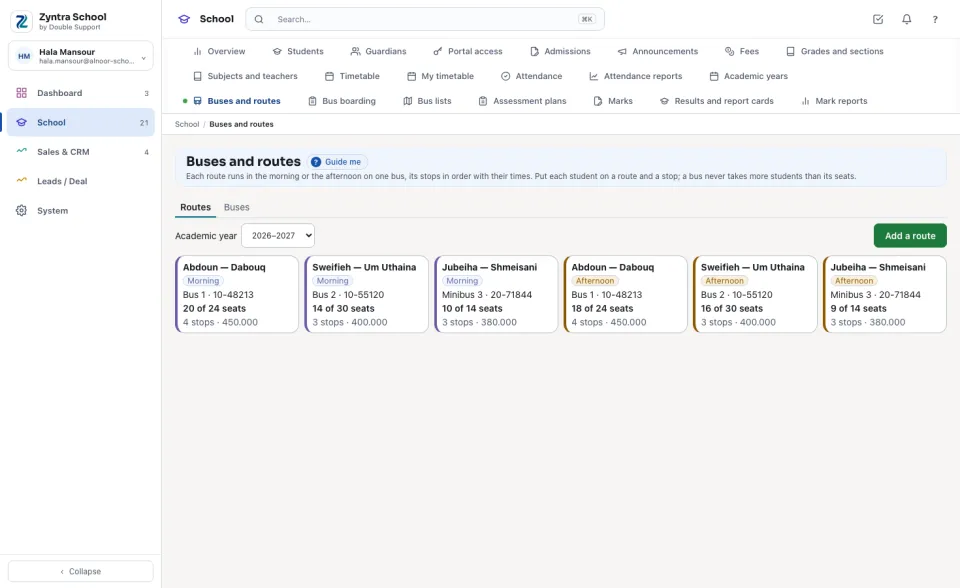
«School Buses — View» reads the buses and routes. «School Buses — Manage» adds and changes them and puts students on them.The Routes tab shows the year's routes. Each card says whether it runs in the Morning or the Afternoon, its bus and plate, how many of the bus's seats are taken, its stops and its fee for the year. A full bus shows its riders in red.
A route's stops and riders
Press a route. On the left, its Stops in the order the bus reaches them, each with its name in Arabic and its Time; on the right, its Riders, stop by stop.
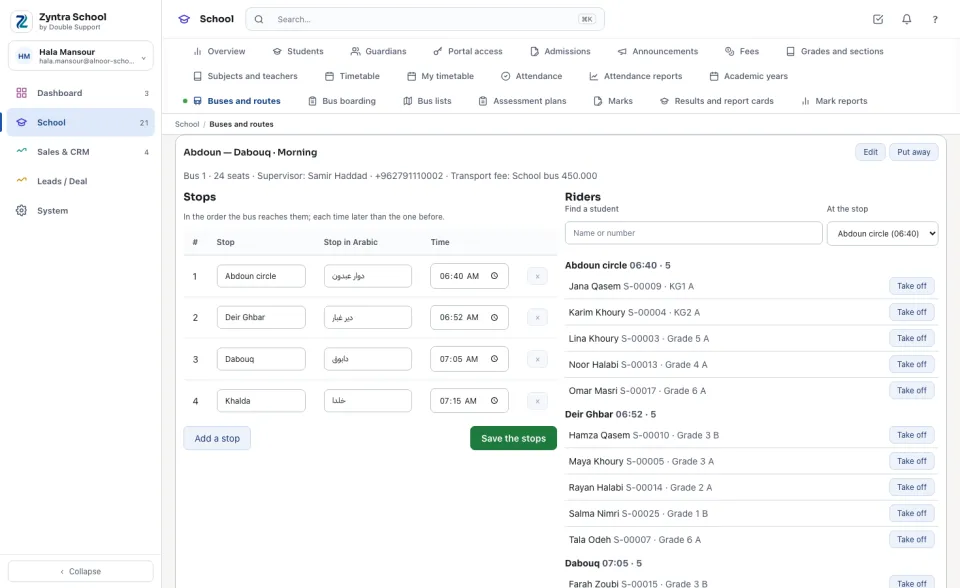
The morning and the afternoon are each their own route: a student can go to school on one route and home on another (to the grandparents, for example), from different stops.
Add or change a route
Press Add a route (or Edit on an open route): its Route name in English and in Arabic, Morning or afternoon, its Bus and its Order on the list. Choose the Transport fee and type the Fee for the year.
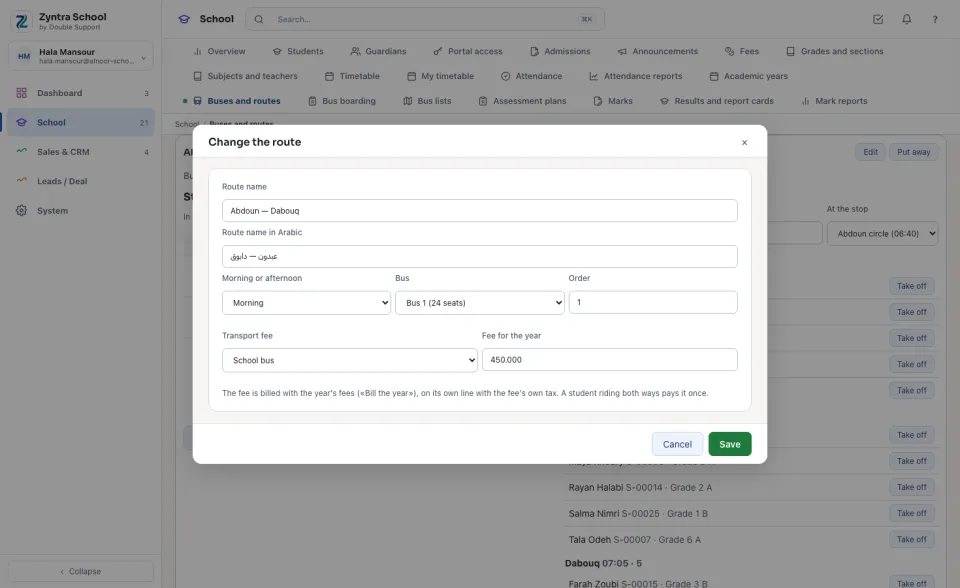
The fee is billed with the rest of the year's fees when the school presses «Bill the year» (School › Fees): one line on the family's invoice, named with the route, carrying the fee's own tax — the bus can be taxed while tuition is not. A student who rides both ways pays the route's fee once (the higher of the two when they differ); a student who does not ride is never billed the bus.
The buses
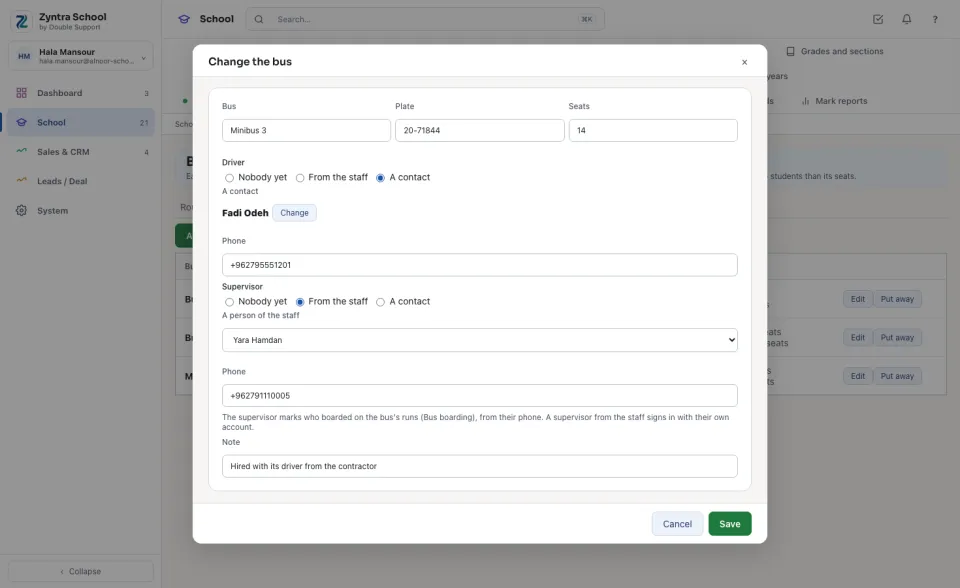
The Buses tab lists each bus with its Plate, Seats, Driver and Supervisor and their phones, and its routes this year with how full each one is.
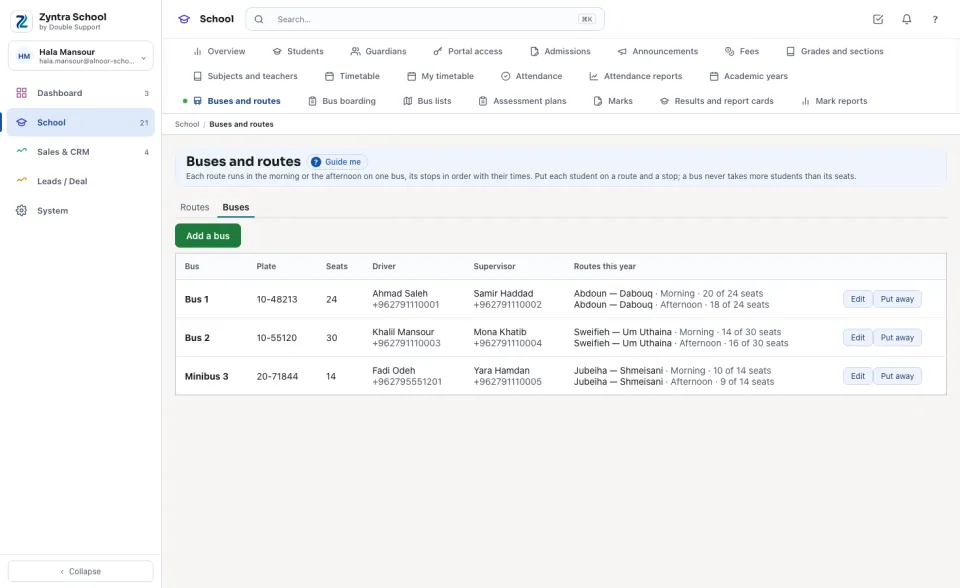
Press Add a bus or Edit. The driver and the supervisor are each From the staff (chosen from the list) or A contact (found by name, phone or email — a contractor's driver, for example), with the Phone the families and the school call. The supervisor marks who boarded on the bus's runs.
Questions
Where is “Buses and routes” in Zyntra OS?
School › Buses and routes
Who can use “Buses and routes”?
«School Buses — View» reads the buses and routes. «School Buses — Manage» adds and changes them and puts students on them.