

 Zyntra OS
 Zyntra Legal
 Zyntra Real Estate
 Zyntra Hotel
 Zyntra E-commerce
 Zyntra Appointments
 Zyntra Repair
 Zyntra Garage
 Zyntra Concierge
 Zyntra Contracting
 Zyntra Clinic
 Zyntra Dental
 Zyntra School
 Zyntra University
 Zyntra Call Center
 Zyntra OTA
Where
School › Canteen walletsWho
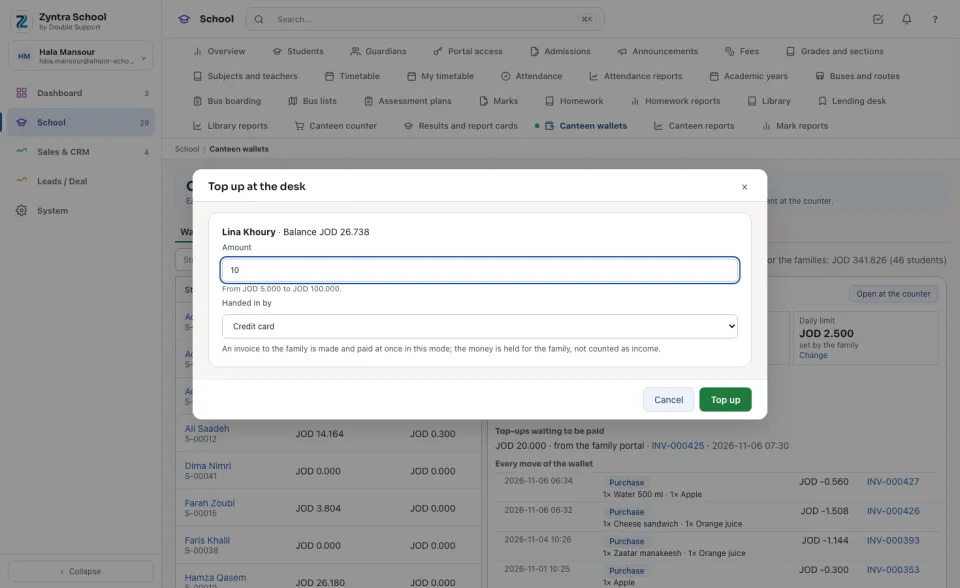
The canteen's view right reads; the manage-wallets-and-items right takes money at the desk, refunds, moves and changes the items and settings.A wallet is money the school holds for the family: it is kept in the books on Customer deposits, never as income, until it is spent at the counter. A top-up is an invoice to the family, paid at the desk or online on the family portal; it reaches the wallet once its invoice is paid.
The wallets
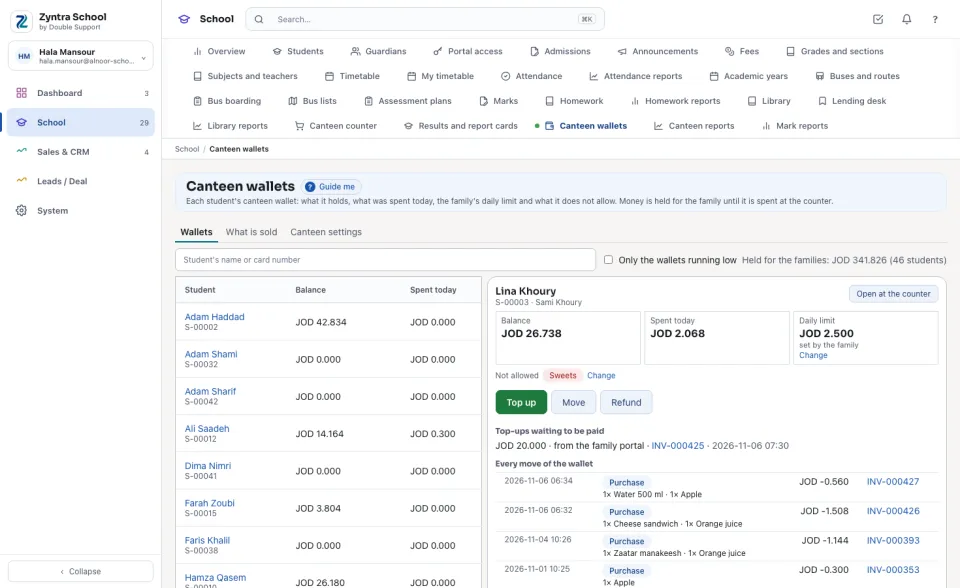
Every student with his Balance and what he Spent today; a wallet under the school's low figure is marked Low. Search by name or card number, or tick Only the wallets running low. The line on the right says what is Held for the families in all.
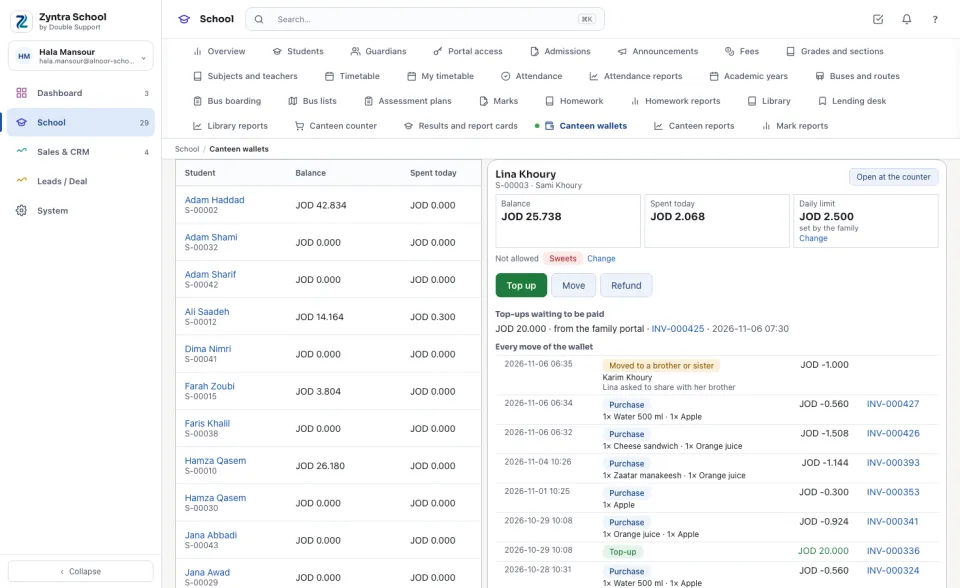
Press a name to open the wallet beside the list: the Daily limit (set by the family or the school's own), what is Not allowed, the Top-ups waiting to be paid with their invoice, and Every move of the wallet — each purchase with its items and invoice, each top-up, refund and move with its reason.
Top up at the desk
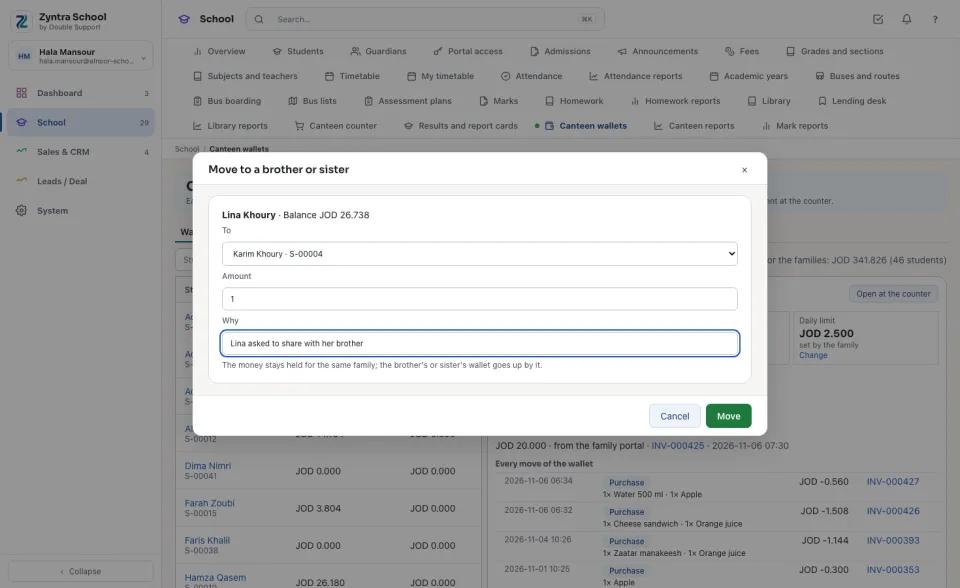
When a student leaves: move or refund
What is left in a wallet is never lost. A person chooses, with the reason:
The family's limit and bans
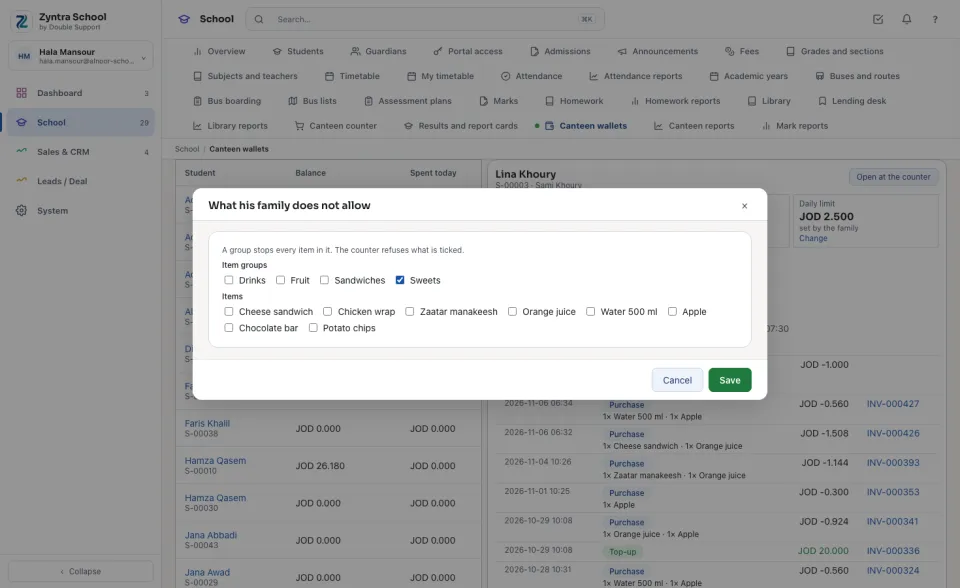
The family sets these on the portal; the school can set them for the family here. Change beside the Daily limit sets it (empty: the school's own). Change beside Not allowed opens the item groups and items: a group stops every item in it, and the counter refuses whatever is ticked.
What is sold
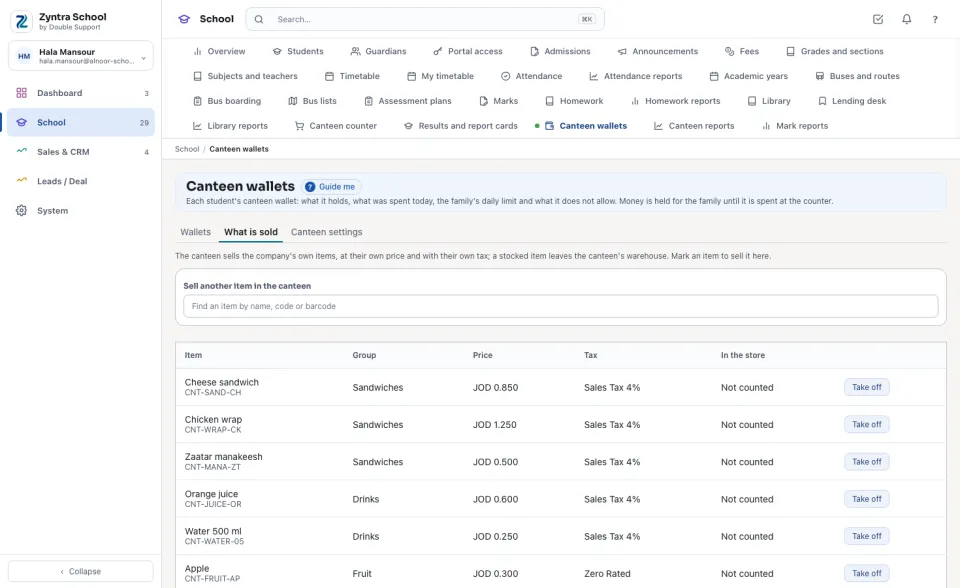
The canteen sells the company's own items — the same items, prices, taxes and stock as everywhere else in Zyntra. Find an item under Sell another item in the canteen and press Sell in the canteen; Take off stops selling it here (its past sales stay). The list shows each item's Price, Tax and what is In the store for a stocked item.
Canteen settings
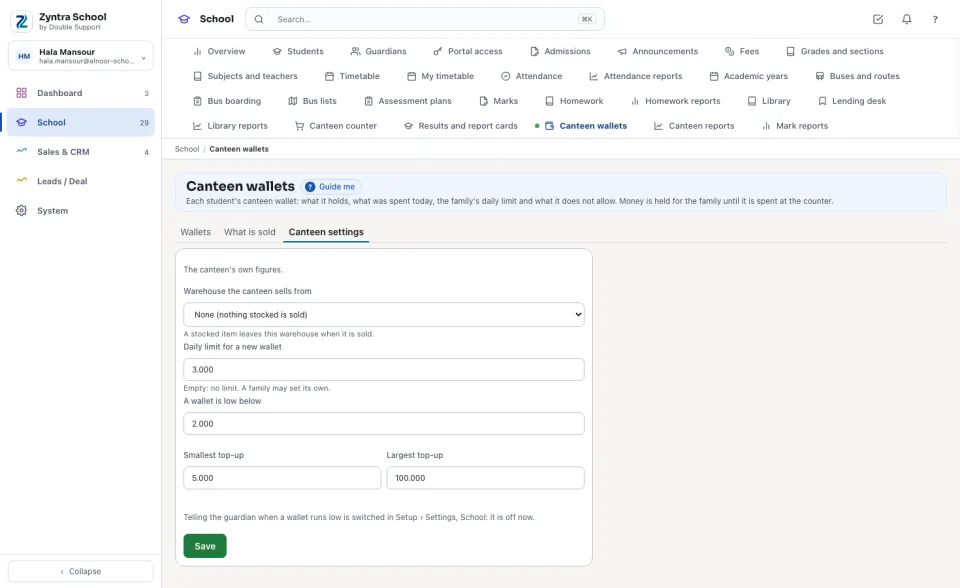
The Warehouse the canteen sells from, the Daily limit for a new wallet (a family may set its own), the figure a wallet is low below, and the Smallest top-up and Largest top-up. Telling the guardian when a wallet runs low is switched on in Setup › Settings › School: then one email (and the school's WhatsApp template, when one is named) reaches the primary guardian once a sale leaves the wallet below the low figure, and again only after a top-up.
Questions
Where is “Canteen wallets” in Zyntra OS?
School › Canteen wallets
Who can use “Canteen wallets”?
The canteen's view right reads; the manage-wallets-and-items right takes money at the desk, refunds, moves and changes the items and settings.