

 Zyntra OS
 Zyntra Legal
 Zyntra Real Estate
 Zyntra Hotel
 Zyntra E-commerce
 Zyntra Appointments
 Zyntra Repair
 Zyntra Garage
 Zyntra Concierge
 Zyntra Contracting
 Zyntra Clinic
 Zyntra Dental
 Zyntra School
 Zyntra University
 Zyntra Call Center
 Zyntra OTA
Where
School › Results and report cardsWho
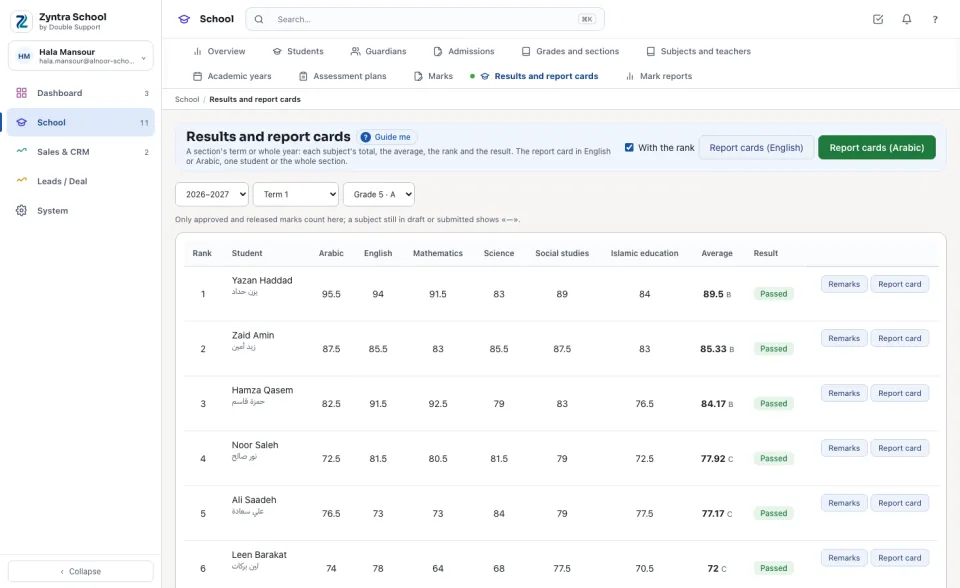
Whoever views every section's marks. The section's homeroom teacher writes the teacher's remark; whoever approves marks writes the principal's.Choose the year, the term (or The whole year, each subject's terms averaged) and the section. The students are in rank order: each subject's total, the Average with its letter, and the Result — Passed, Re-sit (below the pass mark in no more subjects than the school's re-sit number), Failed, or Pending while a subject is not approved yet. Only approved and released marks count here.
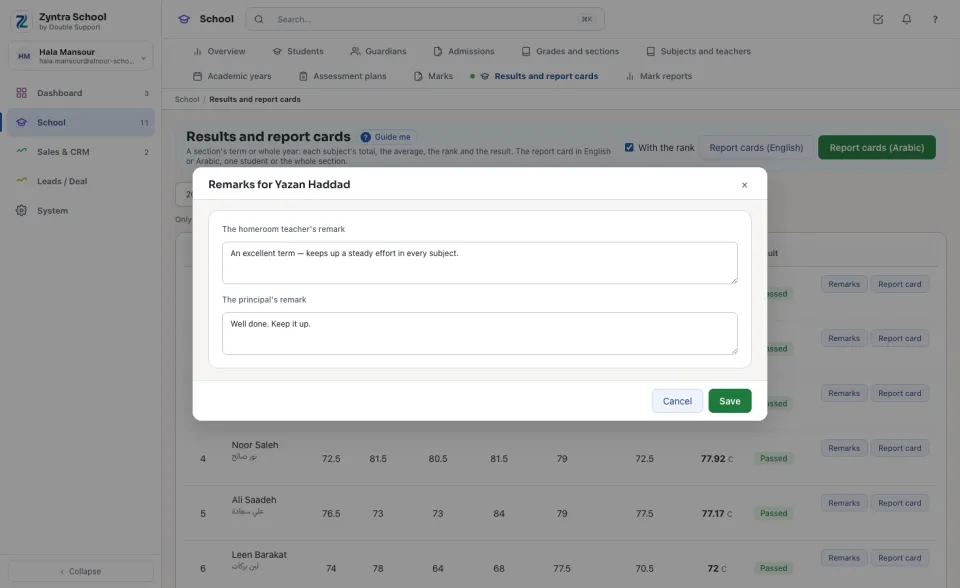
Write the remarks
Print the report cards
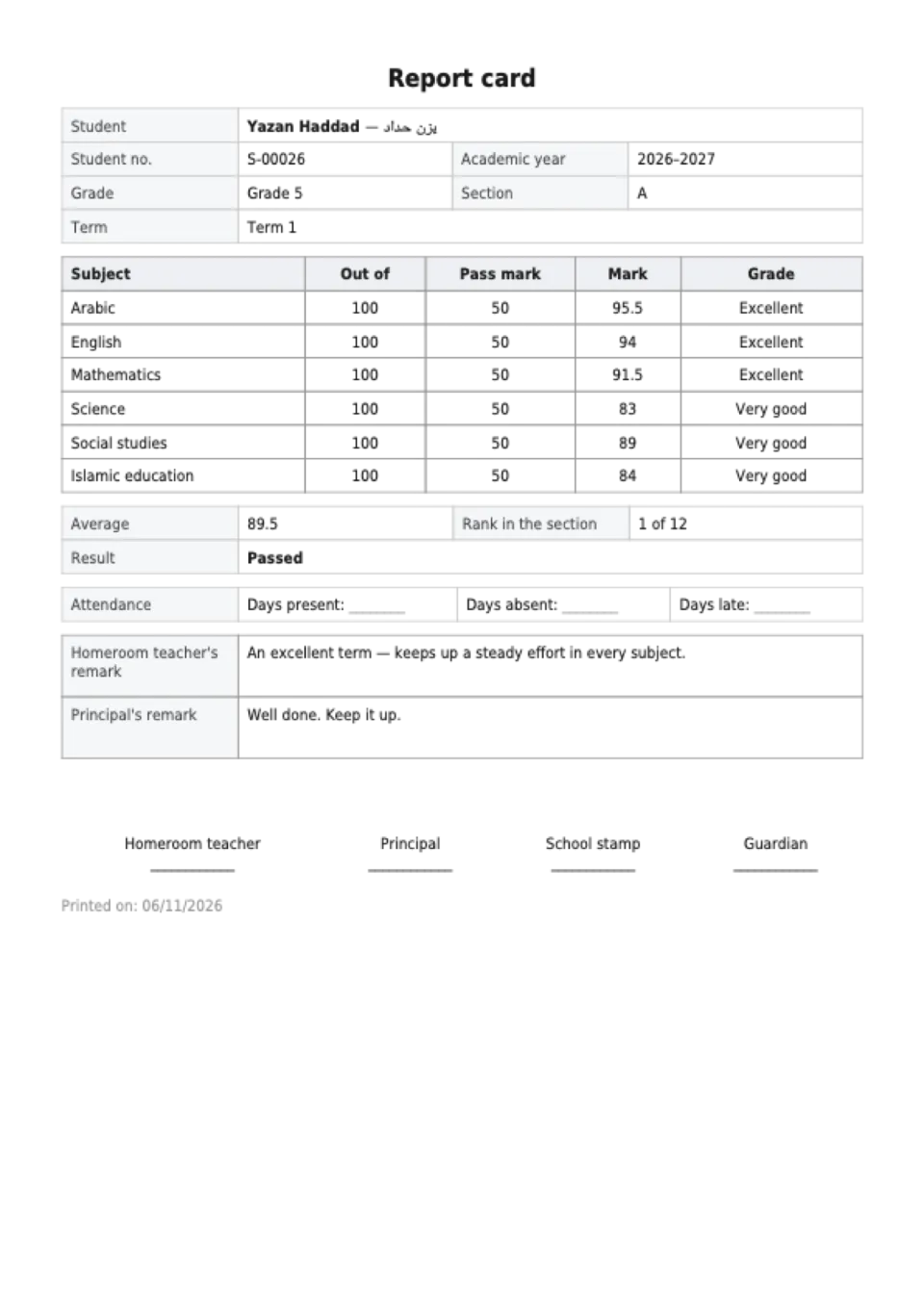
The card carries the school's letterhead, the student, grade, section, year and term; a line per subject with what it is out of, the pass mark, the mark and the grade; the average, the rank and the result (with the re-sit subjects named); the attendance (from the school's attendance when it is kept, else lines to fill in); the two remarks; and the places for the homeroom teacher, the principal, the school stamp and the guardian to sign.
Questions
Where is “Results and report cards” in Zyntra OS?
School › Results and report cards
Who can use “Results and report cards”?
Whoever views every section's marks. The section's homeroom teacher writes the teacher's remark; whoever approves marks writes the principal's.