

 Zyntra OS
 Zyntra Legal
 Zyntra Real Estate
 Zyntra Hotel
 Zyntra E-commerce
 Zyntra Appointments
 Zyntra Repair
 Zyntra Garage
 Zyntra Concierge
 Zyntra Contracting
 Zyntra Clinic
 Zyntra Dental
 Zyntra School
 Zyntra University
 Zyntra Call Center
 Zyntra OTA
Where
School › HomeworkWho
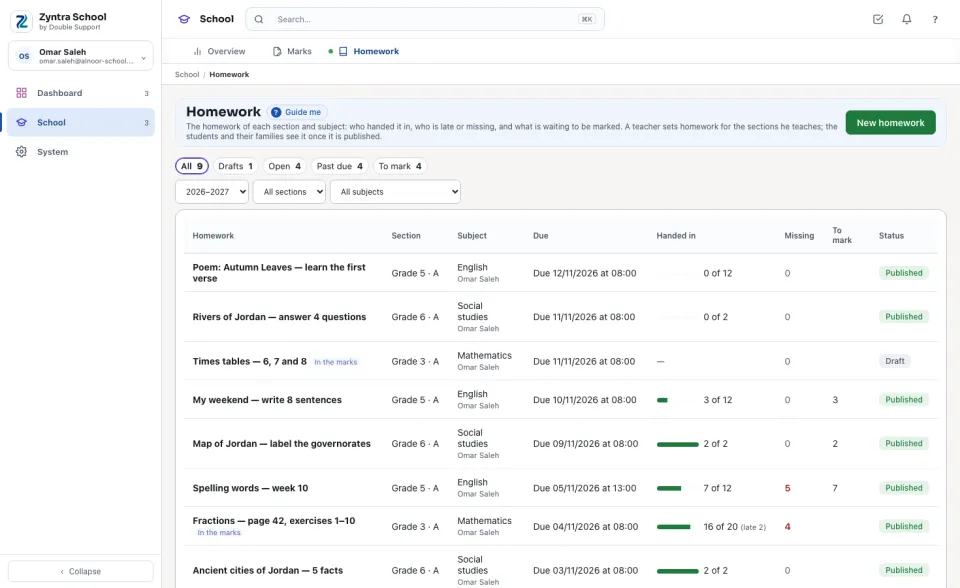
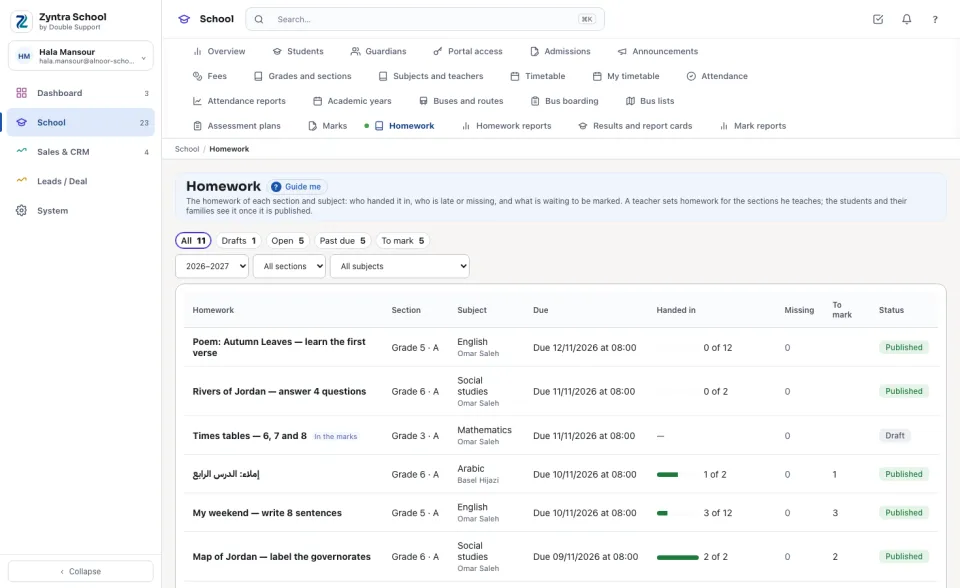
A teacher with the right to set homework for their own sections sets it for the subjects chosen for him in Subjects and teachers; marking and returning is its own right. Who holds «View every section» reads every section's homework and changes none.Each line is one homework: its Section and Subject, when it is Due, how many students Handed in (and how many of them late), how many are Missing once the due time has passed, how many hand-ins wait To mark, and its Status — Draft or Published. The buttons above count Drafts, Open homework, homework Past due and what is left To mark. Press a line to open it.
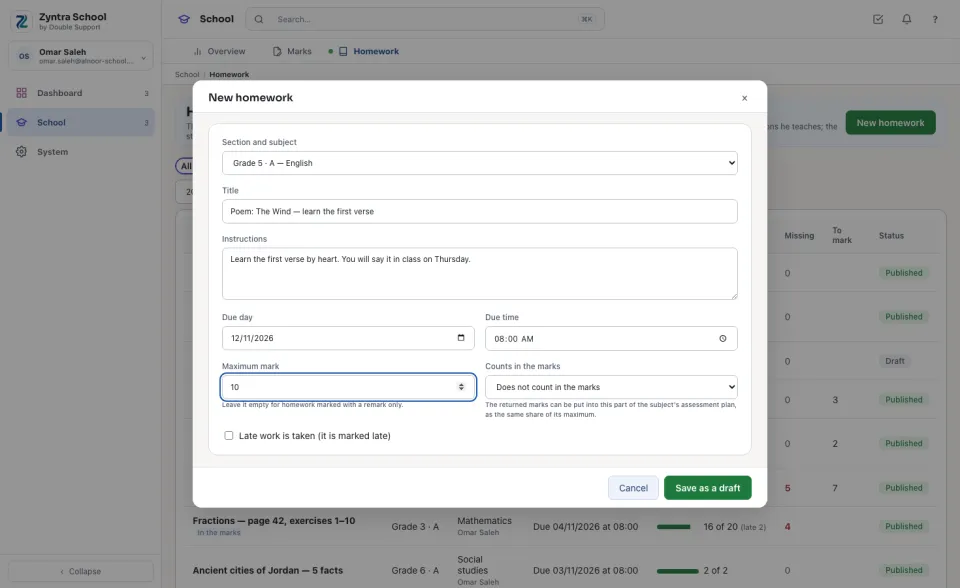
Set a homework
Who handed in, and the marks
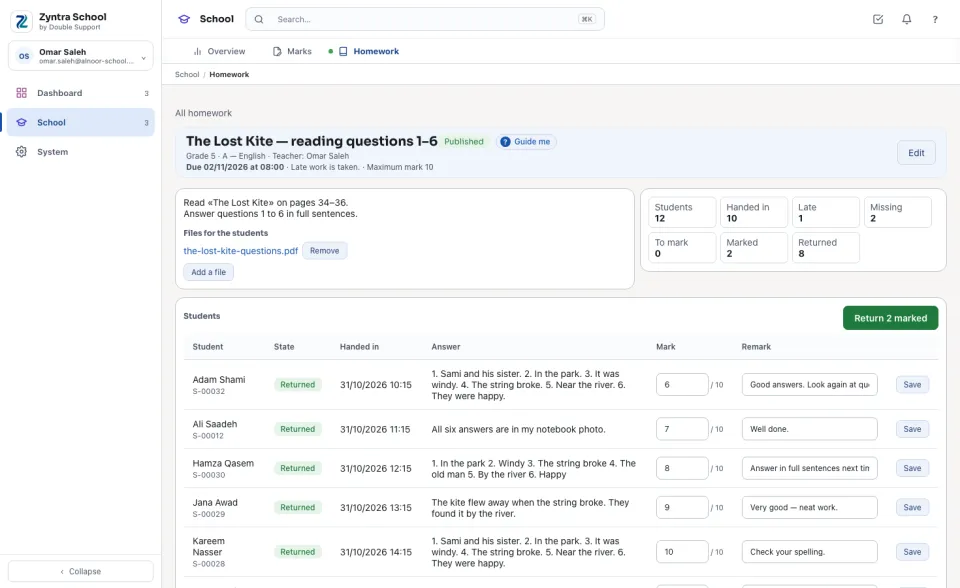
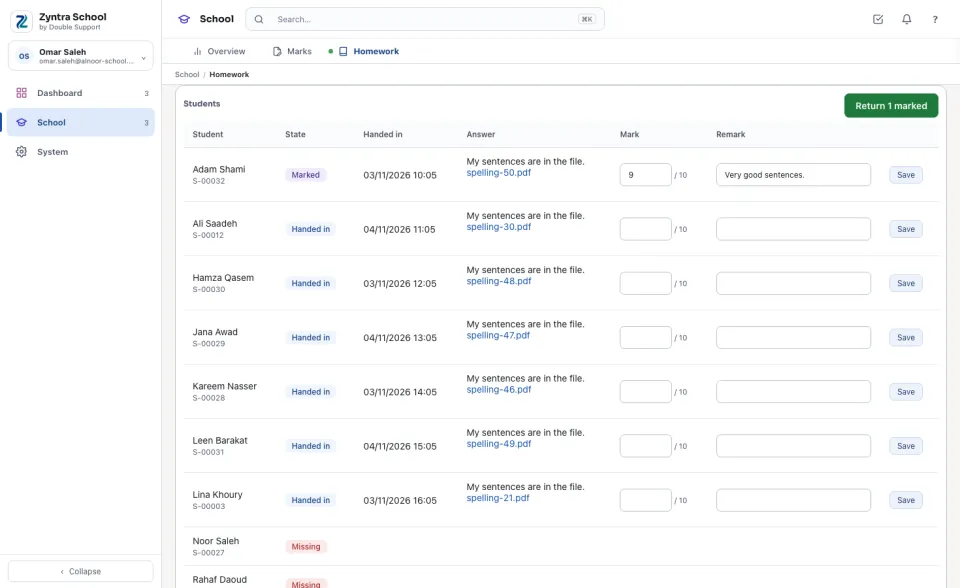
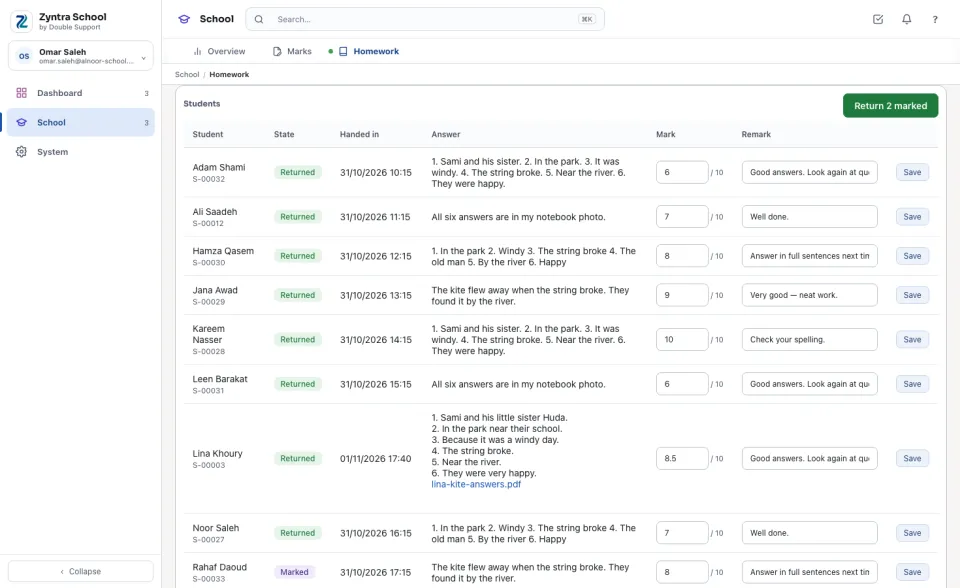
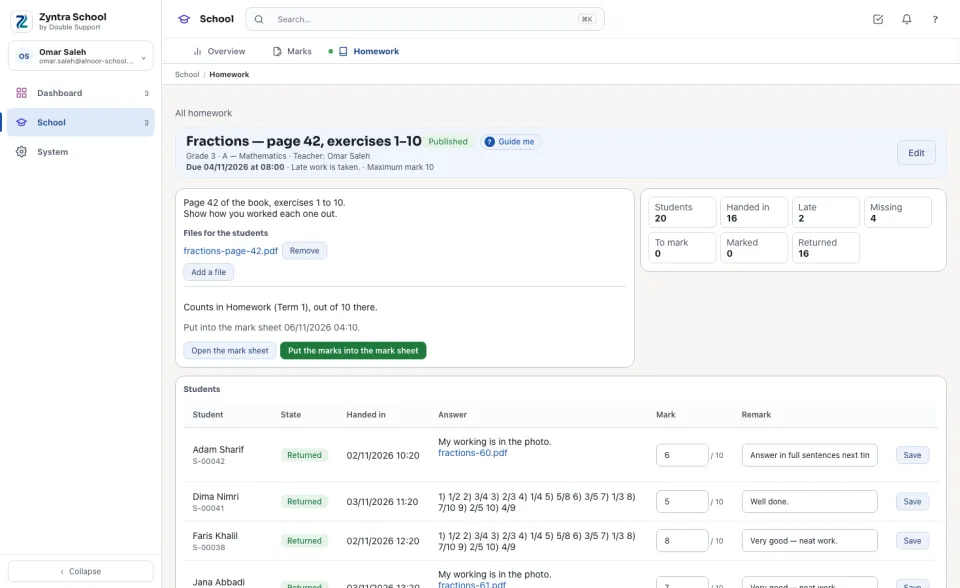
Under Students every student of the section is listed with their State: To do before the due time, Handed in, Handed in late, Missing after the due time, Marked or Returned; with when they handed it in, the Answer they typed and the files they added. The boxes beside it count each state.
Into the mark sheet
A homework that counts in the marks says which part of the plan it counts in. Once its marks are returned, Put the marks into the mark sheet writes each one into the section's sheet as the same share of that part (7 out of 10 is 14 out of 20) — only while the sheet is still a draft, and only for a teacher who holds the right to enter marks. Open the mark sheet opens it.
Every section (the school)
Who holds «View every section» sees every teacher's homework, with the teacher under each subject, and opens any of them to read it.
A guardian is told of a missing homework only when the school switches on «Tell the guardian of missing homework» in Setup › Settings › School: once the due time has passed, the primary guardian of each student who did not hand it in receives one email (and the WhatsApp template beside it, when one is named), once for each homework.
Questions
Where is “Homework” in Zyntra OS?
School › Homework
Who can use “Homework”?
A teacher with the right to set homework for their own sections sets it for the subjects chosen for him in Subjects and teachers; marking and returning is its own right. Who holds «View every section» reads every section's homework and changes none.