

 Zyntra OS
 Zyntra Legal
 Zyntra Real Estate
 Zyntra Hotel
 Zyntra E-commerce
 Zyntra Appointments
 Zyntra Repair
 Zyntra Garage
 Zyntra Concierge
 Zyntra Contracting
 Zyntra Clinic
 Zyntra Dental
 Zyntra School
 Zyntra University
 Zyntra Call Center
 Zyntra OTA
Where
School › Behaviour and School › Students › a student › BehaviourWho
Behaviour is private, so it has its own rights, never inside «School Students — View»: «School Behaviour — Write notes» lets a teacher write and read the notes of the students he teaches (his homeroom section, or a section where he teaches a subject) and no one else; «View all» reads every student; «Manage incidents» keeps the incidents, the steps and the meetings.Your students
Open School › Behaviour. Students lists the students of My sections — choose one section, or type a name in Find a student by name or number. Each line shows this year's Positive and Negative points and their Total. A teacher with «View all» sees every section.
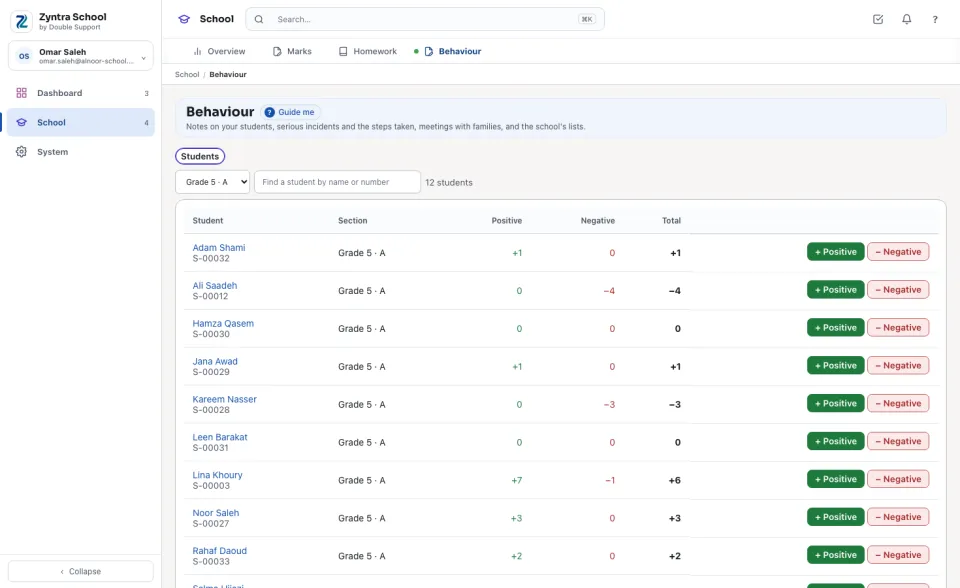
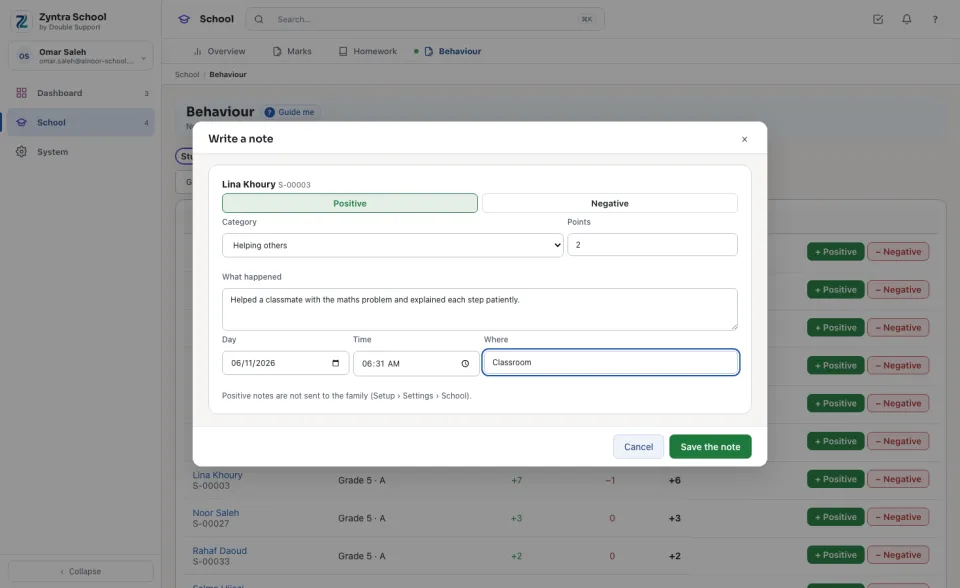
Write a note
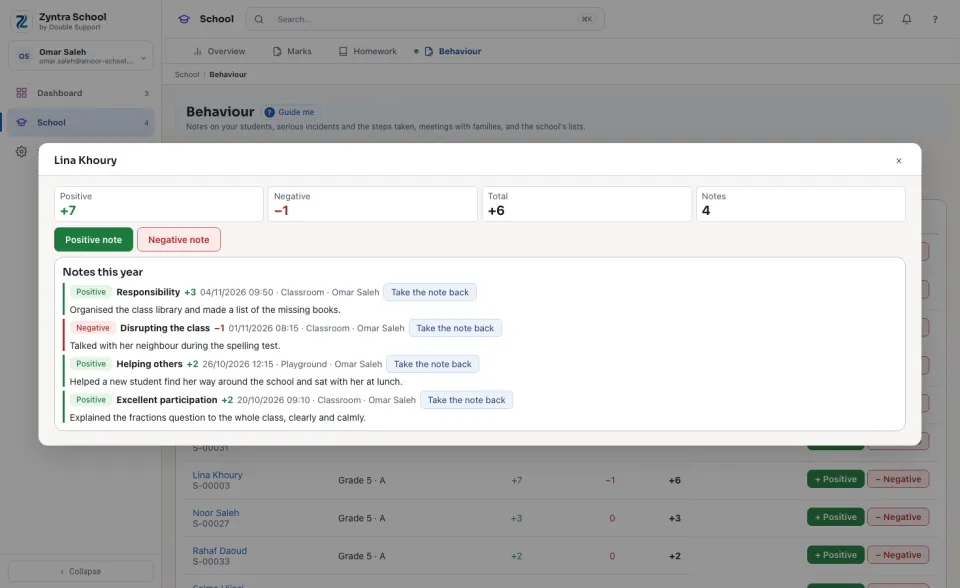
A student's behaviour
Press a student's name: his behaviour opens in a window — the points, and Notes this year, each with its category, points, day, place and the teacher who wrote it. Take the note back (only the teacher who wrote it, or who manages incidents) asks why; the note stays, struck through, with the reason, and counts for nothing.
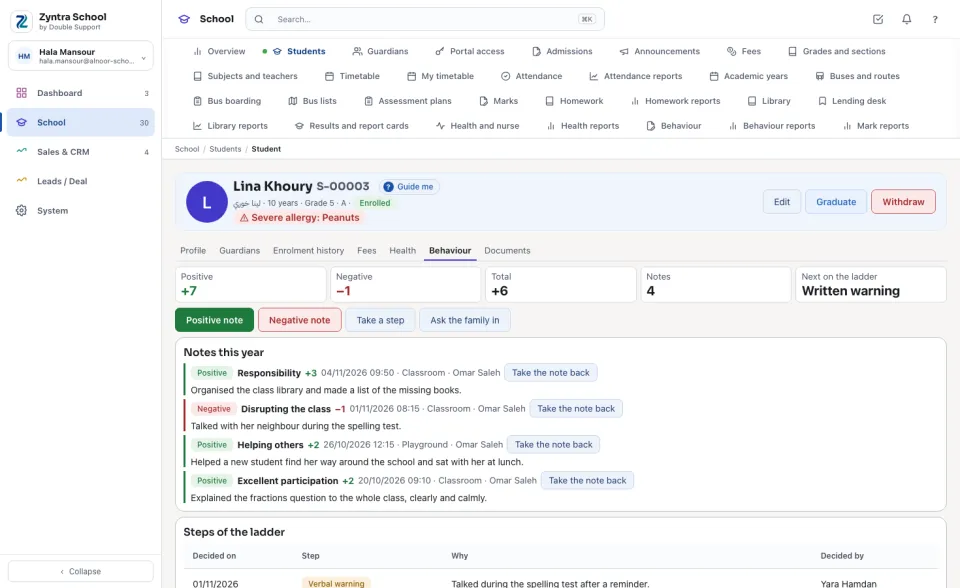
The student's Behaviour tab
On a student's page, Behaviour shows the same — and to who reads every student, also Steps of the ladder (who decided each and why), Meetings with the family and Incidents he was part of. Next on the ladder is the step after the highest one he reached this year. Who manages incidents finds Take a step and Ask the family in here too.
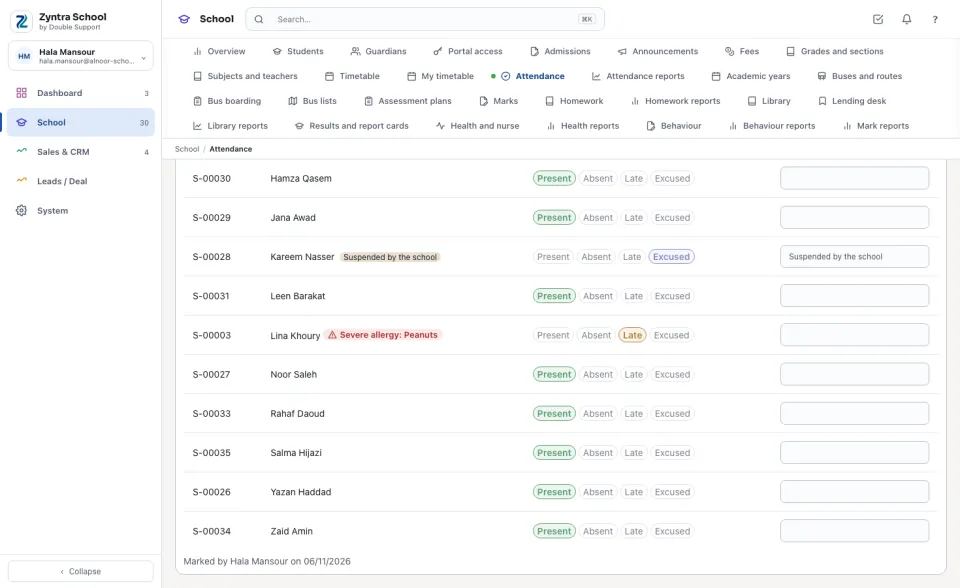
A suspension on attendance
A suspension's days are never an absence. On those days the attendance sheet opens with the student Excused and the note «Suspended by the school»; Everybody present leaves him excused, and a day already marked absent turned to excused when the suspension was saved. No absence message is sent for it.
Questions
Where is “Behaviour” in Zyntra OS?
School › Behaviour and School › Students › a student › Behaviour
Who can use “Behaviour”?
Behaviour is private, so it has its own rights, never inside «School Students — View»: «School Behaviour — Write notes» lets a teacher write and read the notes of the students he teaches (his homeroom section, or a section where he teaches a subject) and no one else; «View all» reads every student; «Manage incidents» keeps the incidents, the steps and the meetings.