

 Zyntra OS
 Zyntra Legal
 Zyntra Real Estate
 Zyntra Hotel
 Zyntra E-commerce
 Zyntra Appointments
 Zyntra Repair
 Zyntra Garage
 Zyntra Concierge
 Zyntra Contracting
 Zyntra Clinic
 Zyntra Dental
 Zyntra School
 Zyntra University
 Zyntra Call Center
 Zyntra OTA
Where
School › LibraryWho
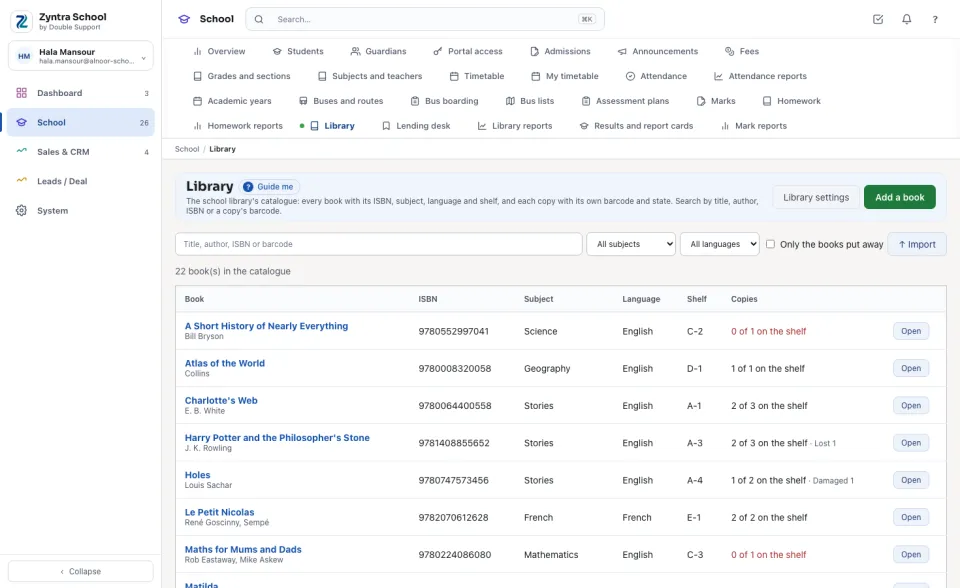
The library's view right reads the catalogue; the right to manage the catalogue adds and changes books, copies and the library settings.Each line is one book: the Book and its authors, the ISBN, the Subject, the Language, the Shelf, and how many of its Copies are on the shelf («2 of 3 on the shelf»; red when none is). Search by title, author, ISBN or a copy's barcode, or narrow by All subjects and All languages. Only the books put away shows the books taken out of the catalogue.
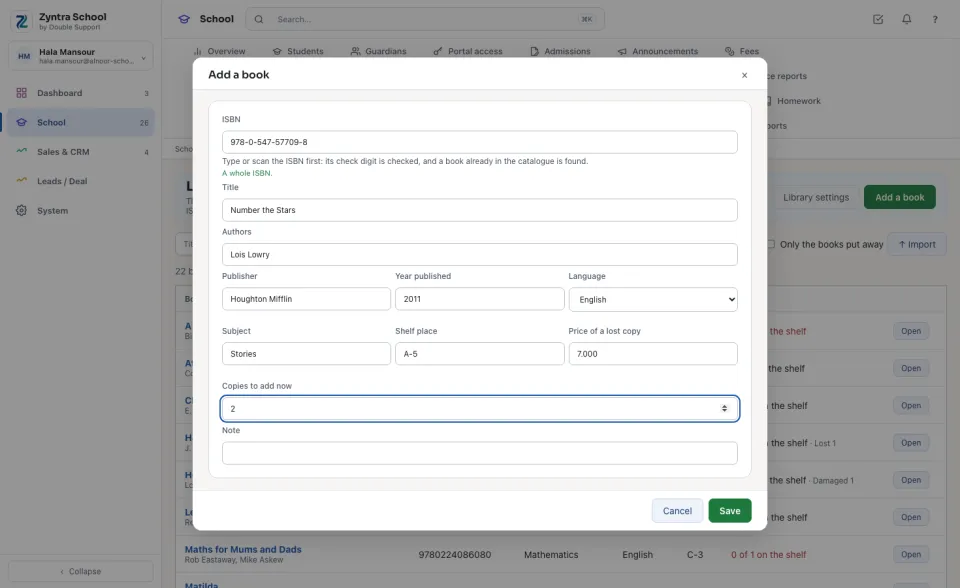
Add a book by its ISBN
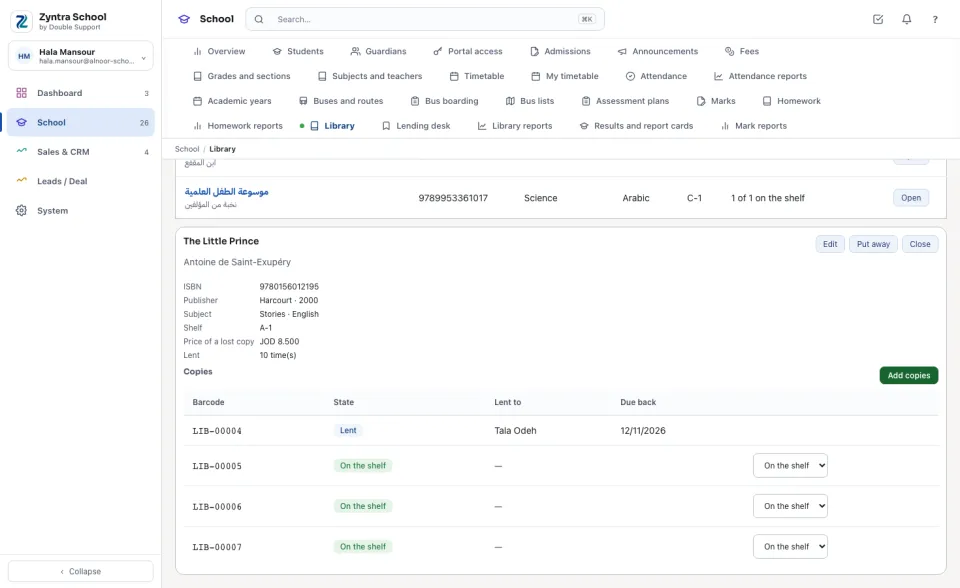
A book and its copies
Press Open on a line. Under the book's details, Copies lists each copy's Barcode and State, who it is Lent to and when it is Due back (red when Overdue), and a copy held for a student.
Library settings
Press Library settings for the school's own figures: the Days a student borrows and the Days staff borrow, the Copies a student holds at once and the Copies staff hold at once, the Renewals a loan may have, and the Days a reserved copy is held.
Tick Charge a fine for a late return and type the Fine for each day late and the Most a fine can reach. Choose the Item a fine is billed as and the Item a lost book is billed as: each charge goes on an ordinary invoice to the family as that item, with the item's own tax.
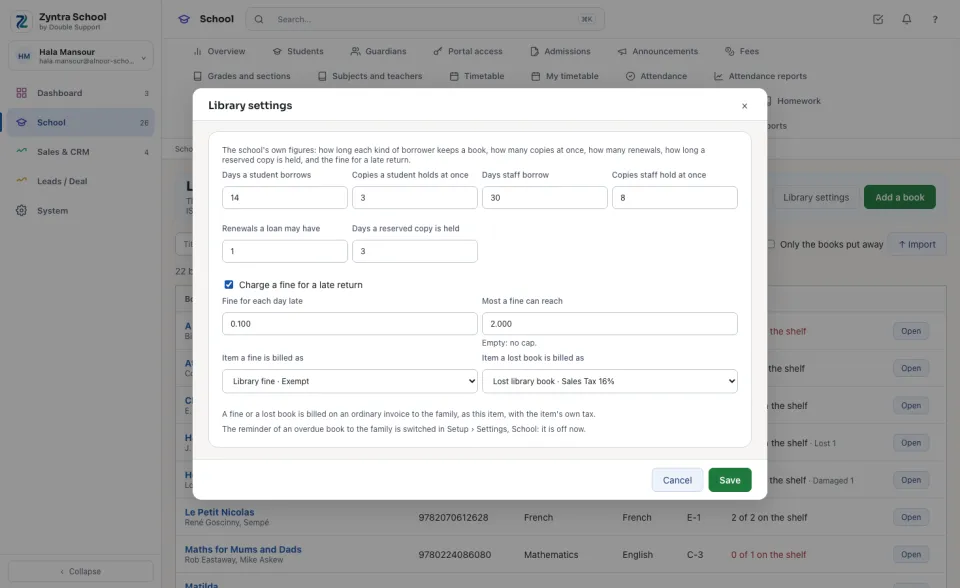
The reminder of an overdue book to the family is switched in Setup › Settings › School («Remind the family of an overdue library book»). It starts off.
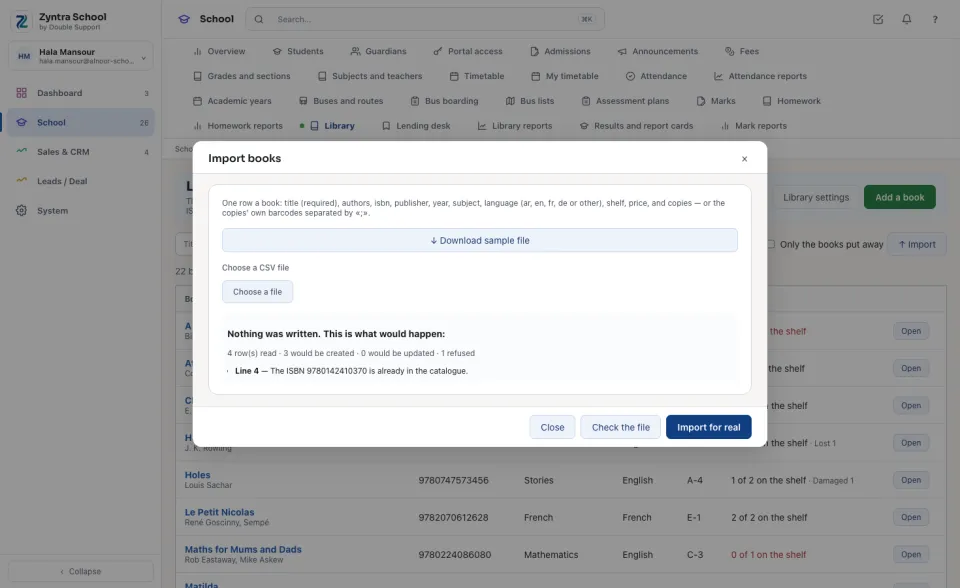
Import books from a spreadsheet
Questions
Where is “Library” in Zyntra OS?
School › Library
Who can use “Library”?
The library's view right reads the catalogue; the right to manage the catalogue adds and changes books, copies and the library settings.