

 Zyntra OS
 Zyntra Legal
 Zyntra Real Estate
 Zyntra Hotel
 Zyntra E-commerce
 Zyntra Appointments
 Zyntra Repair
 Zyntra Garage
 Zyntra Concierge
 Zyntra Contracting
 Zyntra Clinic
 Zyntra Dental
 Zyntra School
 Zyntra University
 Zyntra Call Center
 Zyntra OTA
Where
School › Homework reportsWho
The right to the homework reports.Each report reads the year chosen, or only the days between From and To (by the homework's due day). Only homework past its due time is counted as missing.
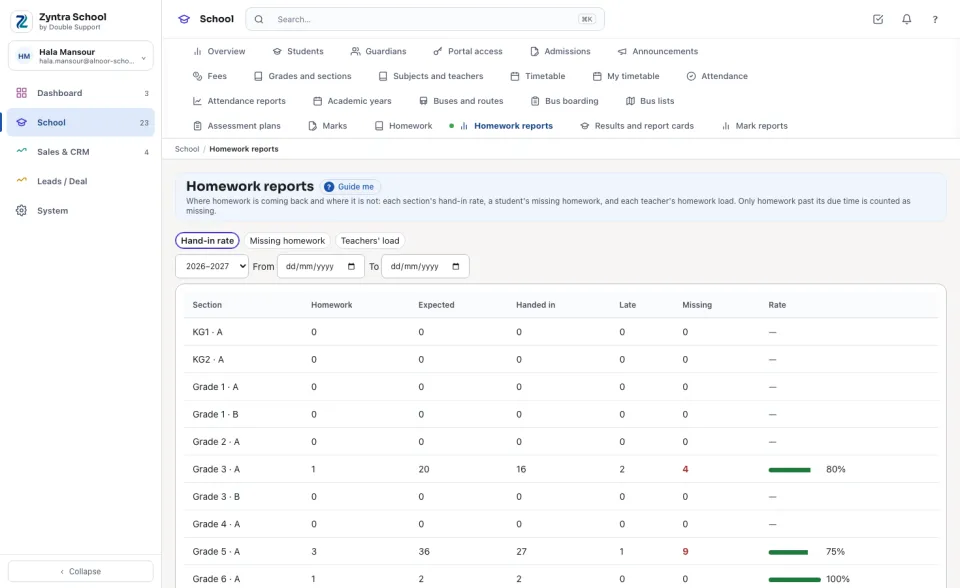
Hand-in rate
Every section of the year: how many published homework are past their due time, how many hand-ins were Expected (each homework × the section's students), how many were Handed in and how many of them Late, how many are Missing, and the Rate.
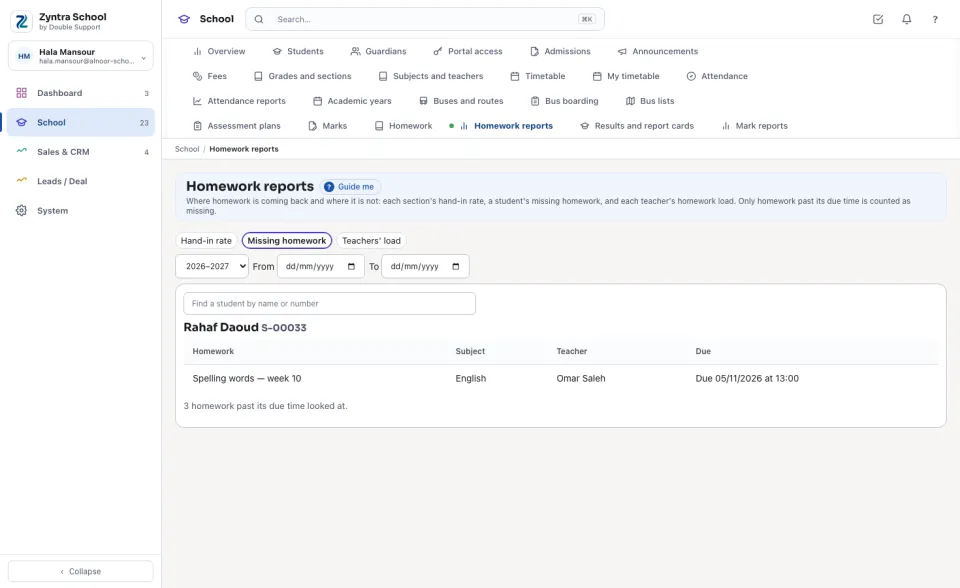
Missing homework
Find the student by name or number: every homework past its due time they did not hand in, with its subject, teacher and due time.
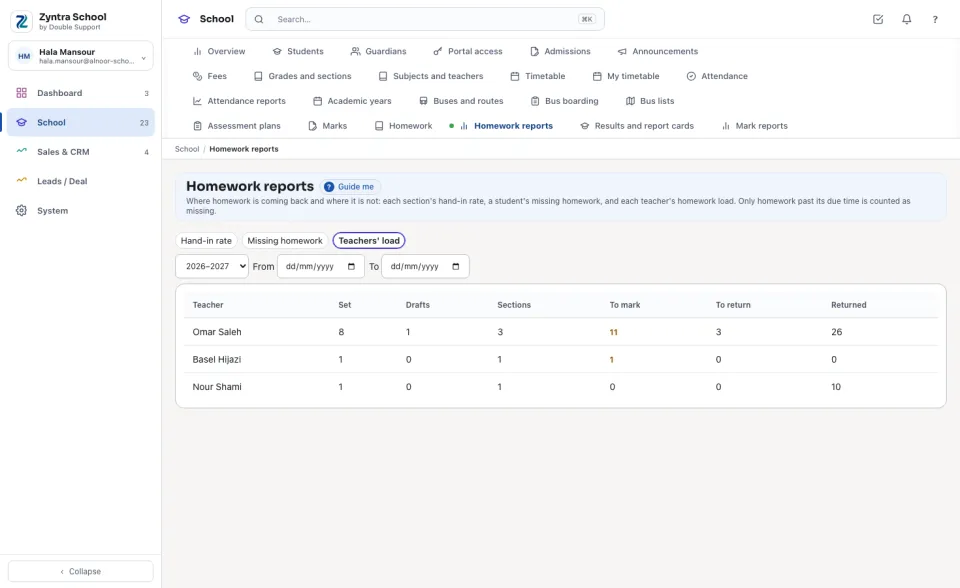
Teachers' load
Each teacher: homework Set (published) and Drafts, the Sections they set it for, the hand-ins waiting To mark, marked but not yet returned (To return) and Returned.
Questions
Where is “Homework reports” in Zyntra OS?
School › Homework reports
Who can use “Homework reports”?
The right to the homework reports.