

 Zyntra OS
 Zyntra Legal
 Zyntra Real Estate
 Zyntra Hotel
 Zyntra E-commerce
 Zyntra Appointments
 Zyntra Repair
 Zyntra Garage
 Zyntra Concierge
 Zyntra Contracting
 Zyntra Clinic
 Zyntra Dental
 Zyntra School
 Zyntra University
 Zyntra Call Center
 Zyntra OTA
Where
School › Ministry exportsWho
«School Ministry exports — Export». A student's personal data leaves Zyntra in a ministry's file only through this right.Check the students
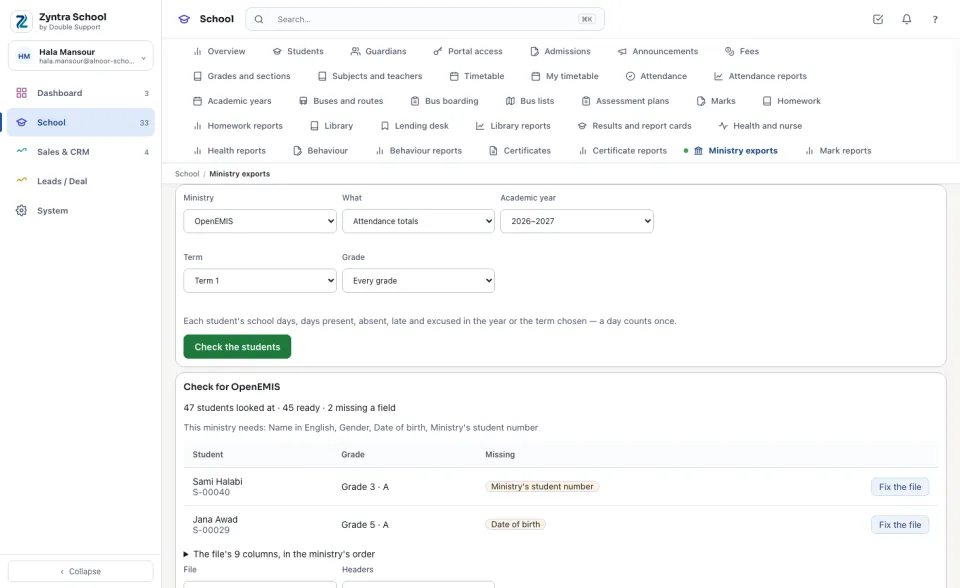
The check says how many students it looked at, how many are ready and how many miss a field, and what This ministry needs:. Each student missing a field is listed with what is Missing; Fix the file opens his file ready to edit.
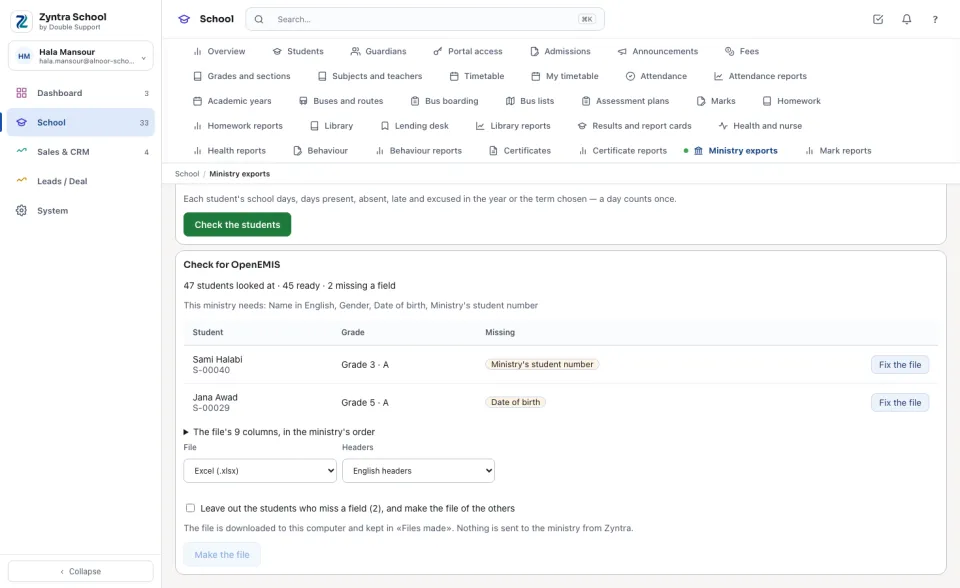
Make the file
Open the list of the file's columns to read them in the ministry's order. Choose the File — Excel (.xlsx) or CSV (.csv) — and the Headers — English or Arabic. While a student misses a field, tick Leave out the students who miss a field to make the file of the others, or fix them first. Press Make the file: it is downloaded to this computer.
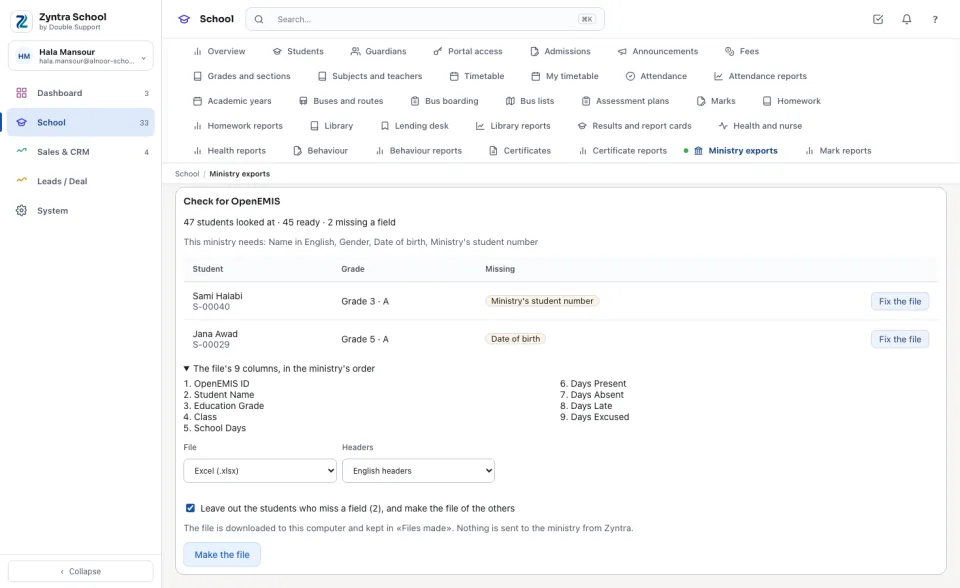
Attendance totals count each student's school days, days present, absent, late and excused — a day counts once. Year results carry the approved and released marks only: each subject's mark, the average and the result.
Files made
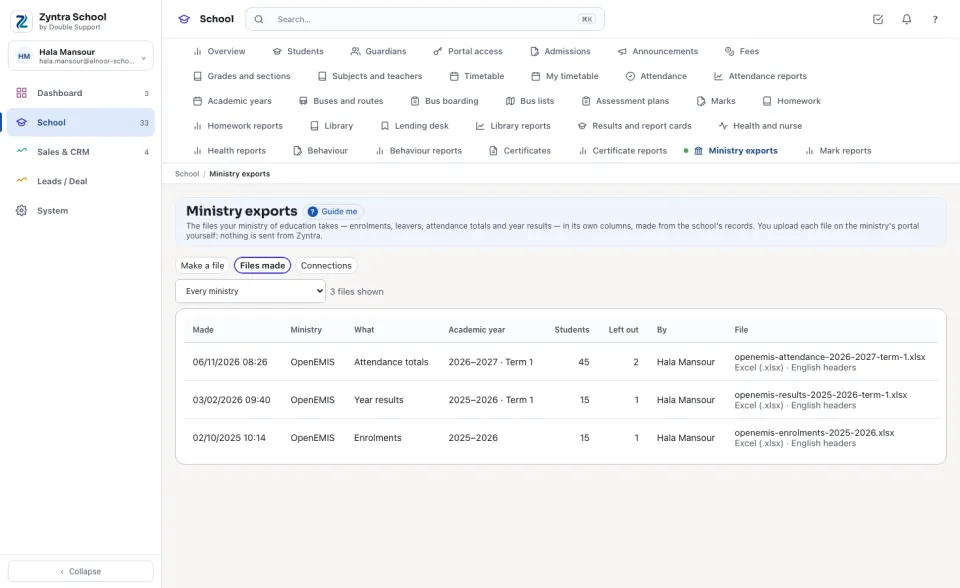
Files made keeps every file: when it was Made, the Ministry, What, the year, term and grade, how many Students it held, how many were Left out, By whom, and the File with its format and headers.
A student's fields for the ministry
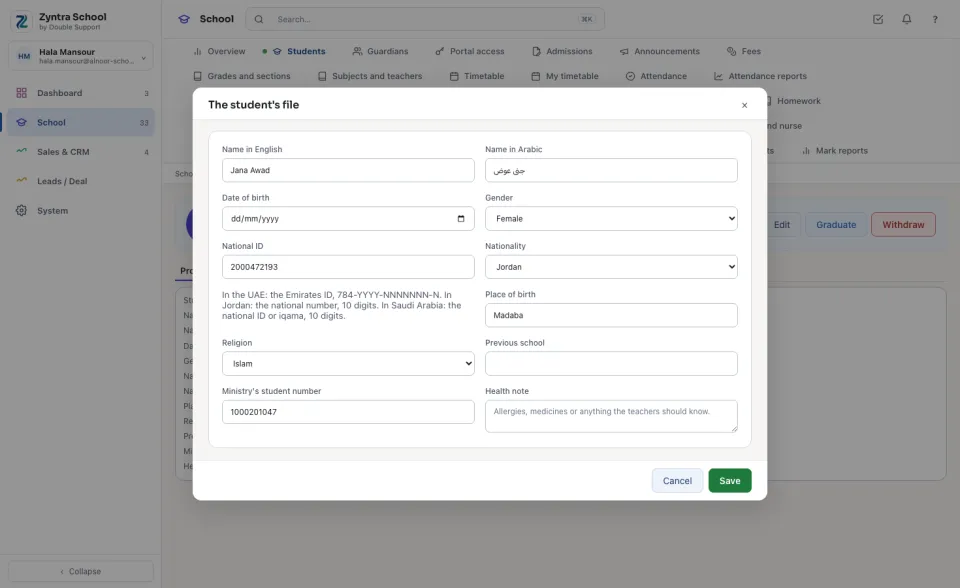
On the student's file, Edit holds what the ministries ask for beside the National ID: Place of birth, Religion, Previous school and Ministry's student number (for OpenEMIS, the OpenEMIS ID). They are read only by who holds the students' right. The national ID is checked by the company's country: in the UAE the Emirates ID, kept as 784-YYYY-NNNNNNN-N; in Jordan a Jordanian's national number, 10 digits; in Saudi Arabia the national ID or iqama, 10 digits from 1 or 2.
Questions
Where is “Ministry exports” in Zyntra OS?
School › Ministry exports
Who can use “Ministry exports”?
«School Ministry exports — Export». A student's personal data leaves Zyntra in a ministry's file only through this right.