

 Zyntra OS
 Zyntra Legal
 Zyntra Real Estate
 Zyntra Hotel
 Zyntra E-commerce
 Zyntra Appointments
 Zyntra Repair
 Zyntra Garage
 Zyntra Concierge
 Zyntra Contracting
 Zyntra Clinic
 Zyntra Dental
 Zyntra School
 Zyntra University
 Zyntra Call Center
 Zyntra OTA
Where
School › Behaviour reportsWho
«School Behaviour — Reports». It reads the figures, never a student's notes.Points
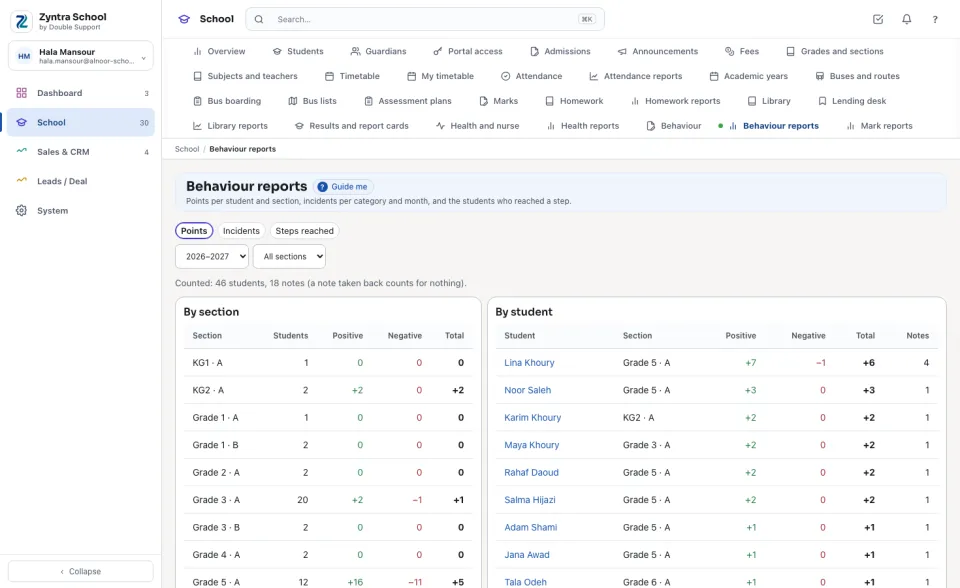
Choose the year and one section, or All sections. By section adds up each section's Positive and Negative points and their Total; By student lists every student, the best first, with the number of Notes. The line above says how many students and notes were counted; a note taken back counts for nothing.
Incidents
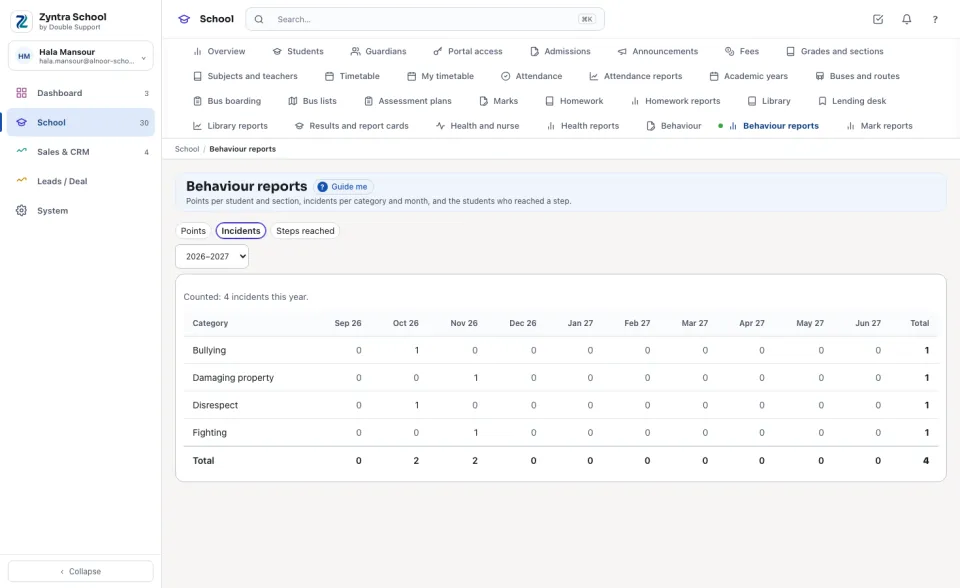
Incidents counts the year's incidents of each category, month by month, with the Total of each and of each month.
Steps reached
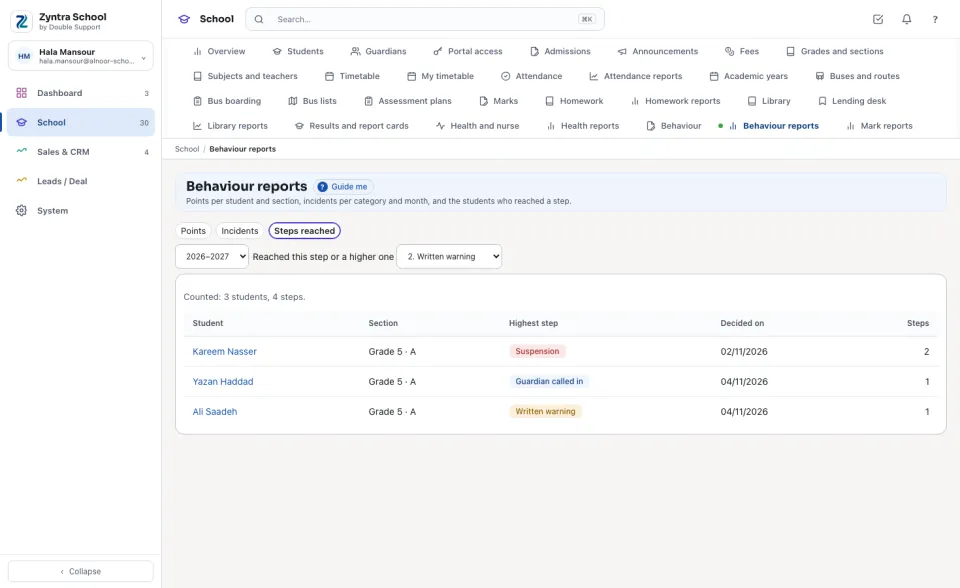
Choose a step under Reached this step or a higher one: the students who reached it this year, each with the Highest step, the day it was decided and how many Steps he had.
Before: Behaviour · Incidents, steps and meetings
Questions
Where is “Behaviour reports” in Zyntra OS?
School › Behaviour reports
Who can use “Behaviour reports”?
«School Behaviour — Reports». It reads the figures, never a student's notes.