

 Zyntra OS
 Zyntra Legal
 Zyntra Real Estate
 Zyntra Hotel
 Zyntra E-commerce
 Zyntra Appointments
 Zyntra Repair
 Zyntra Garage
 Zyntra Concierge
 Zyntra Contracting
 Zyntra Clinic
 Zyntra Dental
 Zyntra School
 Zyntra University
 Zyntra Call Center
 Zyntra OTA
Where
School › Activities and clubsWho
«Manage activities» makes them and keeps their members. «Supervise activities» sees and marks only the activities the person supervises. «Activity and form reports» reads the report. Families register from the parent portal.The year's activities
Each activity shows its Kind, Days and hours, Supervisor, the Seats taken, how many are Waiting, the Fee a term and whether Registration is open. Choose another year at the top.
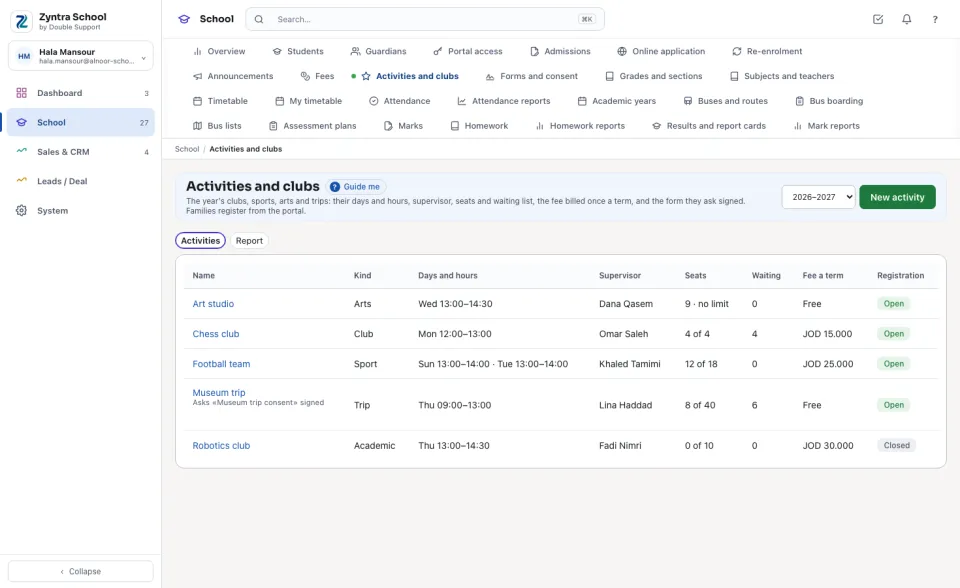
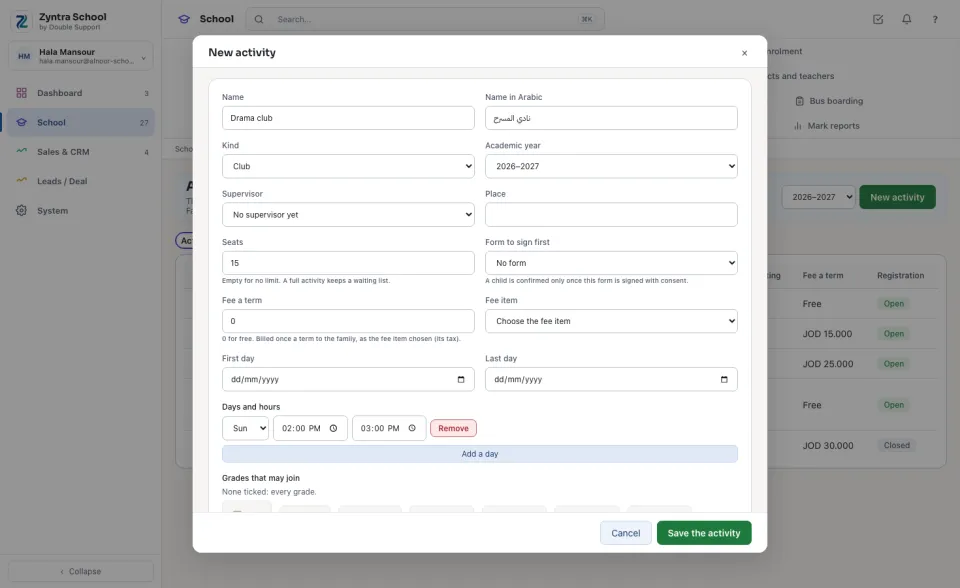
Make an activity
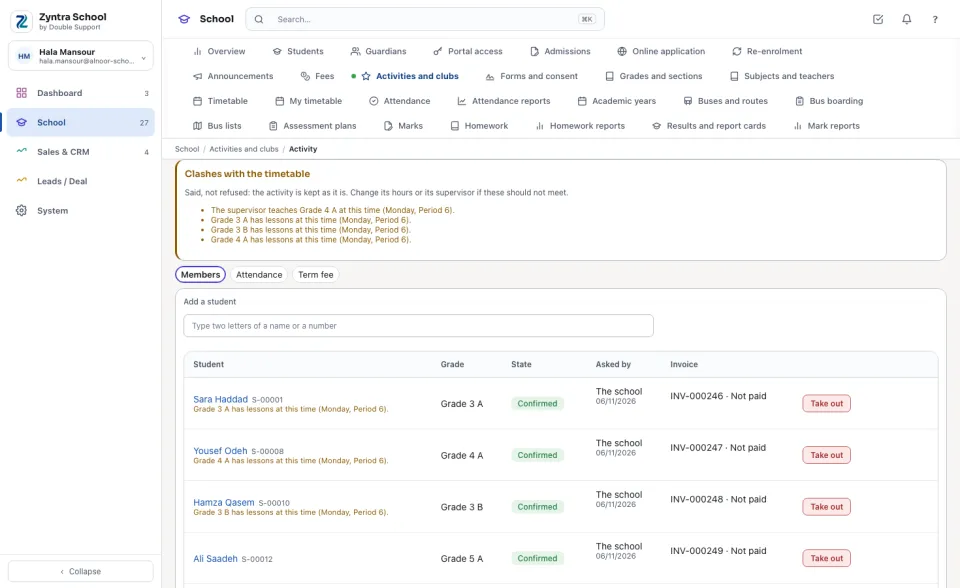
Clashes with the timetable
When an activity meets while its supervisor teaches, or while the grades it takes have lessons, the activity's page lists each clash under Clashes with the timetable. A clash is said, never refused: change the hours or the supervisor if they should not meet. A university's lectures are said the same way.
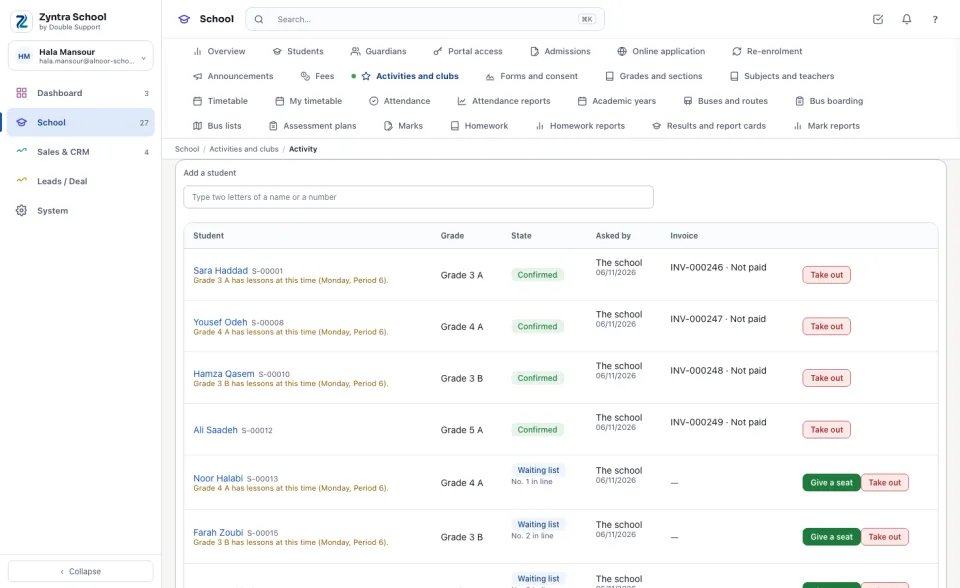
Members and the waiting list
Under Members each child shows the State: Confirmed, Waiting for the form (the form it asks is not signed yet), Waiting list with the child's number in line, or Left; who asked, the child's own clash, and the invoice.
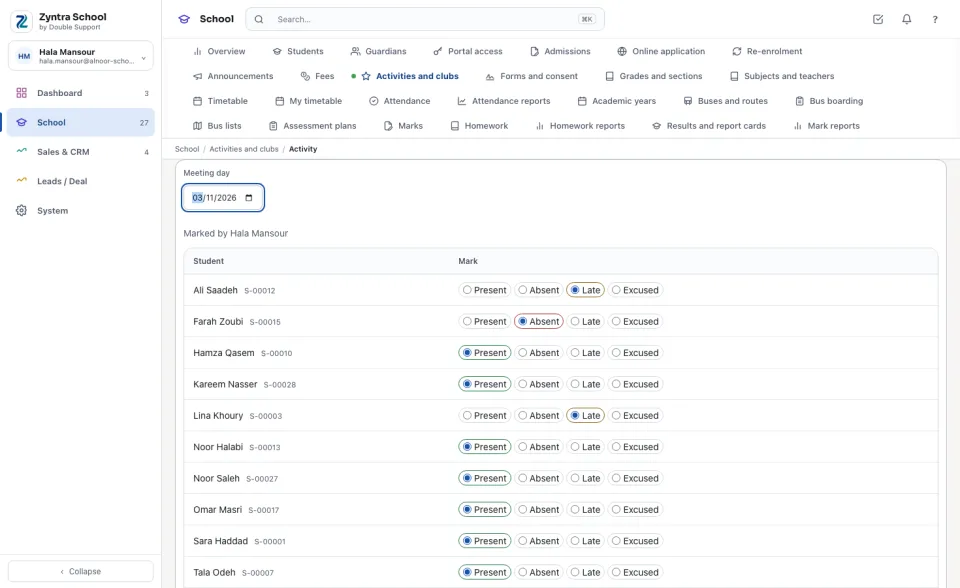
Attendance at each meeting
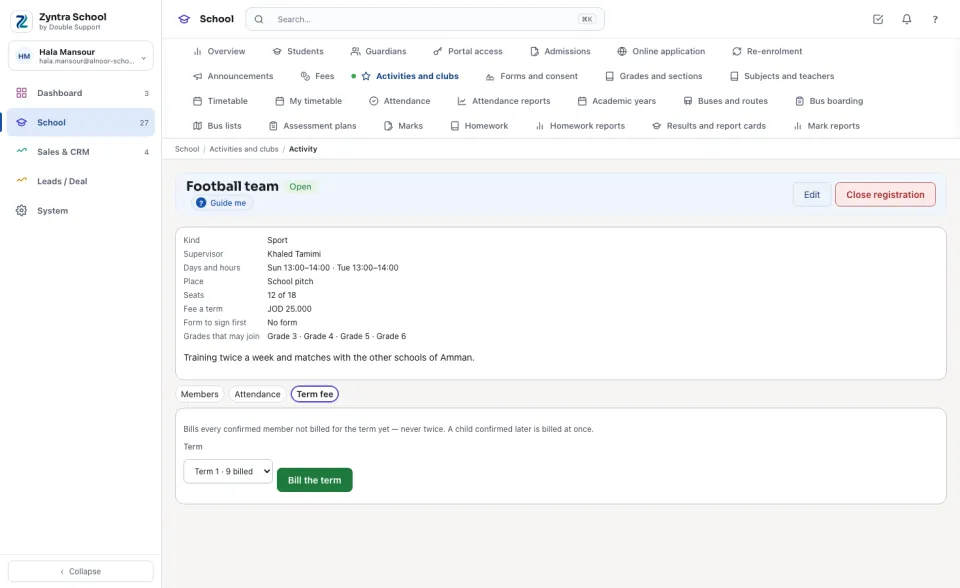
The term's fee
A paid activity bills the family an ordinary invoice when the child is confirmed, for the term running. At the start of each new term open Term fee, choose the Term and press Bill the term: every confirmed member not billed for that term is billed, never twice.
What the family sees
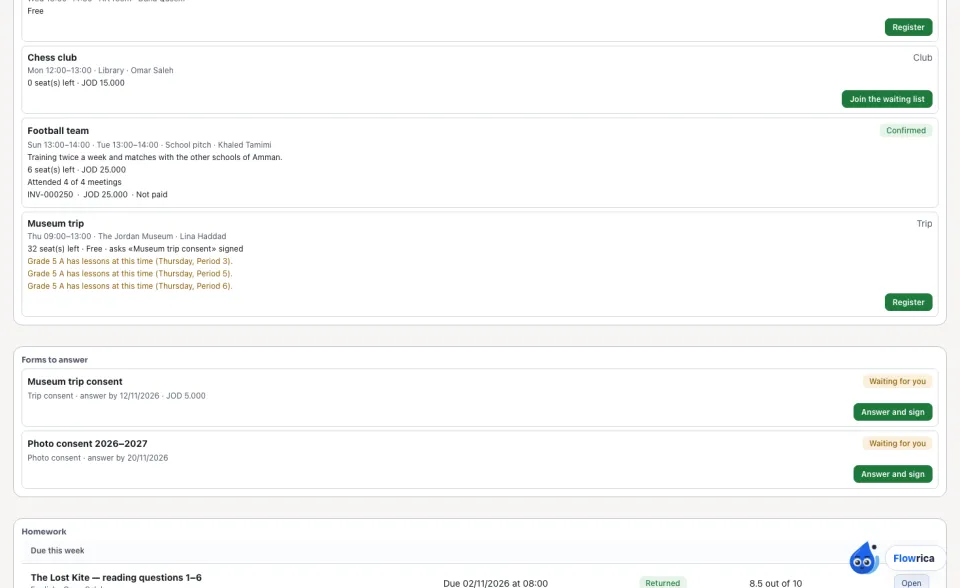
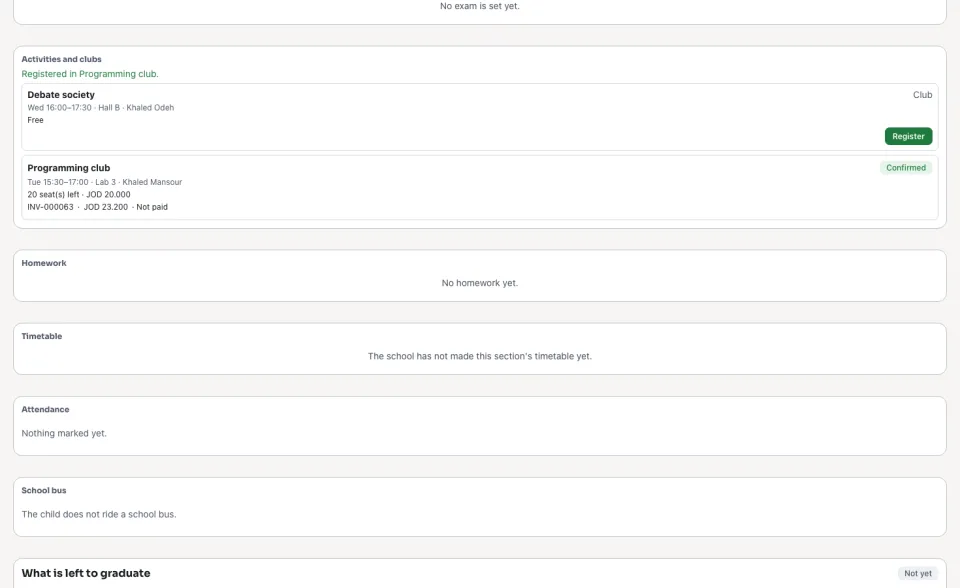
In the parent portal each child's page lists the activities open to them, with the hours, the seats left, the fee and the form asked, and any clash with the child's own lessons. The guardian presses «Register» (or «Join the waiting list») and pays the fee's invoice online. A university's student registers themself.
At a university
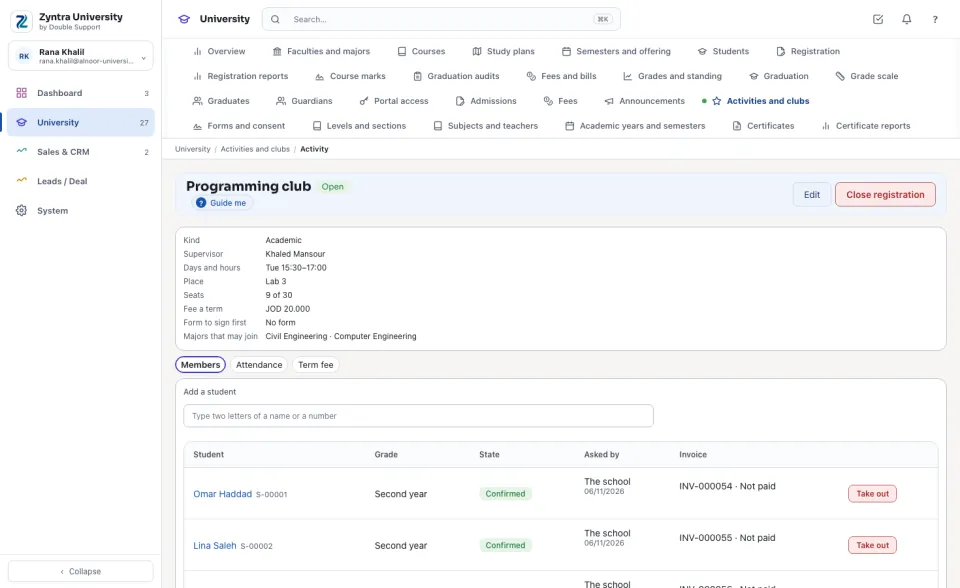
A university ticks the Majors that may join instead of grades (none ticked: every student). Its students see only the activities their major may join, and each student registers themself in their own portal; a guardian of theirs reads. The fee is billed to the student's payer as an ordinary invoice, with the fee item's tax.
The report
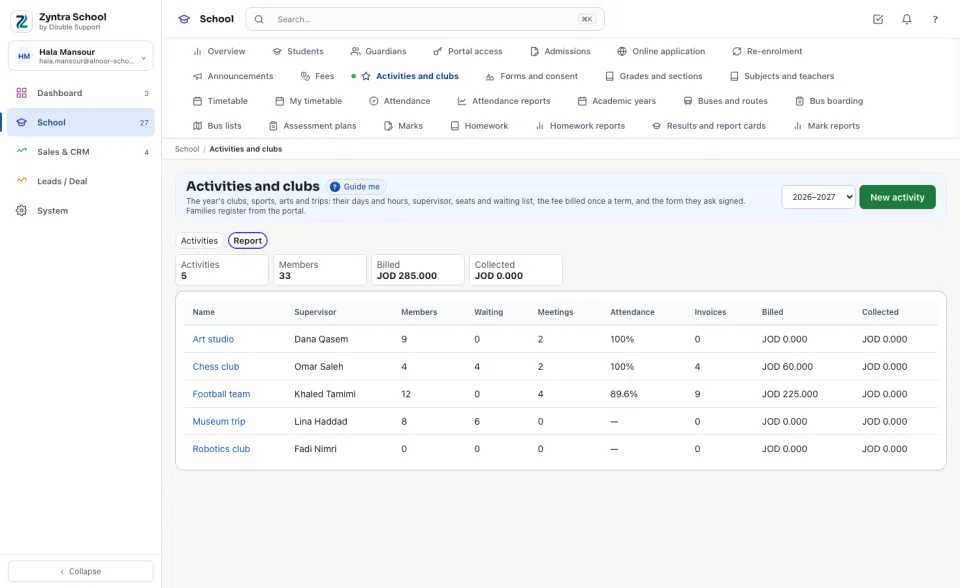
Open Report for every activity of the year: its Members, Meetings, Attendance, Invoices, and the fees Billed and Collected, with the totals on top.
Questions
Where is “Activities and clubs” in Zyntra OS?
School › Activities and clubs
Who can use “Activities and clubs”?
«Manage activities» makes them and keeps their members. «Supervise activities» sees and marks only the activities the person supervises. «Activity and form reports» reads the report. Families register from the parent portal.