

 Zyntra OS
 Zyntra Legal
 Zyntra Real Estate
 Zyntra Hotel
 Zyntra E-commerce
 Zyntra Appointments
 Zyntra Repair
 Zyntra Garage
 Zyntra Concierge
 Zyntra Contracting
 Zyntra Clinic
 Zyntra Dental
 Zyntra School
 Zyntra University
 Zyntra Call Center
 Zyntra OTA
Where
School › Canteen reportsWho
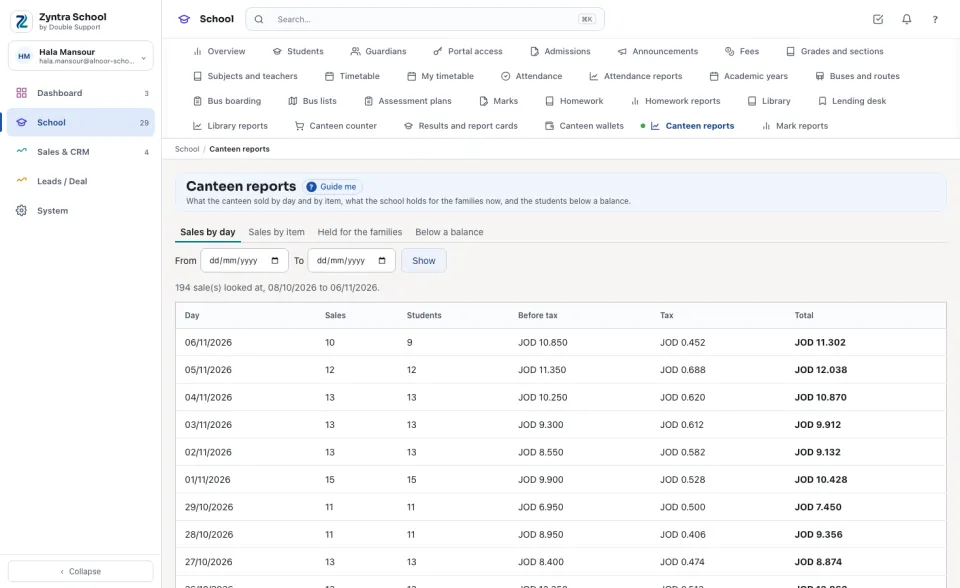
The canteen's reports right.Each report says how many sales, lines or wallets it looked at. From and To left empty read the last 30 days.
Sales by day
Each day with its number of Sales, the Students who bought, the figure Before tax, the Tax and the Total; the last line adds them up.
Sales by item
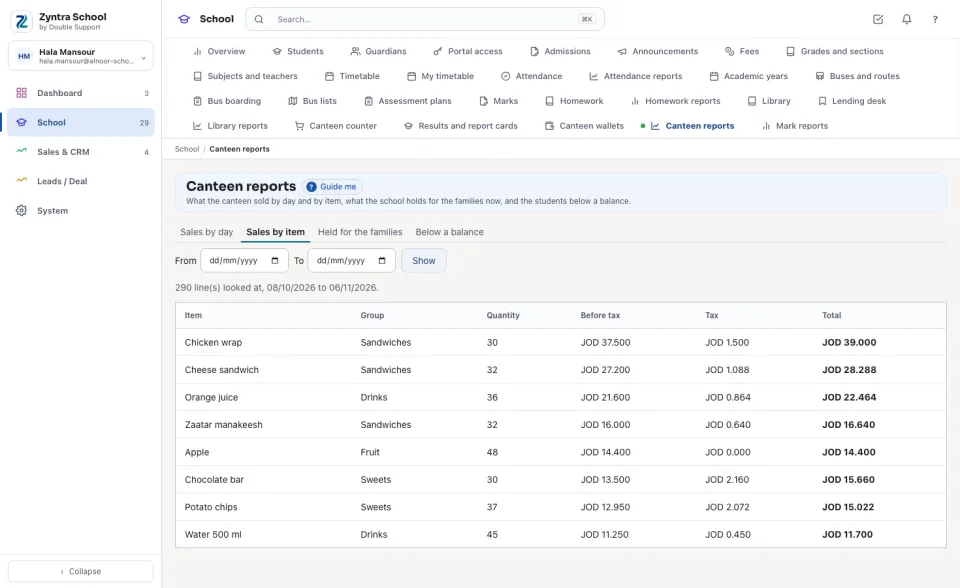
Each item sold, with its group, the Quantity, the figure before tax, the tax at the item's own rate and the total — the best seller first.
Held for the families
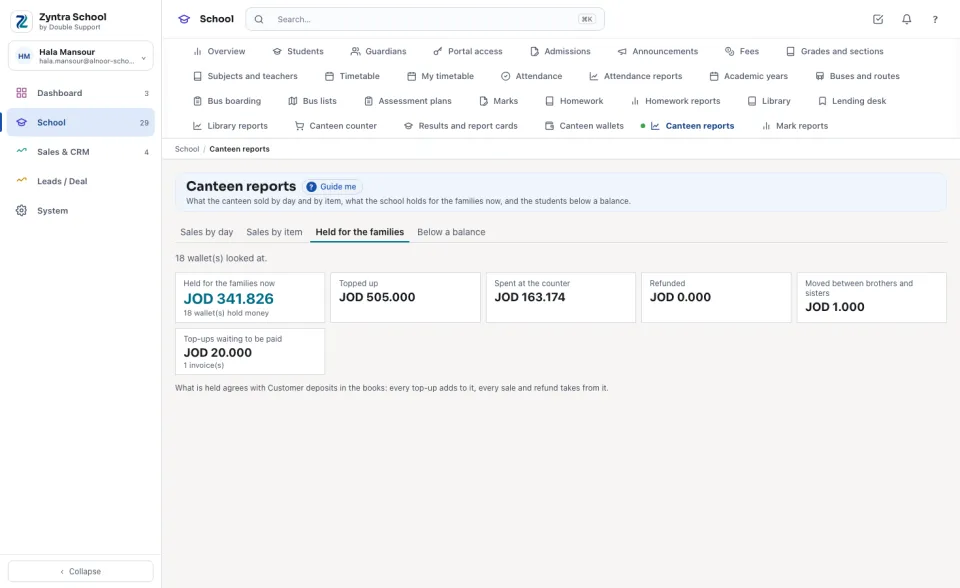
What the school holds for the families now — the sum of every wallet, and how many wallets hold money — with what was Topped up, Spent at the counter, Refunded and Moved between brothers and sisters, and the Top-ups waiting to be paid. It agrees with Customer deposits in the books.
Below a balance
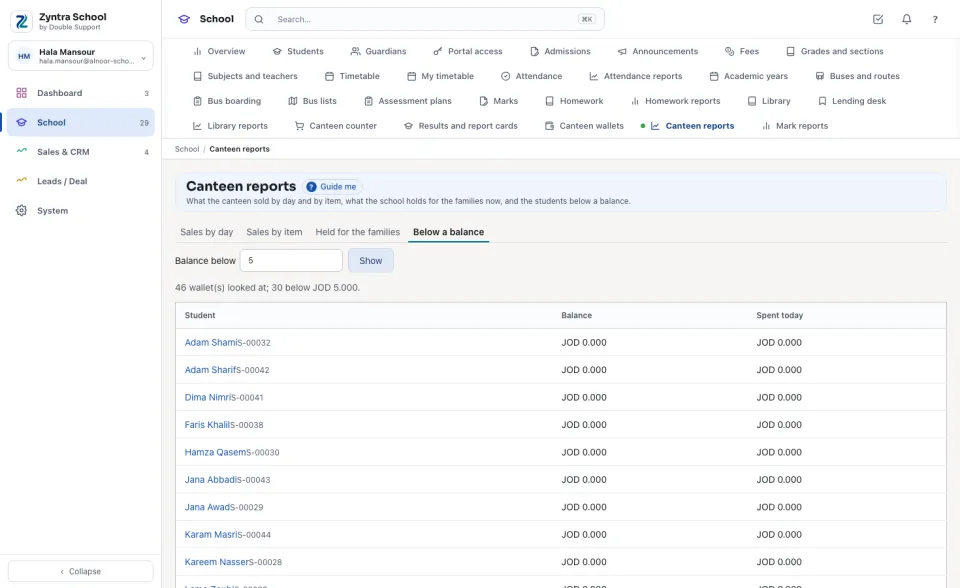
Type a figure in Balance below (empty: the school's low figure) and press Show: the students whose wallet holds less, the lowest first. Press a name to open the wallet.
Questions
Where is “Canteen reports” in Zyntra OS?
School › Canteen reports
Who can use “Canteen reports”?
The canteen's reports right.