

 Zyntra OS
 Zyntra Legal
 Zyntra Real Estate
 Zyntra Hotel
 Zyntra E-commerce
 Zyntra Appointments
 Zyntra Repair
 Zyntra Garage
 Zyntra Concierge
 Zyntra Contracting
 Zyntra Clinic
 Zyntra Dental
 Zyntra School
 Zyntra University
 Zyntra Call Center
 Zyntra OTA
Where
School › Subjects and teachersWho
Whoever views grades and sections, or the school timetable, reads it; adding, changing and deleting a subject, and choosing its teacher, follow the grades and sections rights; the bell times follow the timetable's rights.Choose the Grade and the Academic year at the top. First, the grade's subjects: type a name, its Arabic name, a Code, how many Periods a week the timetable places of it and its Colour (each lesson is drawn in it) in place, or Put away one the grade no longer studies. Under them, Teachers in each section: a line per subject, a column per section of the grade.
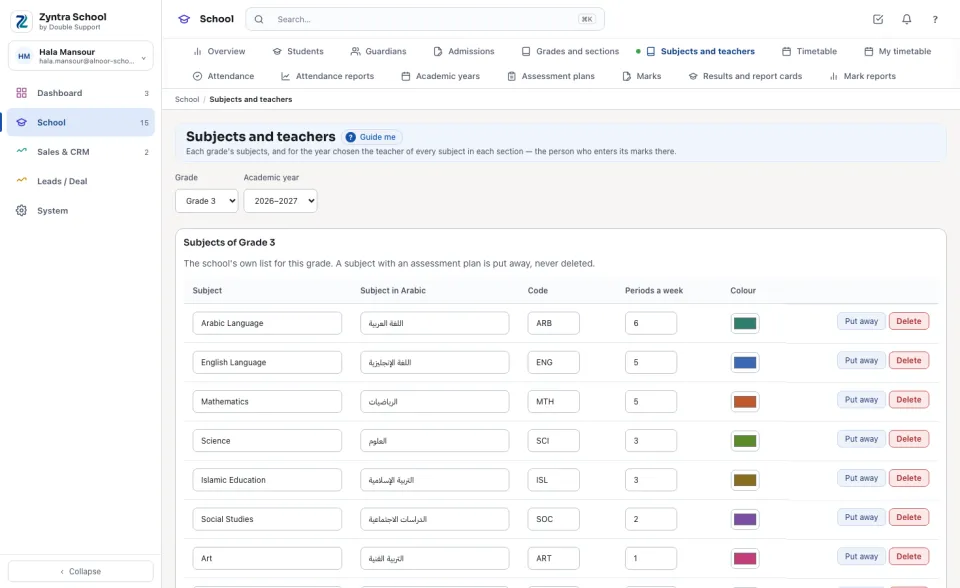
Add a subject and choose its teachers
The bell times
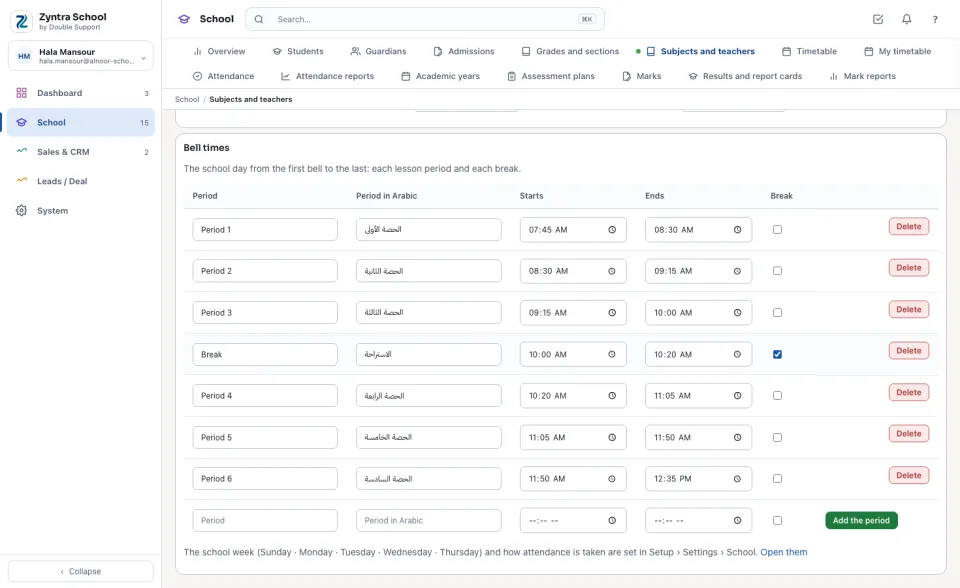
Under them, Bell times is the school day from the first bell to the last: each Period with the time it Starts and Ends, and each Break. Type a line in the empty last row and press Add the period. Two periods never overlap, and a break holds no lesson.
Questions
Where is “Subjects and teachers” in Zyntra OS?
School › Subjects and teachers
Who can use “Subjects and teachers”?
Whoever views grades and sections, or the school timetable, reads it; adding, changing and deleting a subject, and choosing its teacher, follow the grades and sections rights; the bell times follow the timetable's rights.