

 Zyntra OS
 Zyntra Legal
 Zyntra Real Estate
 Zyntra Hotel
 Zyntra E-commerce
 Zyntra Appointments
 Zyntra Repair
 Zyntra Garage
 Zyntra Concierge
 Zyntra Contracting
 Zyntra Clinic
 Zyntra Dental
 Zyntra School
 Zyntra University
 Zyntra Call Center
 Zyntra OTA
Where
Setup › Settings › School › Calendar on school screensWho
Whoever may change Settings chooses it, for each school its own. Everyone who opens a school screen, and every family on the portal, then reads the school's days that way.Choose the calendar
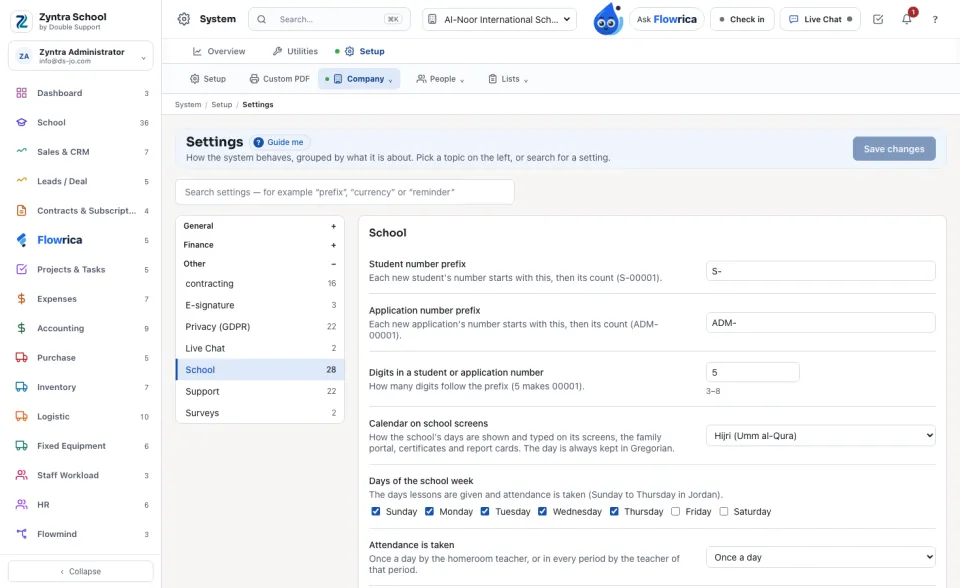
The Hijri day is the Umm al-Qura calendar of the device and the server themselves. Digits stay English: 02/06/1448 AH.
Years and terms in Hijri
On School › Academic years each year and term shows its first and last day in Hijri, and a line says which calendar the school's days are shown in, with Open the setting beside it.
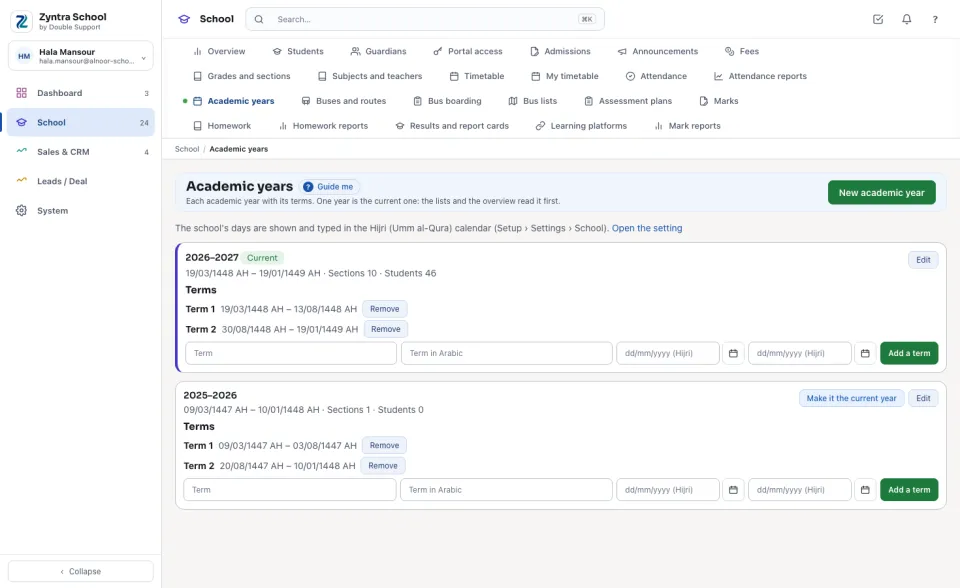
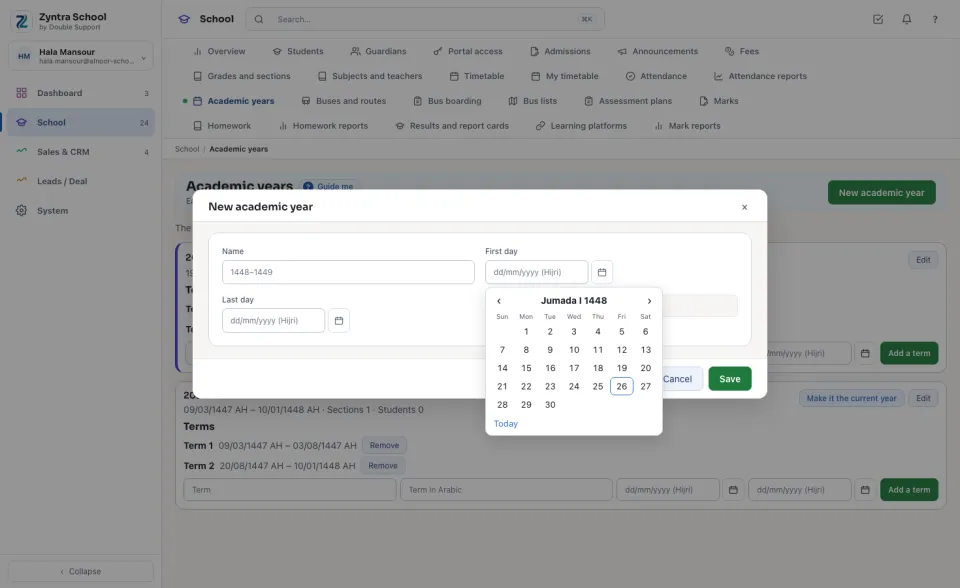
Type or pick a day in Hijri
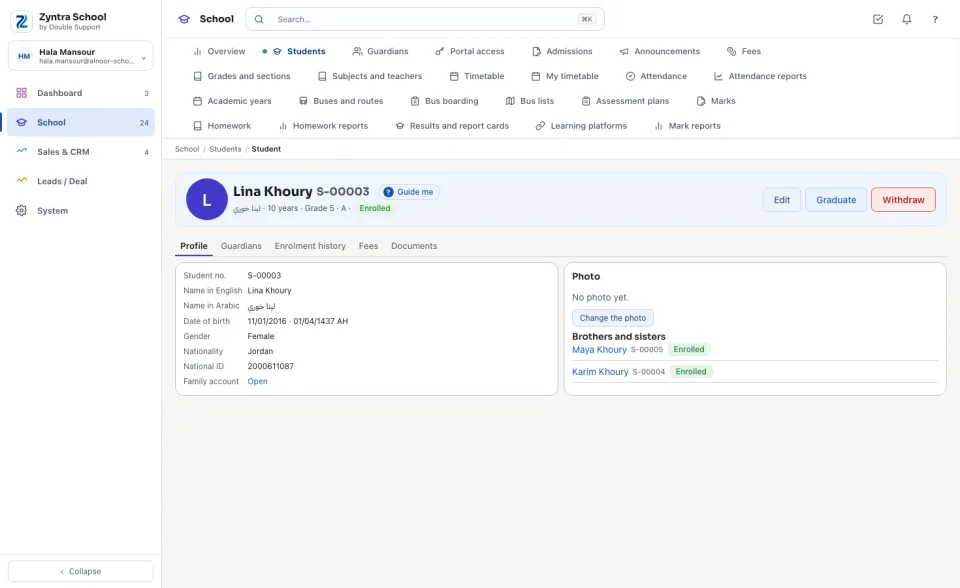
Every school date box takes the day as day/month/year in Hijri, for example 05/05/1448. The calendar button beside it opens a month of the Hijri calendar: move with the arrows, press a day, or press Today.
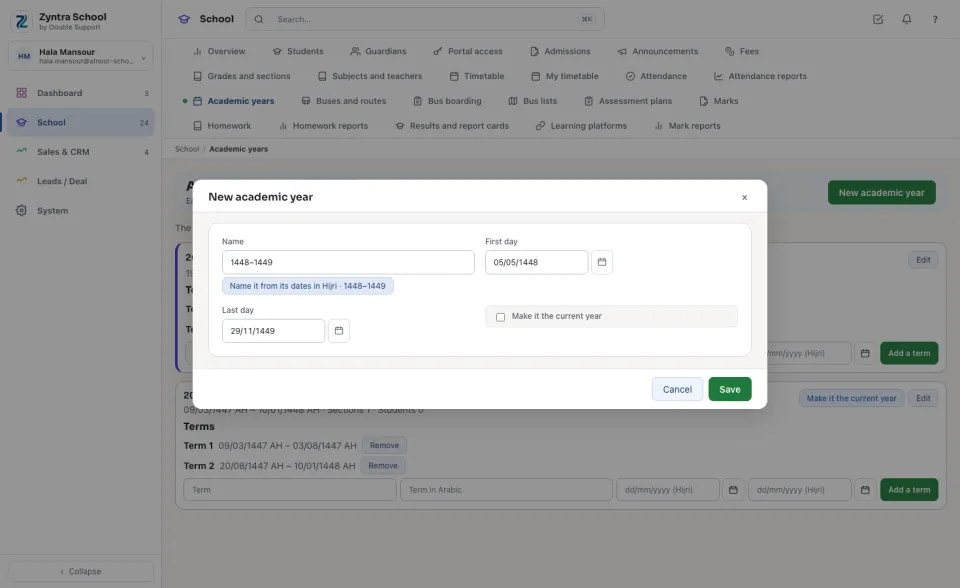
When the first and last day are in, Name it from its dates in Hijri fills the year's Name with its Hijri years, for example 1448–1449. A day that the Hijri calendar does not have (30 in a 29-day month) is refused under the box.
Every school screen
Attendance, homework due, marks and terms, the library's due dates, health visits, behaviour, the canteen and the buses all show the school's days in its calendar, and their reports too.
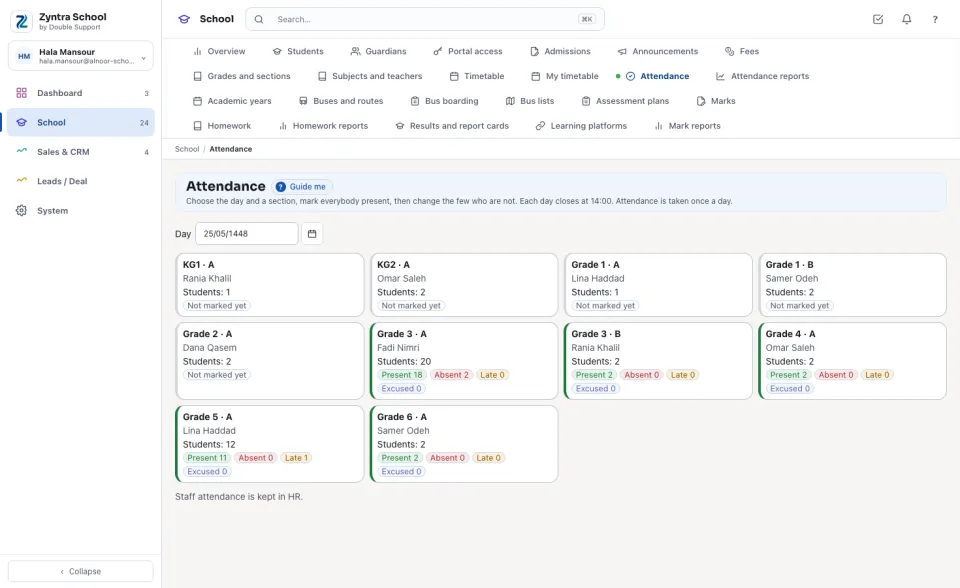
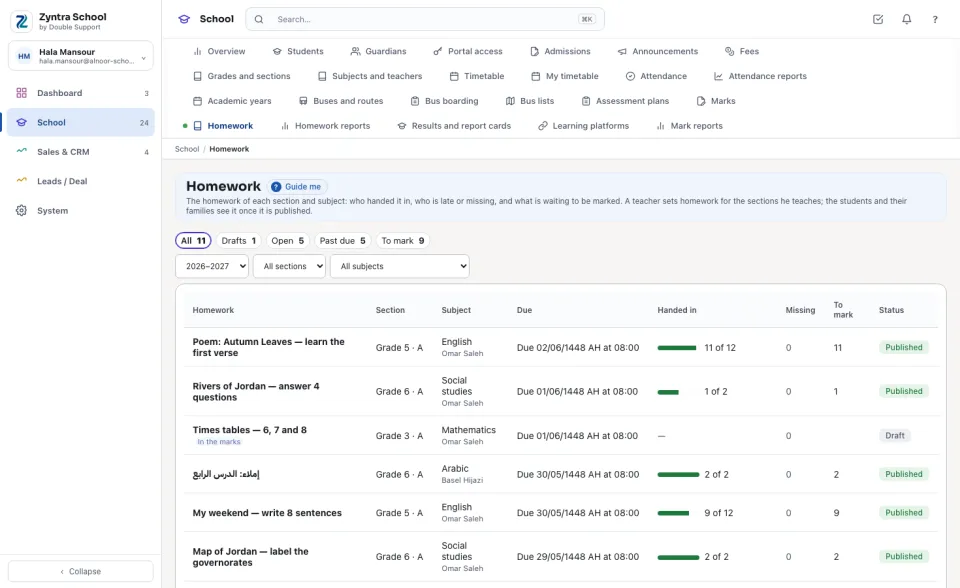
With Both, Gregorian then Hijri, each day is written twice: the Gregorian day in your date format, then the Hijri day.
Certificates and report cards
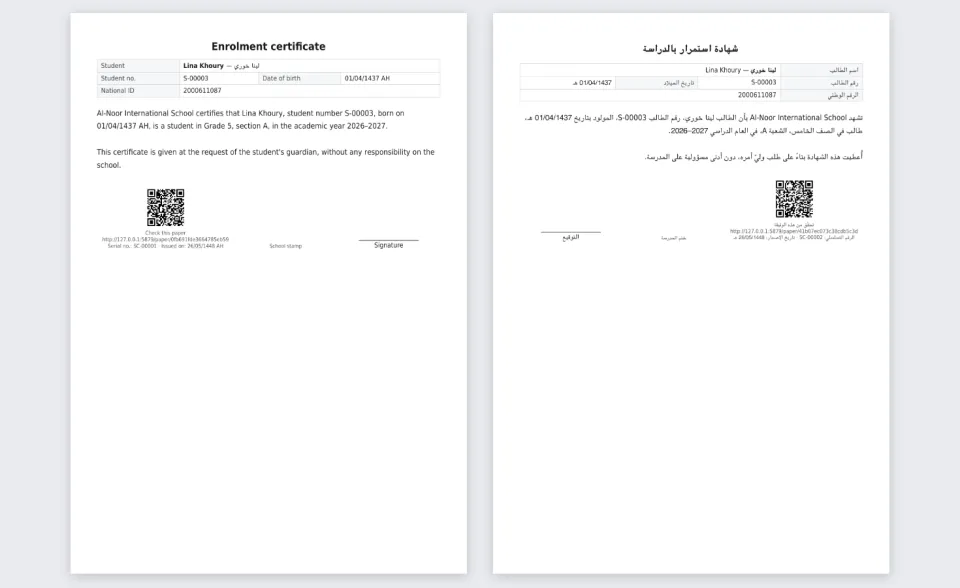
A certificate or a transcript issued while the school reads Hijri carries its days in Hijri, in English and in Arabic: the date of birth, the days in the words of the template, and the day it was issued. The check page of a paper says its day the same way, and a report card says the day it was printed.
Questions
Where is “Hijri dates” in Zyntra OS?
Setup › Settings › School › Calendar on school screens
Who can use “Hijri dates”?
Whoever may change Settings chooses it, for each school its own. Everyone who opens a school screen, and every family on the portal, then reads the school's days that way.