

 Zyntra OS
 Zyntra Legal
 Zyntra Real Estate
 Zyntra Hotel
 Zyntra E-commerce
 Zyntra Appointments
 Zyntra Repair
 Zyntra Garage
 Zyntra Concierge
 Zyntra Contracting
 Zyntra Clinic
 Zyntra Dental
 Zyntra School
 Zyntra University
 Zyntra Call Center
 Zyntra OTA
Where
School › Canteen counterWho
The canteen's sell-at-the-counter right.The counter works at a tablet's width. Each sale is an ordinary invoice to the student's family — each line the school's own item with its own price and tax — paid at once from the child's wallet. A stocked item leaves the canteen's warehouse. What the canteen sells is chosen under Canteen wallets.
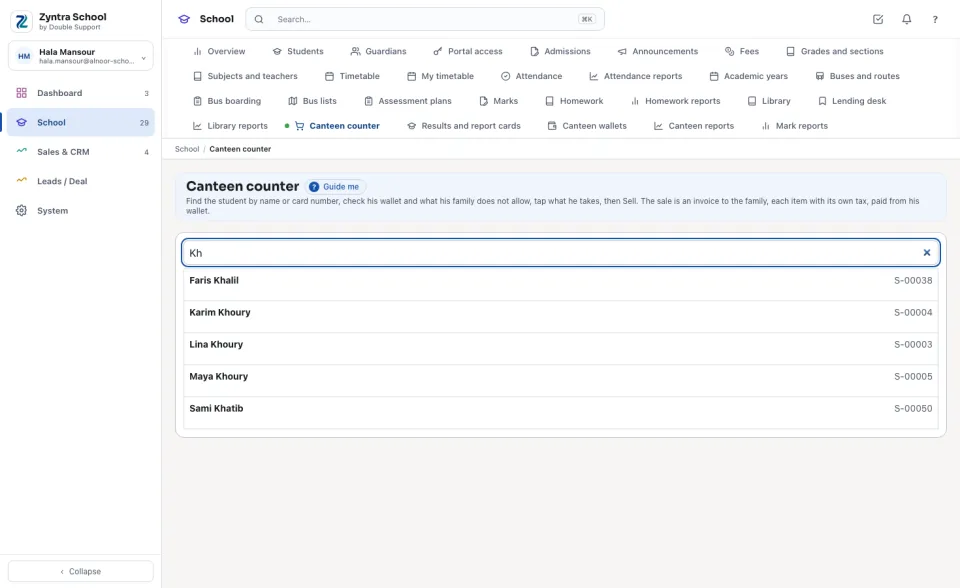
Find the student
Type at least two letters of the student's name, or his card number, in Student's name or card number, and press his name in the list.
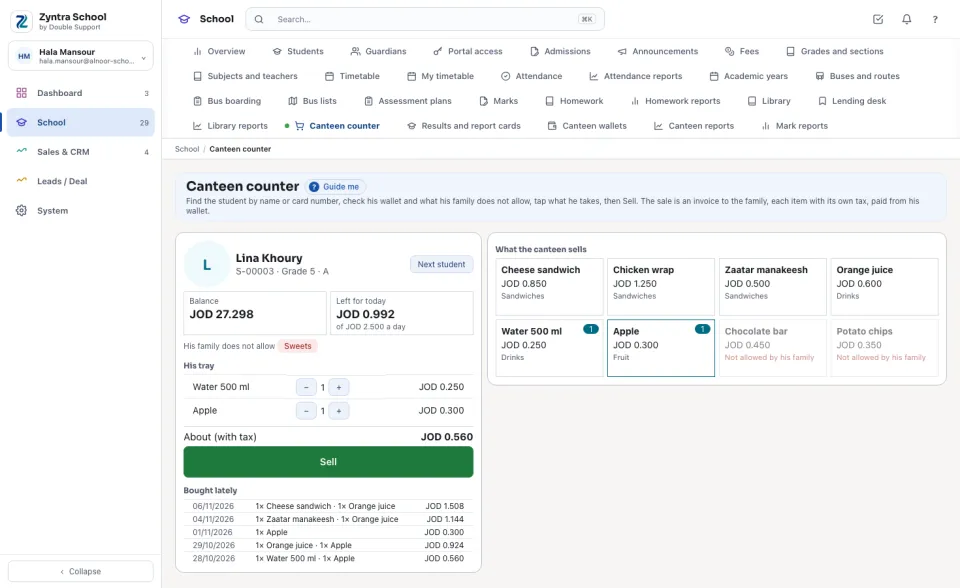
His wallet and what his family allows
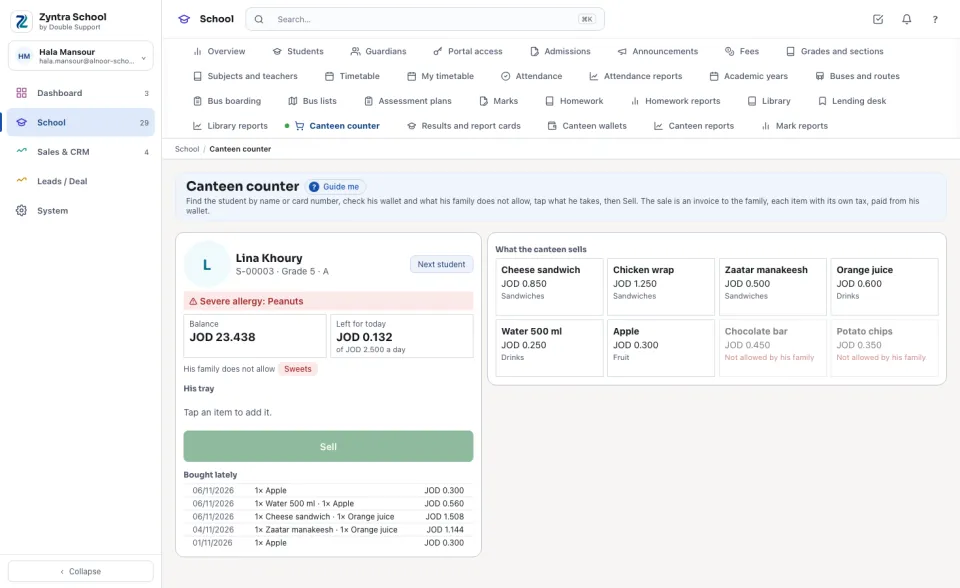
The card shows his photo (when one is kept on his file), his number and section, his Balance and what is Left for today of the daily limit. Under it, His family does not allow lists the item groups and items his family forbade; those tiles are greyed out on the right and cannot be added. When the school keeps a health file and you may see its warnings, a severe allergy is shown in red at the top of the card.
The allergy warning comes from the student's health file: only a severe allergy is shown, and only to a cashier given the health file's warnings right (or a right that reads the file). Any other cashier sees no health word at all.
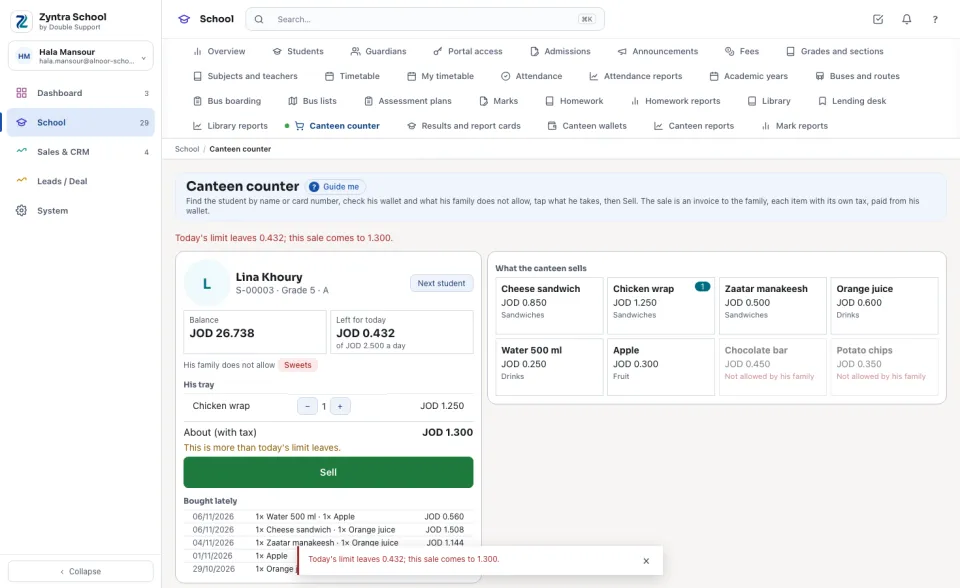
A sale refused
The server prices the tray again and refuses it, saying why, when it comes to more than the wallet holds, more than today's limit leaves, or holds an item his family does not allow. Nothing is written for a refused sale.
Bought lately lists his last purchases. Press Next student for the next one in the queue.
Questions
Where is “Canteen counter” in Zyntra OS?
School › Canteen counter
Who can use “Canteen counter”?
The canteen's sell-at-the-counter right.