

 Zyntra OS
 Zyntra Legal
 Zyntra Real Estate
 Zyntra Hotel
 Zyntra E-commerce
 Zyntra Appointments
 Zyntra Repair
 Zyntra Garage
 Zyntra Concierge
 Zyntra Contracting
 Zyntra Clinic
 Zyntra Dental
 Zyntra School
 Zyntra University
 Zyntra Call Center
 Zyntra OTA
Where
School › Portal accessWho
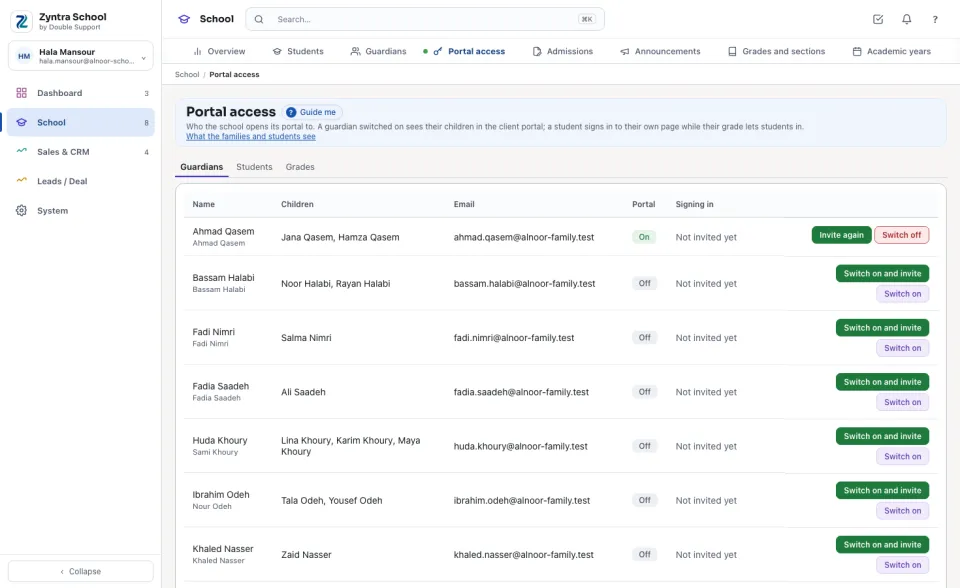
School Portal access — View; switching on and off needs School Portal access — Edit.The portal is the client portal the family already has: one sign-in for a guardian, whatever the number of children. Nothing is shown to a family until the school switches it on, and a guardian or student of another family never sees a child who is not theirs.
Guardians
The Guardians tab lists every guardian with their Children, Email, whether the Portal is On and how they are Signing in.
Students
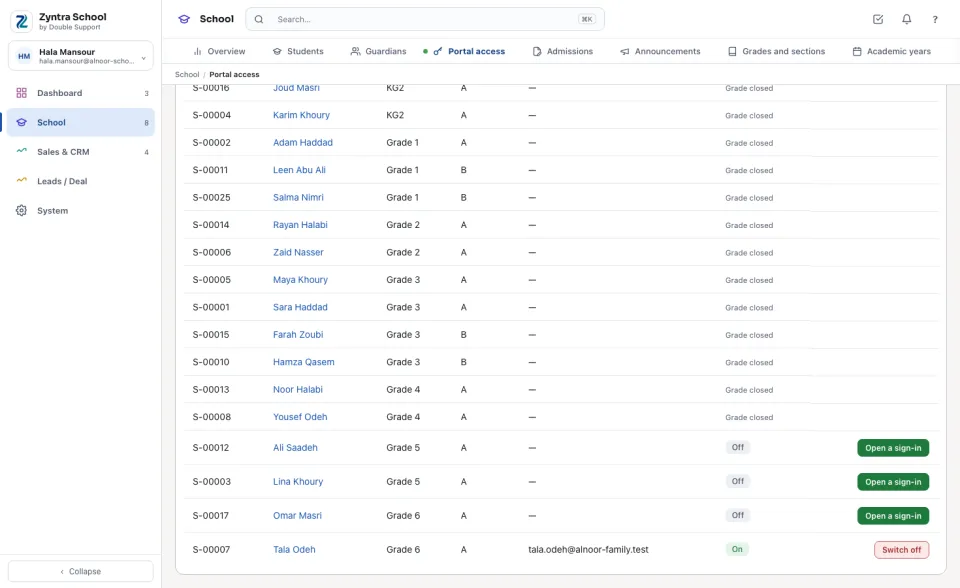
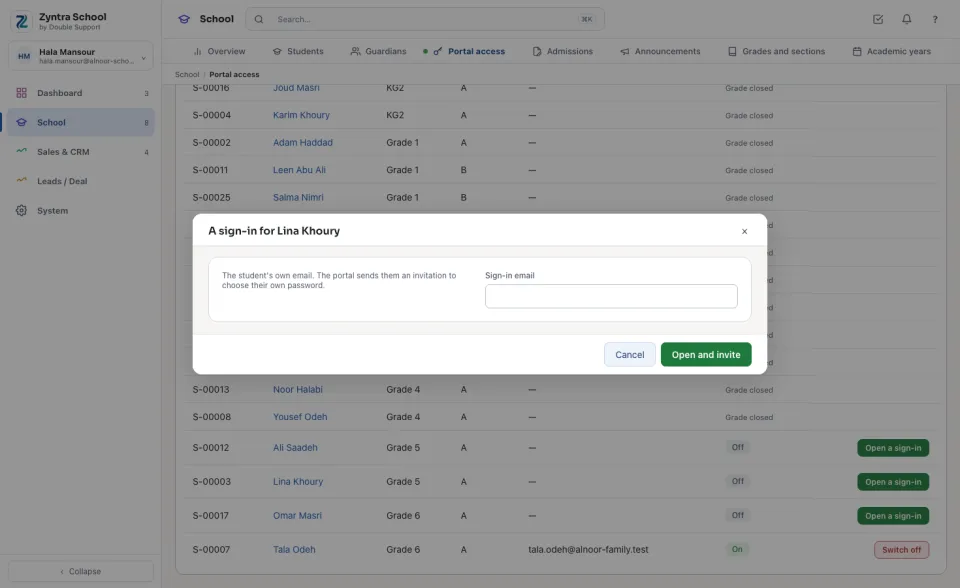
A student signs in with their own email as part of the family. They see their own page only: never the fees, never a brother's or a classmate's page.
Grades: the age rule
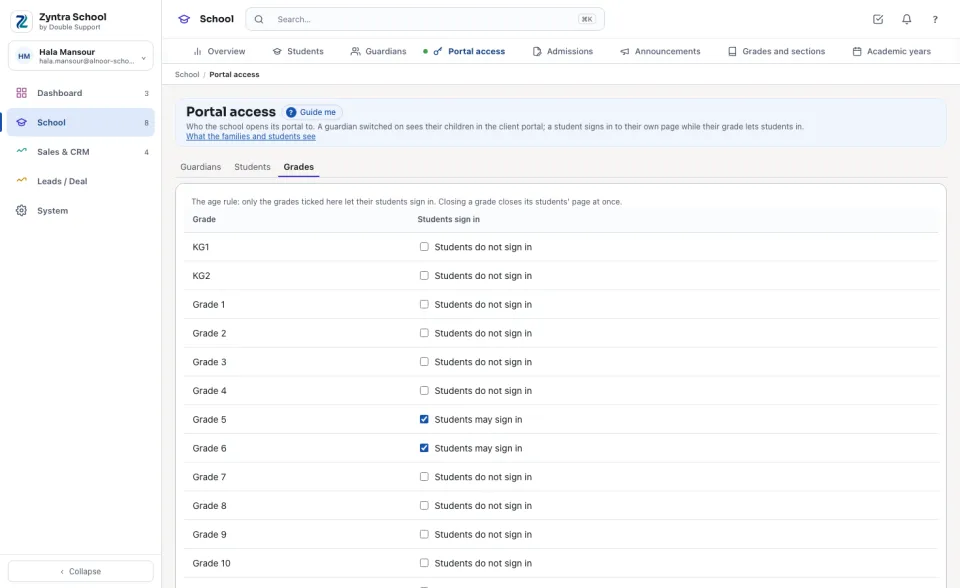
On the Grades tab, tick the grades whose students may sign in. A student of a grade not ticked shows Grade closed; closing a grade closes its students' page at once.
Documents the family sees
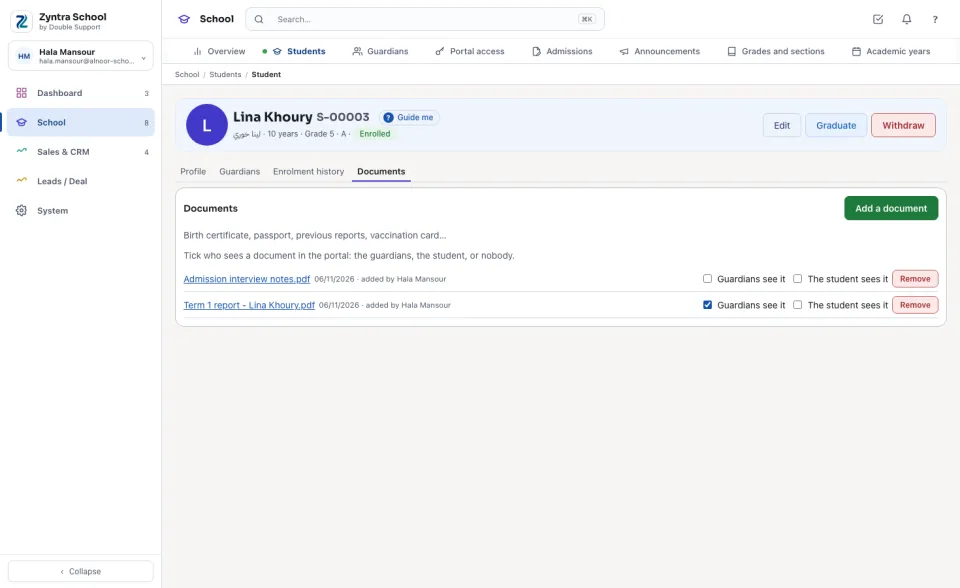
On a student's Documents tab, tick Guardians see it and/or The student sees it beside each document. A document not ticked stays with the school.
Questions
Where is “Portal access” in Zyntra OS?
School › Portal access
Who can use “Portal access”?
School Portal access — View; switching on and off needs School Portal access — Edit.