

 Zyntra OS
 Zyntra Legal
 Zyntra Real Estate
 Zyntra Hotel
 Zyntra E-commerce
 Zyntra Appointments
 Zyntra Repair
 Zyntra Garage
 Zyntra Concierge
 Zyntra Contracting
 Zyntra Clinic
 Zyntra Dental
 Zyntra School
 Zyntra University
 Zyntra Call Center
 Zyntra OTA
Where
School › Certificates › Templates and School › Certificates › SettingsWho
«School Certificates — Edit templates».Templates
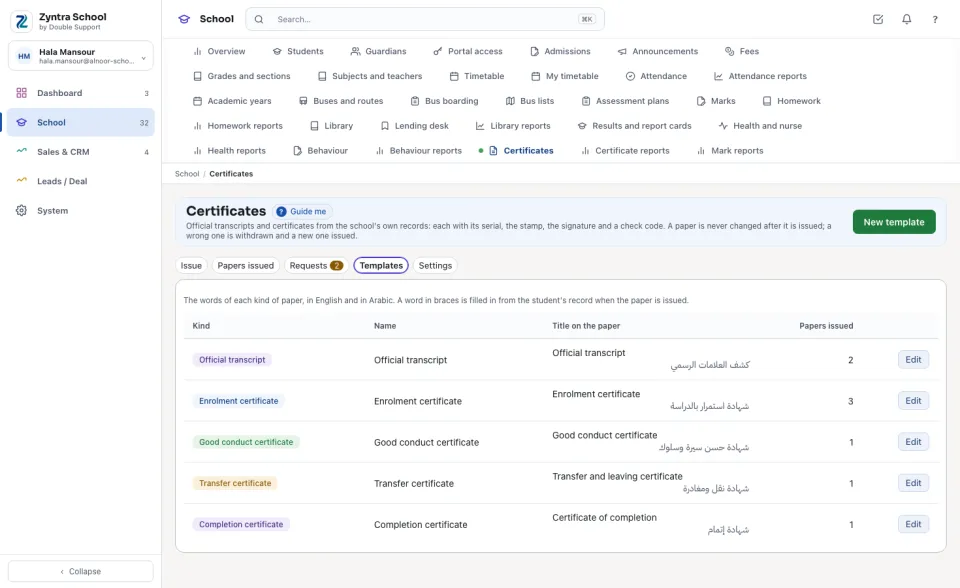
Templates lists the school's templates, one of each kind to start, with the Title on the paper in both languages and how many Papers issued used it. Press New template for a second wording of a kind — one for an embassy, say.
{student_name}, {grade}, {year}, {left_on}… — is filled in from the student's record when a paper is issued.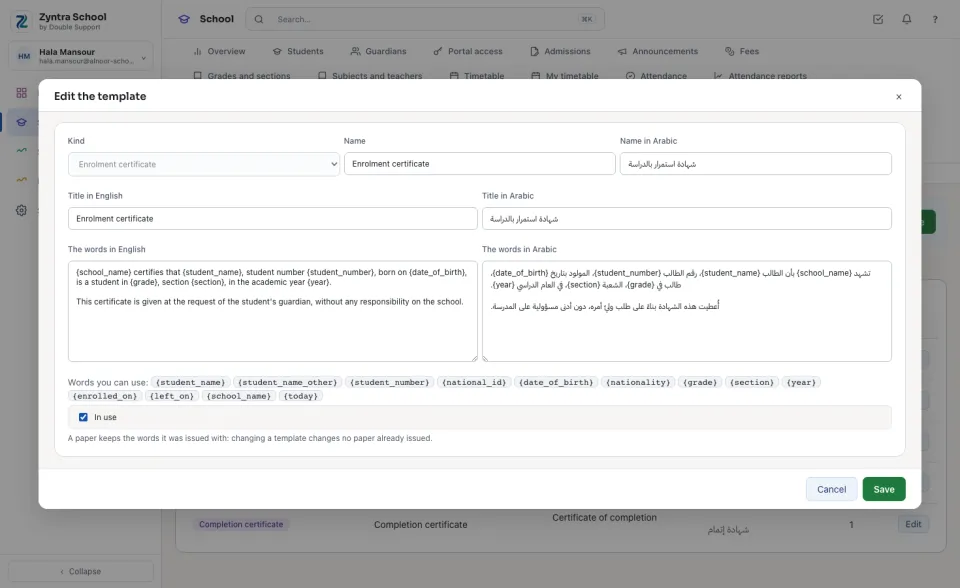
Settings
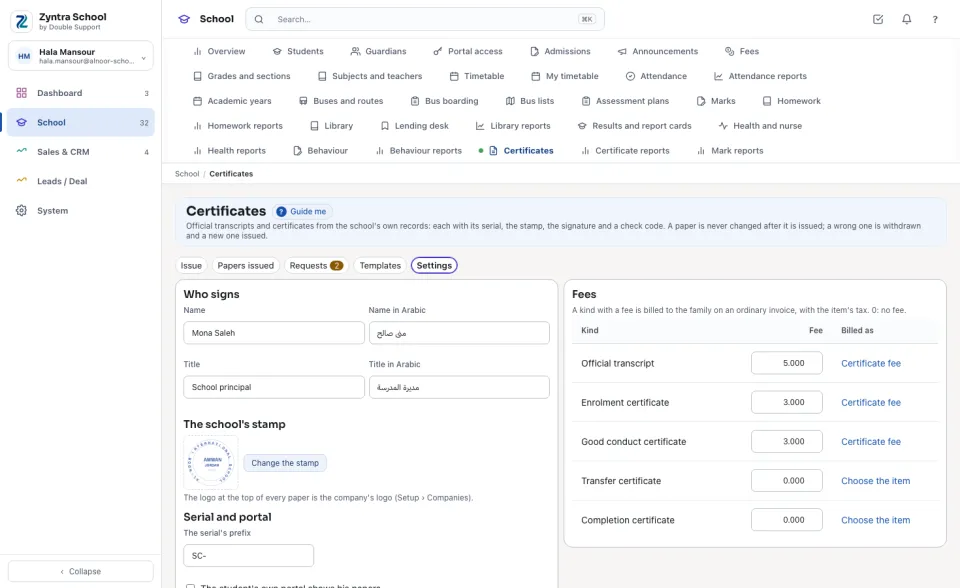
Who signs: the name and title printed under the signature line, in both languages. The school's stamp: a PNG or JPEG picture of the stamp (2 MB at most), printed beside the signature. The logo at the top is the company's logo (Setup › Companies). The serial's prefix stays as it is once papers were issued with it. The student's own portal shows his papers: off, the student's own sign-in shows nothing of his papers.
Fees: a kind with a fee is billed to the family on an ordinary invoice when the paper is issued; choose the item it is Billed as — the item's tax goes with it. 0 is no fee. Press Save.
Questions
Where is “Certificate templates and settings” in Zyntra OS?
School › Certificates › Templates and School › Certificates › Settings
Who can use “Certificate templates and settings”?
«School Certificates — Edit templates».