

 Zyntra OS
 Zyntra Legal
 Zyntra Real Estate
 Zyntra Hotel
 Zyntra E-commerce
 Zyntra Appointments
 Zyntra Repair
 Zyntra Garage
 Zyntra Concierge
 Zyntra Contracting
 Zyntra Clinic
 Zyntra Dental
 Zyntra School
 Zyntra University
 Zyntra Call Center
 Zyntra OTA
Where
School › Students › a student › Health and School › Health and nurseWho
Health is the most private part of a child's file, so it has its own rights, never inside «School Students — View»: «School Health — View» reads the file, «Edit» changes it and answers the families, «Nurse visits» records the visits, «See severe-allergy warnings» shows the red warning only.The student's Health tab
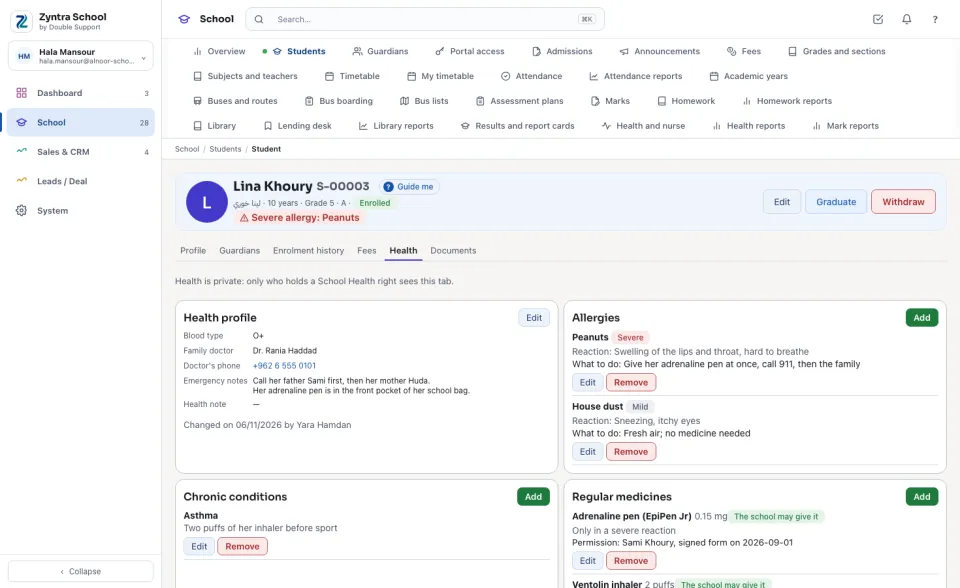
Open a student and press Health. The tab is drawn only for who holds a School Health right; a teacher who reads the student's file without it sees no tab, no health note and no warning. Under the student's name, a Severe allergy warning shows in red.
Health profile keeps the Blood type, the Family doctor and the Doctor's phone, the Emergency notes and the Health note. Allergies lists each allergy with how severe it is — Severe, Moderate or Mild — its reaction and what to do.
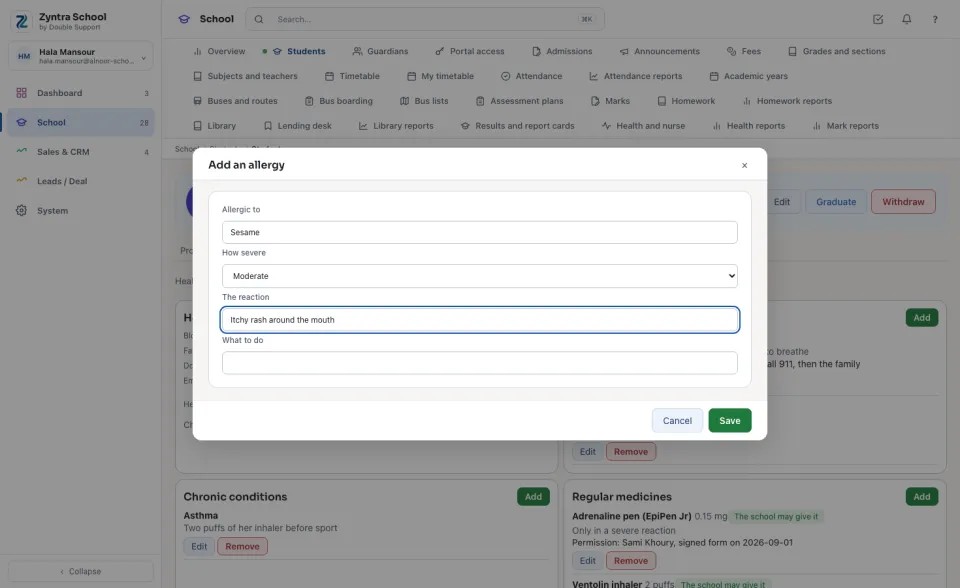
Add or change a line
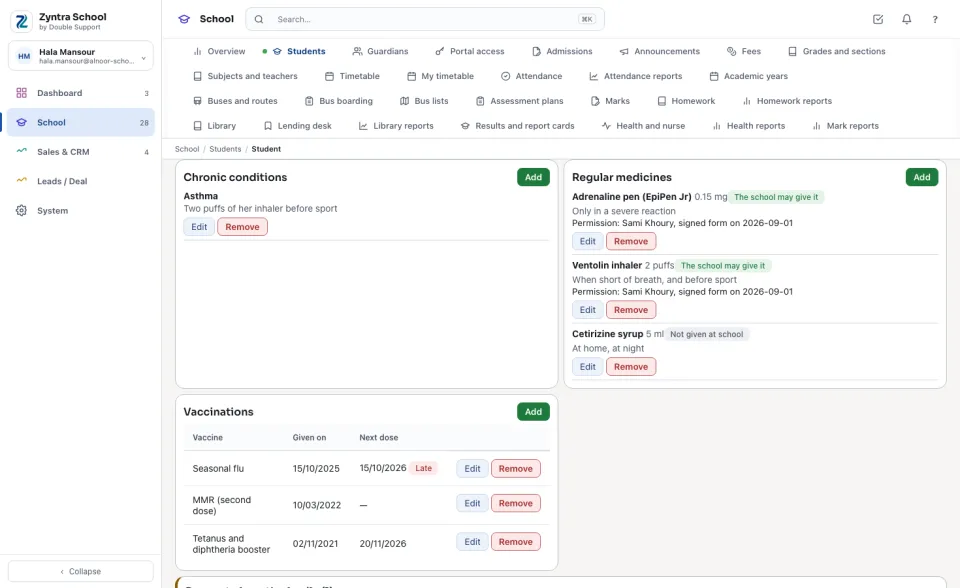
A regular medicine is given at school only when The school may give it is ticked, and then Who gave the permission, and when must be written. Vaccinations shows each dose with the next one due, and Late once that day has passed.
The family asks, the nurse decides
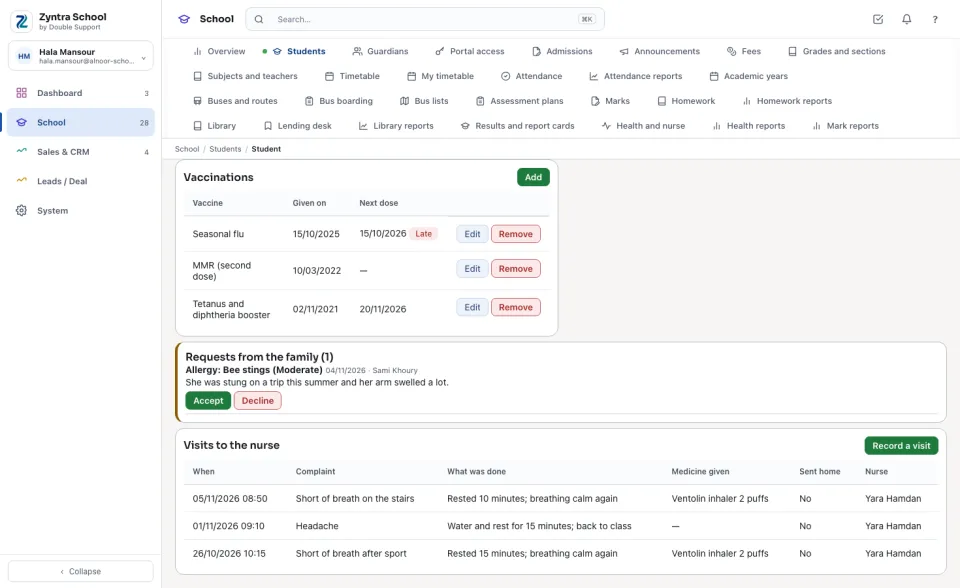
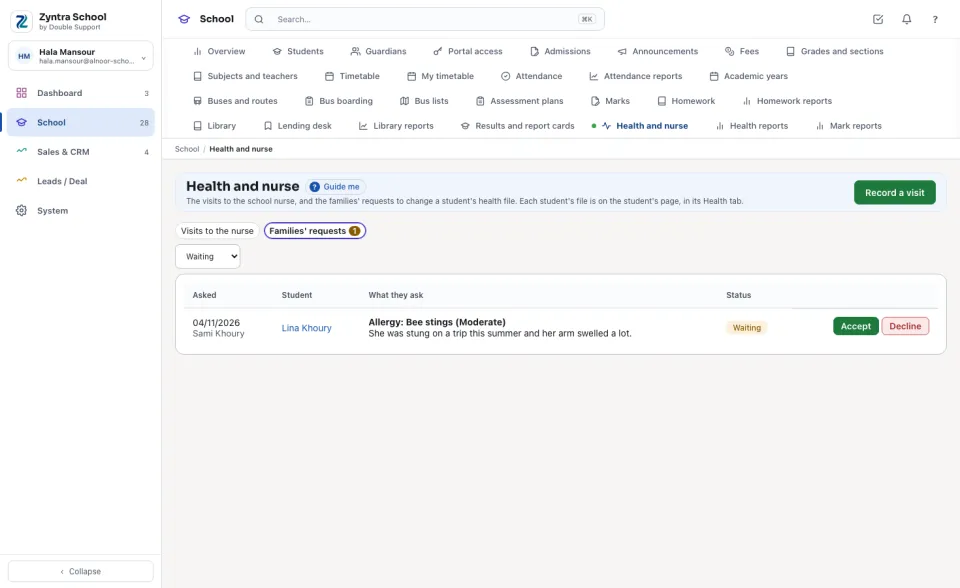
A guardian never changes the file. From the family portal they ask the school to update it; the request waits under Requests from the family on the student's tab and in Families' requests. Accept writes it into the file through the same checks as your own form (a medicine the family allows is kept with their request as the permission); Decline asks why, and the family reads your answer.
Visits to the nurse
School › Health and nurse lists the visits of the days chosen (this week first), each with the student and any severe allergy, the Complaint, What was done, the Medicine given, Sent home and the Nurse.
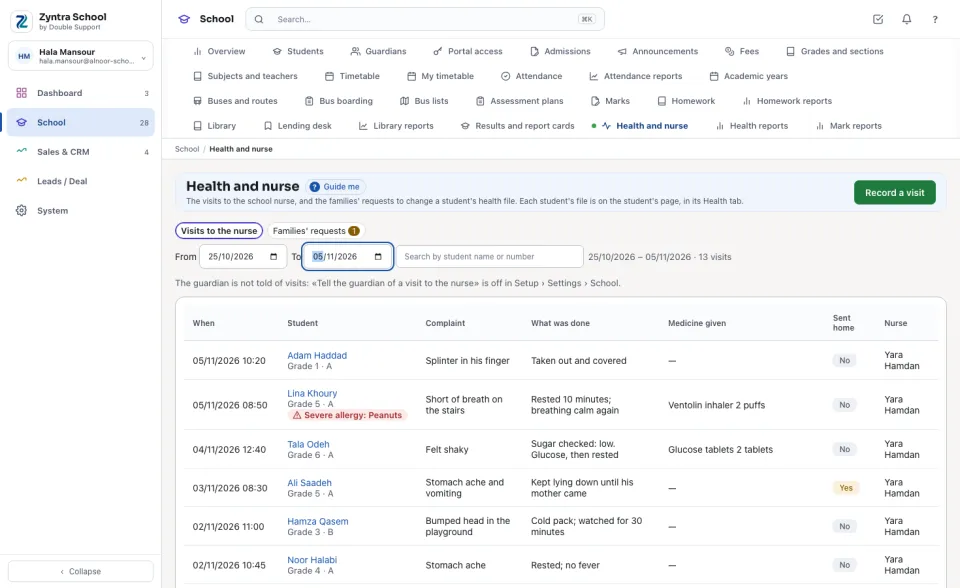
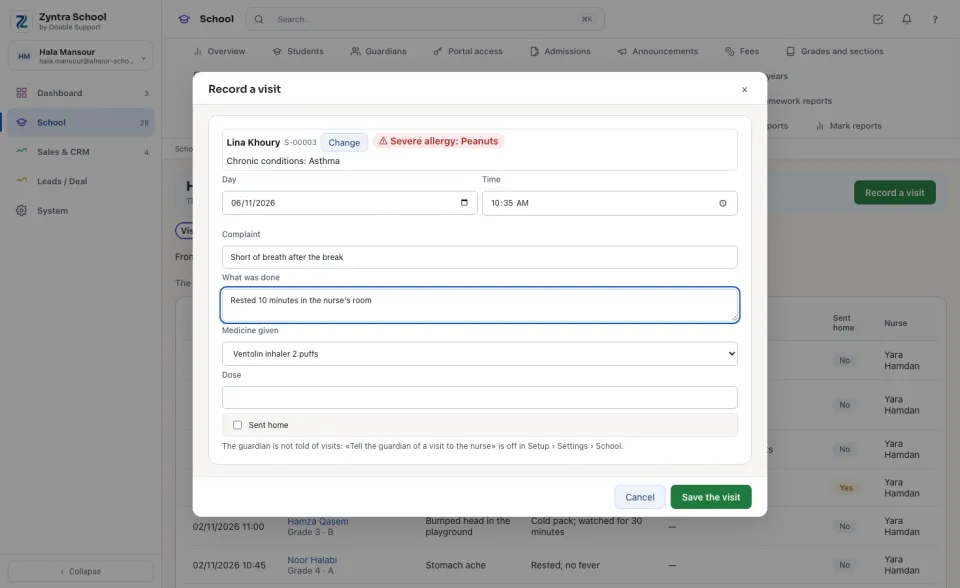
Families' requests lists every family's request, the waiting ones first, to whoever holds «Edit».
The warning where it matters
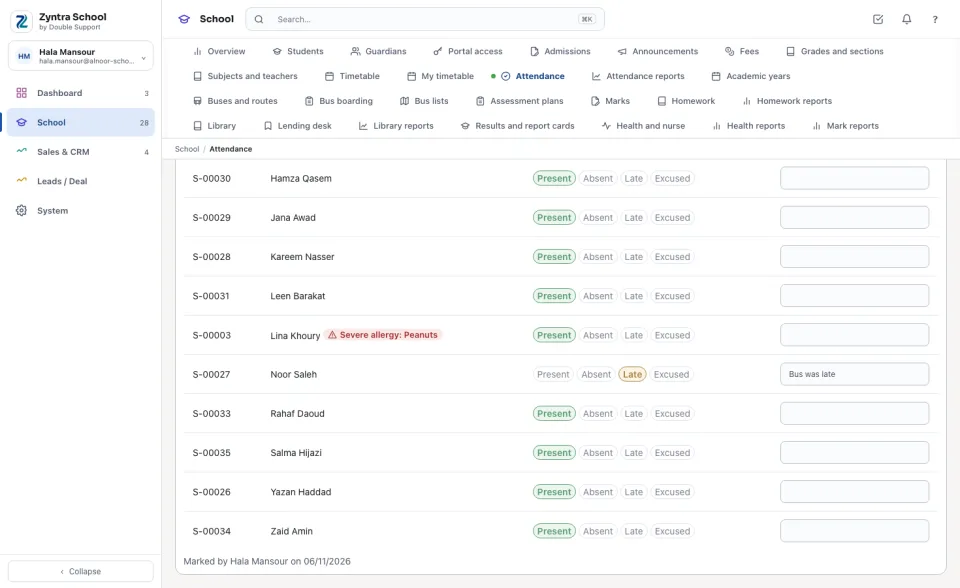
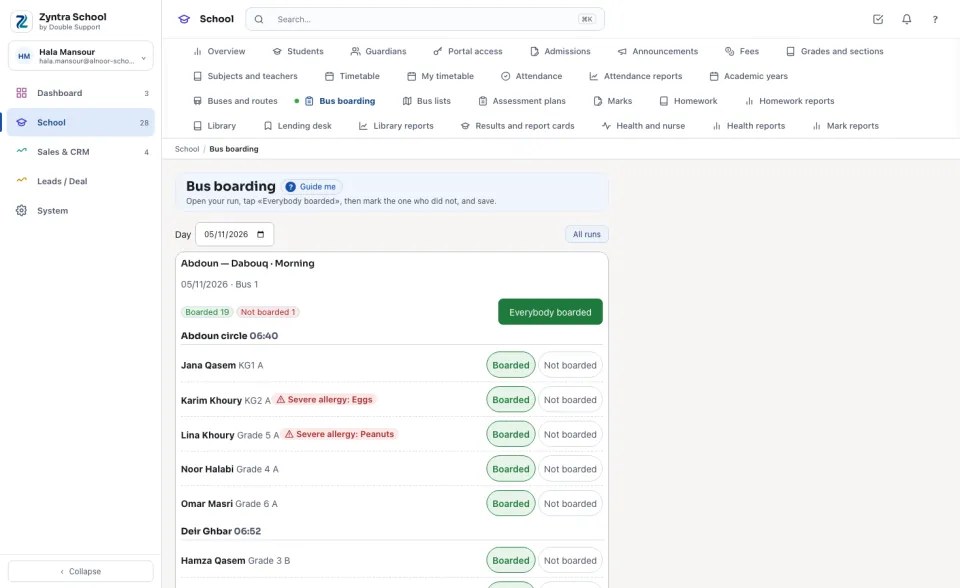
A severe allergy shows in red beside the student's name on the student's page, the Attendance sheet, the Bus boarding run and the driver's run sheet — only to staff who hold a School Health right. Give a teacher or a bus supervisor «See severe-allergy warnings» and they see the warning, never the rest of the file.
Questions
Where is “Health and nurse” in Zyntra OS?
School › Students › a student › Health and School › Health and nurse
Who can use “Health and nurse”?
Health is the most private part of a child's file, so it has its own rights, never inside «School Students — View»: «School Health — View» reads the file, «Edit» changes it and answers the families, «Nurse visits» records the visits, «See severe-allergy warnings» shows the red warning only.