

 Zyntra OS
 Zyntra Legal
 Zyntra Real Estate
 Zyntra Hotel
 Zyntra E-commerce
 Zyntra Appointments
 Zyntra Repair
 Zyntra Garage
 Zyntra Concierge
 Zyntra Contracting
 Zyntra Clinic
 Zyntra Dental
 Zyntra School
 Zyntra University
 Zyntra Call Center
 Zyntra OTA
Where
School › Ministry exports › ConnectionsWho
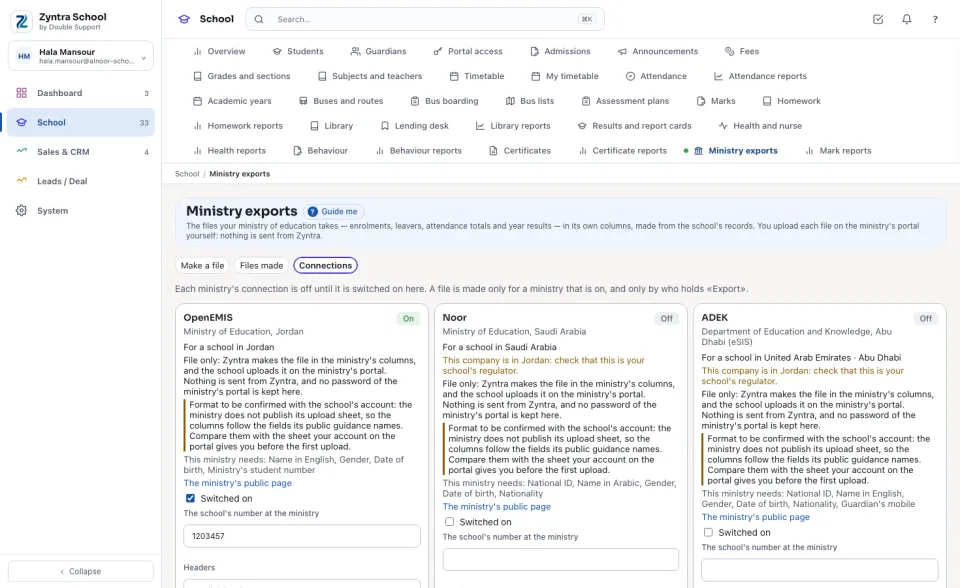
«School Ministry exports — Set up the ministries».Each card says which ministry it is, for a school in which country, what This ministry needs:, and links to The ministry's public page. A card for another country than the company's says so.
1
Tick Switched on.
2
Type The school's number at the ministry: it goes in the files whose columns carry it.
3
Choose the Headers and the File the school uploads most, then press Save. Each file can still be made otherwise.
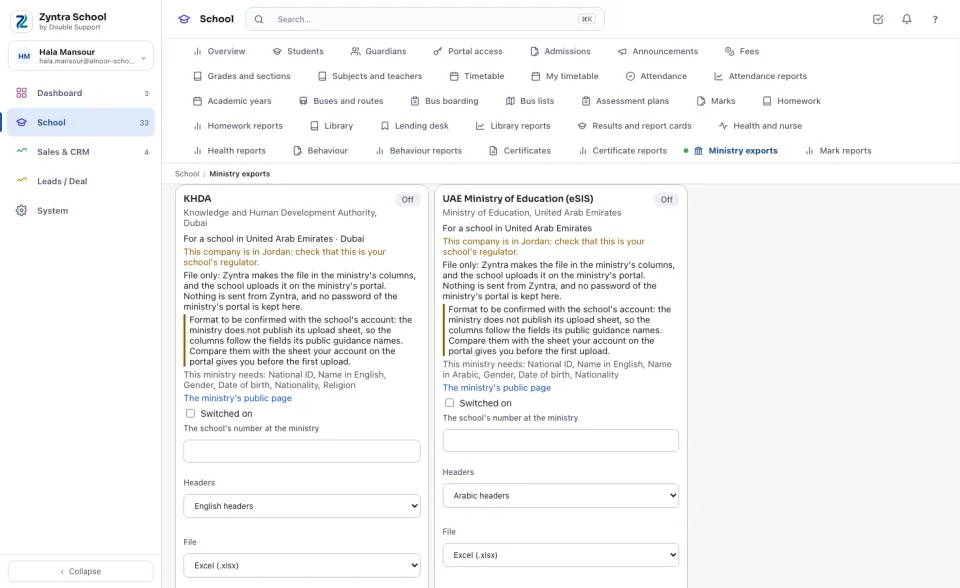
File only: Zyntra makes the file in the ministry's columns, and the school uploads it on the ministry's portal. Nothing is sent from Zyntra, and no password of the ministry's portal is kept here.
Format to be confirmed with the school's account: the ministries do not publish their upload sheets, so the columns follow the fields their public guidance names. Compare them with the sheet your account on the portal gives you before the first upload.
Before: Ministry exports
Questions
Where is “Ministry connections” in Zyntra OS?
School › Ministry exports › Connections
Who can use “Ministry connections”?
«School Ministry exports — Set up the ministries».