

 Zyntra OS
 Zyntra Legal
 Zyntra Real Estate
 Zyntra Hotel
 Zyntra E-commerce
 Zyntra Appointments
 Zyntra Repair
 Zyntra Garage
 Zyntra Concierge
 Zyntra Contracting
 Zyntra Clinic
 Zyntra Dental
 Zyntra School
 Zyntra University
 Zyntra Call Center
 Zyntra OTA
Where
School › Bus boardingWho
«School Buses — Mark boarding» marks the runs of the bus the person supervises or drives. «School Buses — Manage» marks any run.The screen opens on today. A supervisor sees only their own bus's runs — the morning and the afternoon — each with how many boarded and how many did not once it is marked, or Not marked yet.
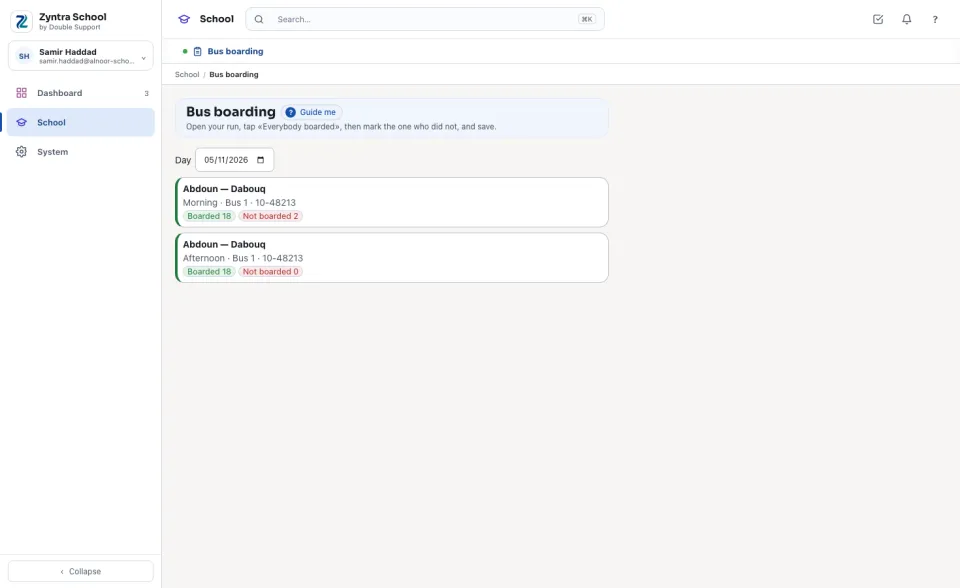
Mark a run
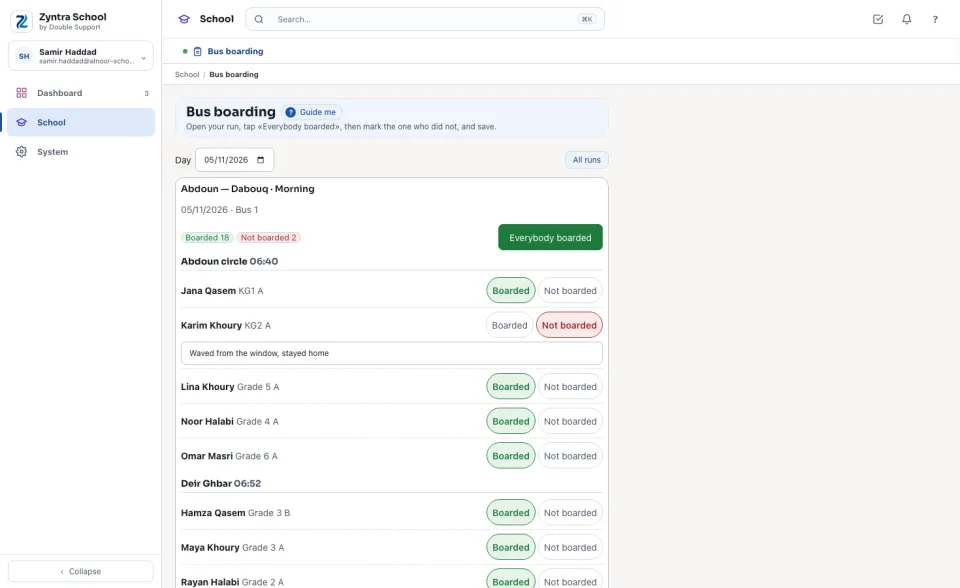
The screen is made for a phone: the buttons are large, and on a narrow screen each child's two buttons sit side by side under the name.
Whoever holds «Manage» sees every bus's runs of the day, to follow them from the office.
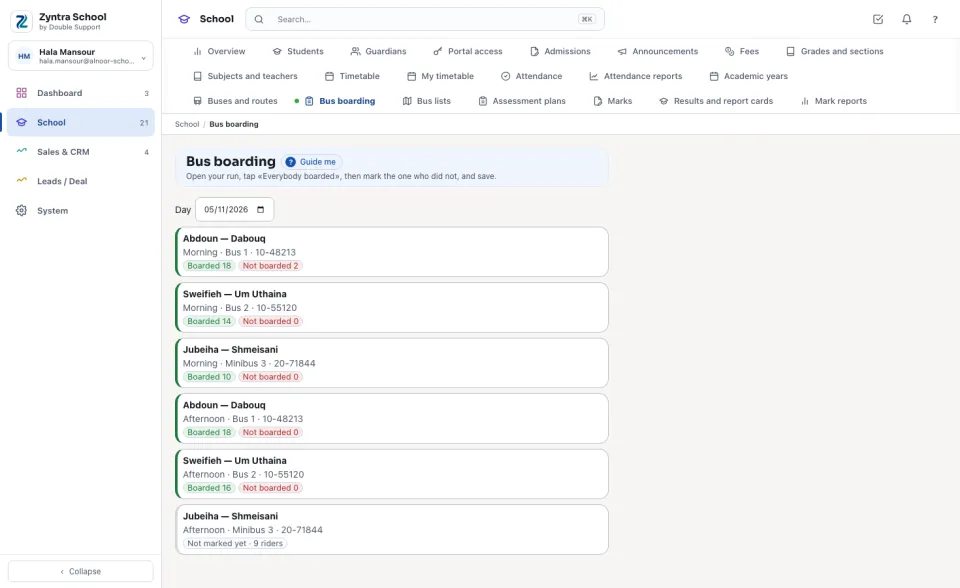
The guardian is told
When the school switches on «Tell the guardian when a child does not board» (Setup › Settings › School), the primary guardian receives the «Did not board the school bus» email as soon as the child is marked Not boarded — once a run at most — and the school's approved WhatsApp template beside it when one is named. The message waits in the mail queue like every other message. The family portal also shows today's mark under School bus.
Questions
Where is “Bus boarding” in Zyntra OS?
School › Bus boarding
Who can use “Bus boarding”?
«School Buses — Mark boarding» marks the runs of the bus the person supervises or drives. «School Buses — Manage» marks any run.