

 Zyntra OS
 Zyntra Legal
 Zyntra Real Estate
 Zyntra Hotel
 Zyntra E-commerce
 Zyntra Appointments
 Zyntra Repair
 Zyntra Garage
 Zyntra Concierge
 Zyntra Contracting
 Zyntra Clinic
 Zyntra Dental
 Zyntra School
 Zyntra University
 Zyntra Call Center
 Zyntra OTA
Where
School › Bus listsWho
«School Buses — Reports» reads the lists. It changes nothing.Students by route
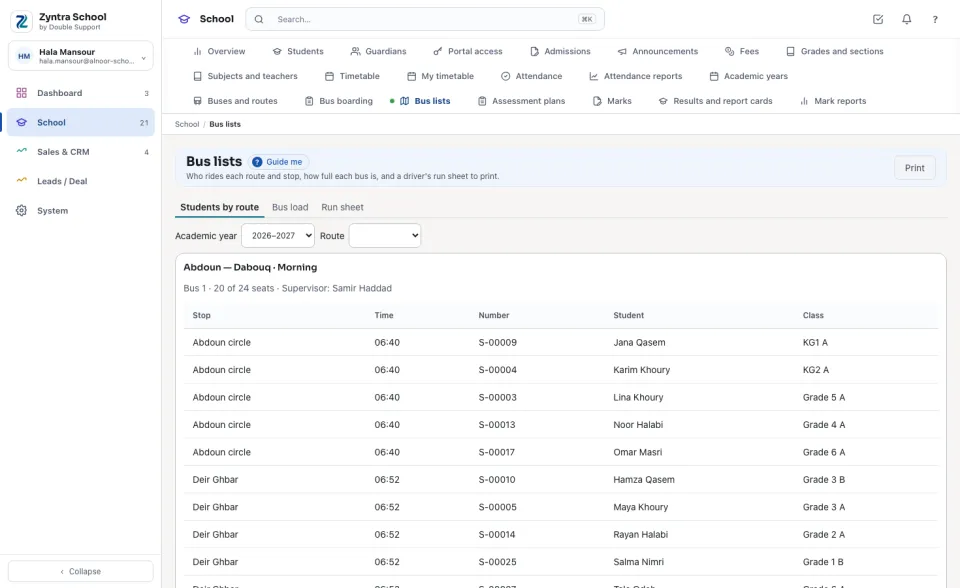
Choose the Academic year and a Route (or Every route). Each route lists its bus, how many of its seats are taken, its supervisor, and every student with their stop, time, number and class. Press Print for the paper copy.
Bus load
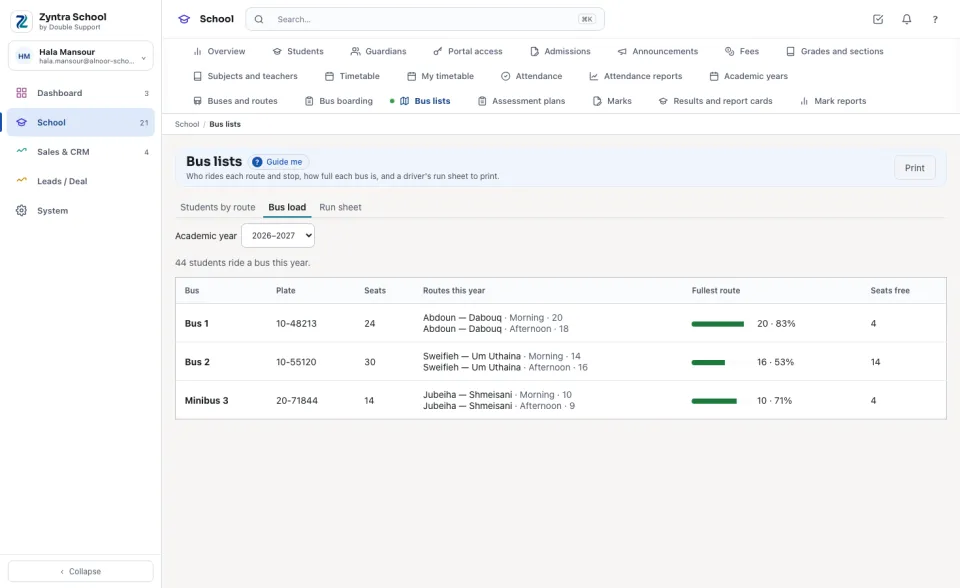
Each bus with its Seats, its routes this year and their riders, the Fullest route with how full it is, and the Seats free. A bus at 90% or more is drawn in red. The line above says how many students ride a bus this year.
Run sheet
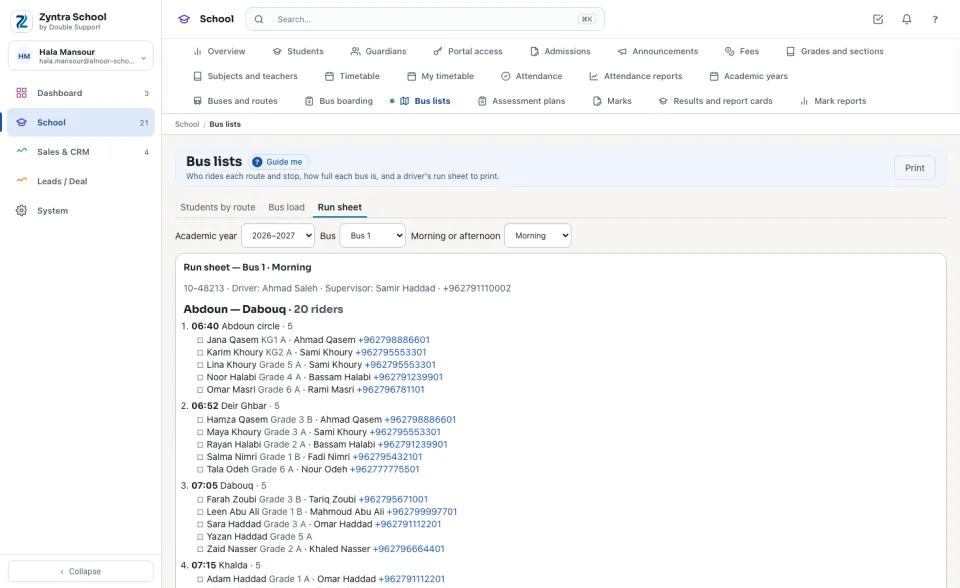
Choose the Bus and Morning or afternoon. The sheet names the bus, its plate, its driver and its supervisor, then each of its routes stop by stop in order, each stop's time and the students who get on or off there, with a box to tick and the guardian's name and phone. Print it for the driver.
Questions
Where is “Bus lists” in Zyntra OS?
School › Bus lists
Who can use “Bus lists”?
«School Buses — Reports» reads the lists. It changes nothing.