

 Zyntra OS
 Zyntra Legal
 Zyntra Real Estate
 Zyntra Hotel
 Zyntra E-commerce
 Zyntra Appointments
 Zyntra Repair
 Zyntra Garage
 Zyntra Concierge
 Zyntra Contracting
 Zyntra Clinic
 Zyntra Dental
 Zyntra School
 Zyntra University
 Zyntra Call Center
 Zyntra OTA
Where
School › Certificates and School › Students › a student › CertificatesWho
Certificates have their own rights: «School Certificates — Issue papers» issues a paper and answers the families' requests; «View» reads the papers issued and the reports; «Withdraw papers» withdraws one with its reason; «Edit templates» keeps the wording and the settings.Issue a paper
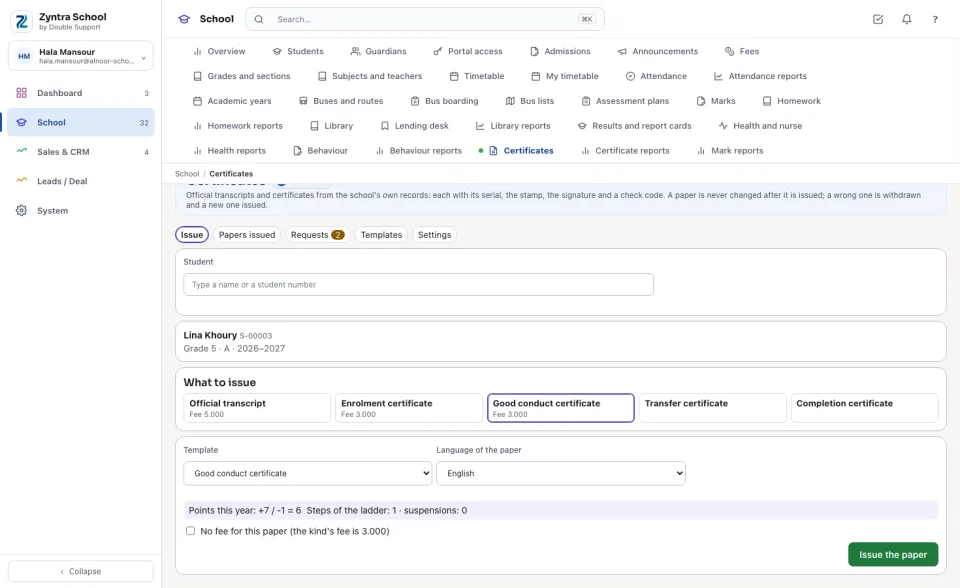
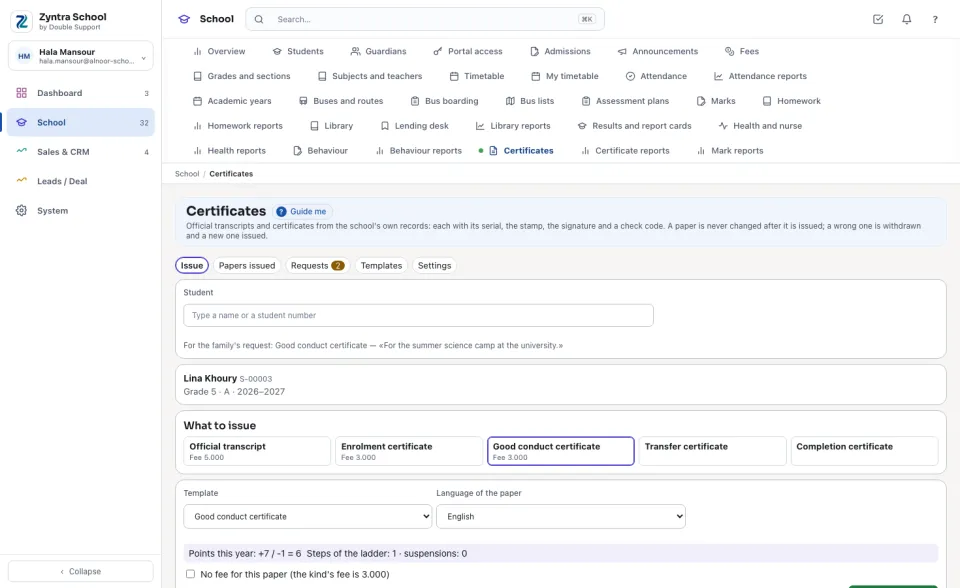
A Good conduct certificate is issued only while the student had no suspension this year and his behaviour points this year are not below 0. Who holds a behaviour right sees the points and the steps here; anyone else reads only the refusal.
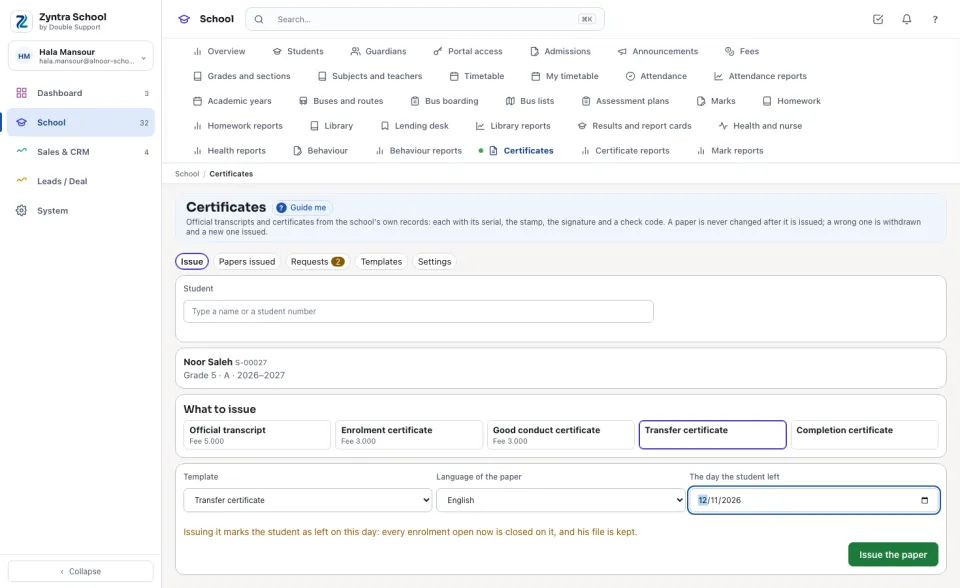
A transfer certificate
For a student enrolled now, the Transfer certificate asks The day the student left: issuing it marks him as left on that day — every enrolment open now is closed, his file is kept — exactly as Withdraw on his page does, so it needs «School Students — Edit» too. A student who already left gets it with the day he left.
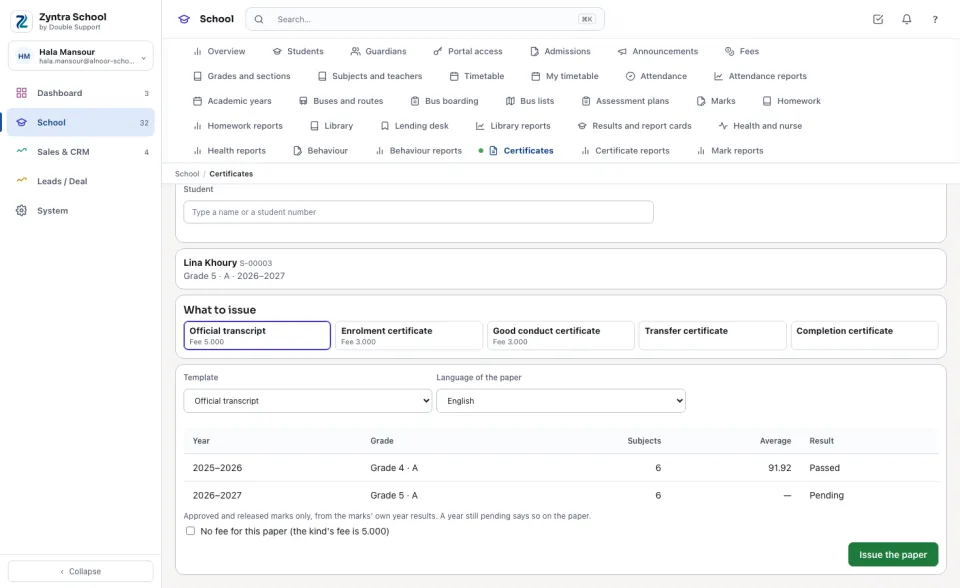
The papers issued
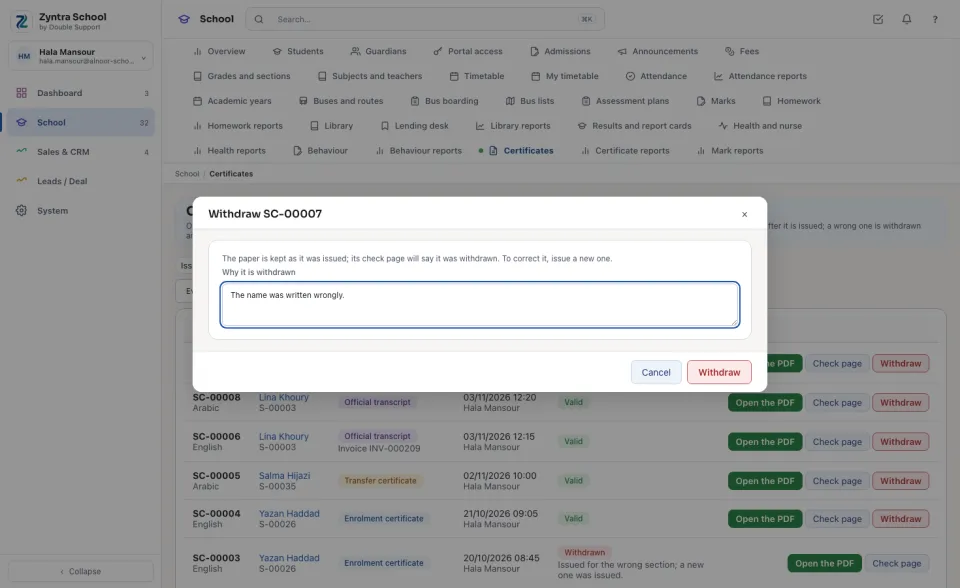
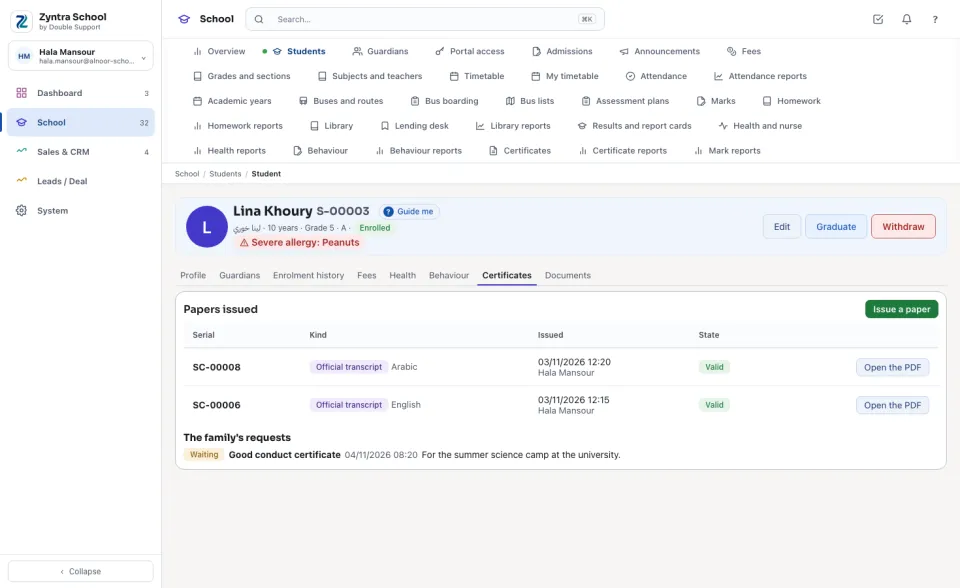
Papers issued lists every paper, the latest first: its Serial, the student, the kind and its invoice, who issued it and when, and whether it is Valid or Withdrawn. Open the PDF opens the paper as it was issued; Check page opens its public page.
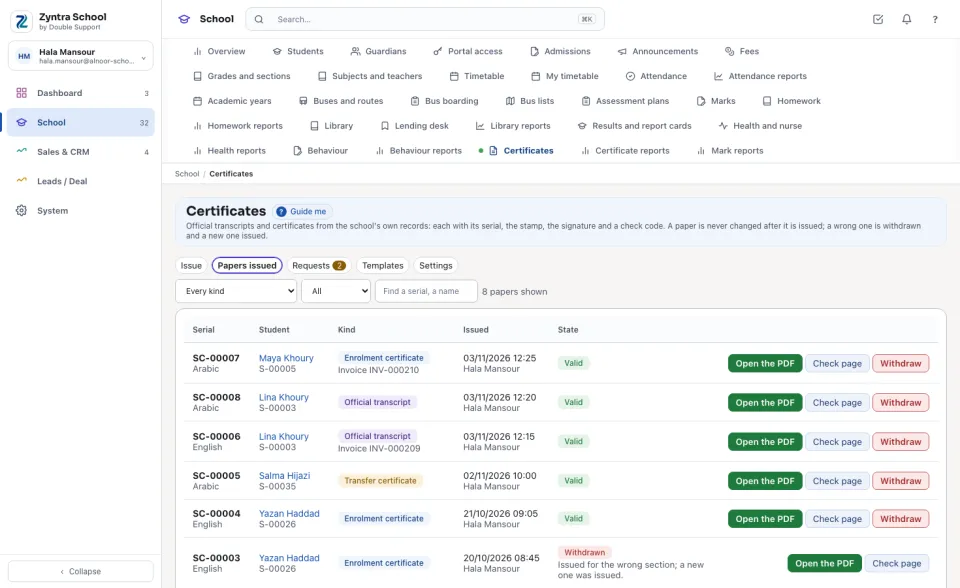
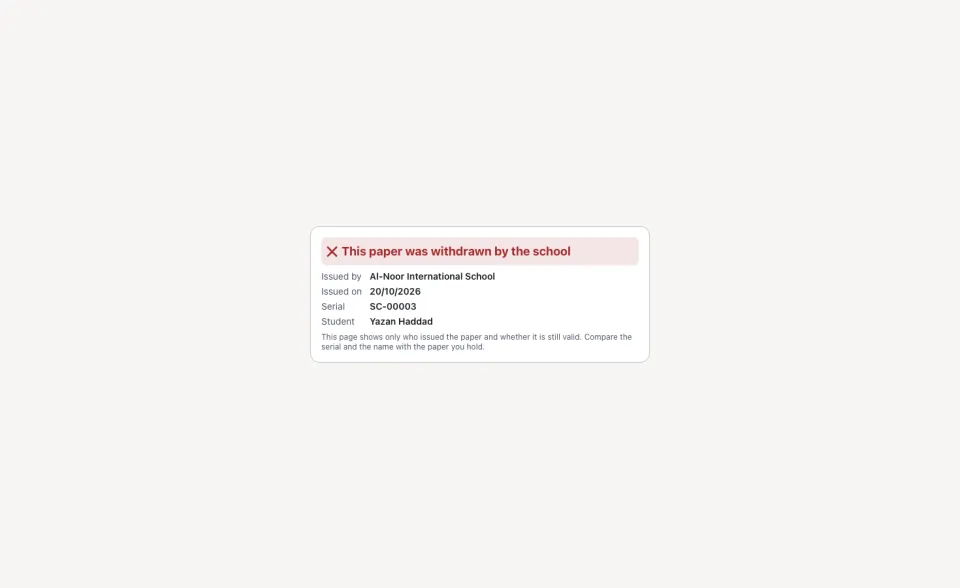
A wrong paper is never changed: press Withdraw, write Why it is withdrawn and confirm. The paper stays in the list, its check page says it was withdrawn, and a new one is issued instead.
The families' requests
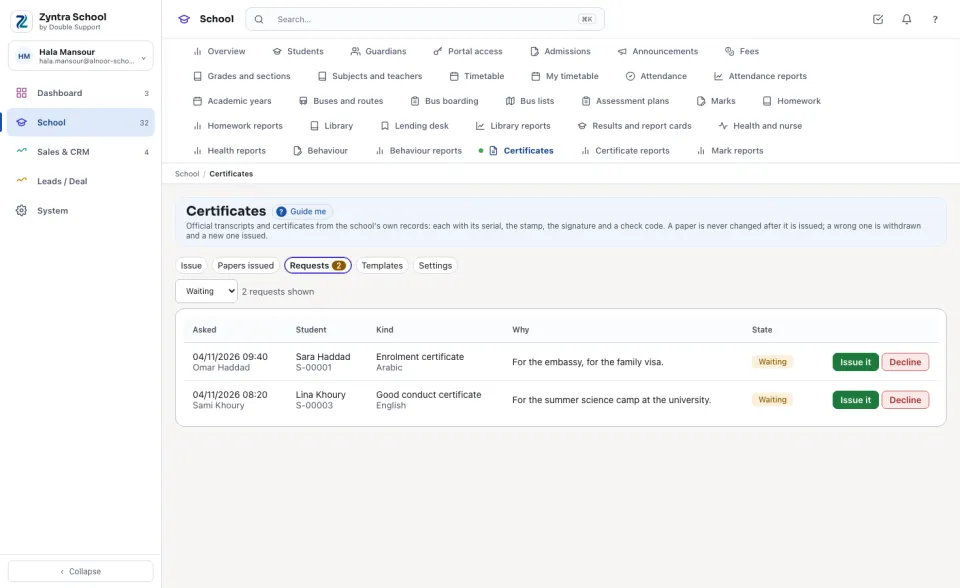
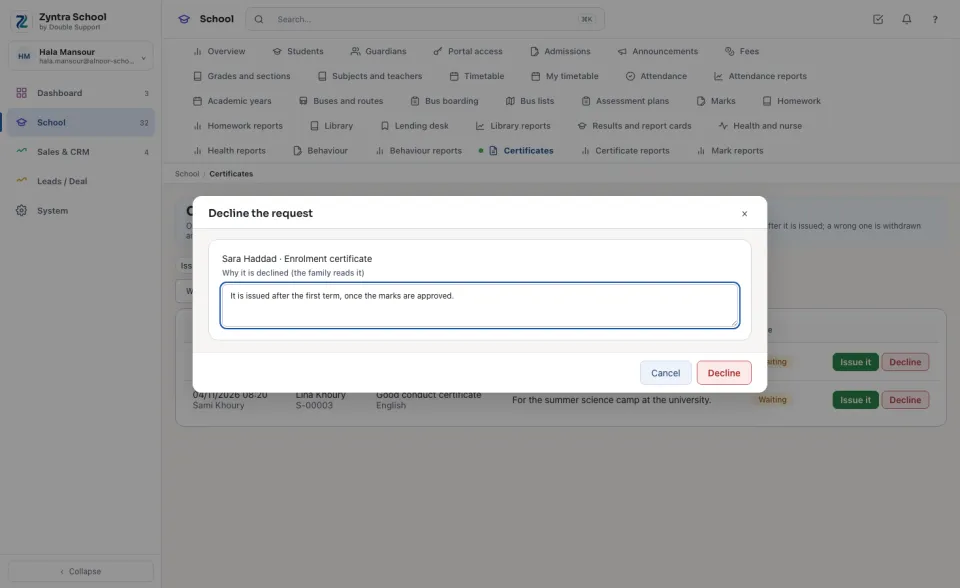
A guardian asks for a paper on the family portal. Requests shows them, Waiting first, with the kind, the language and why the family needs it.
The paper
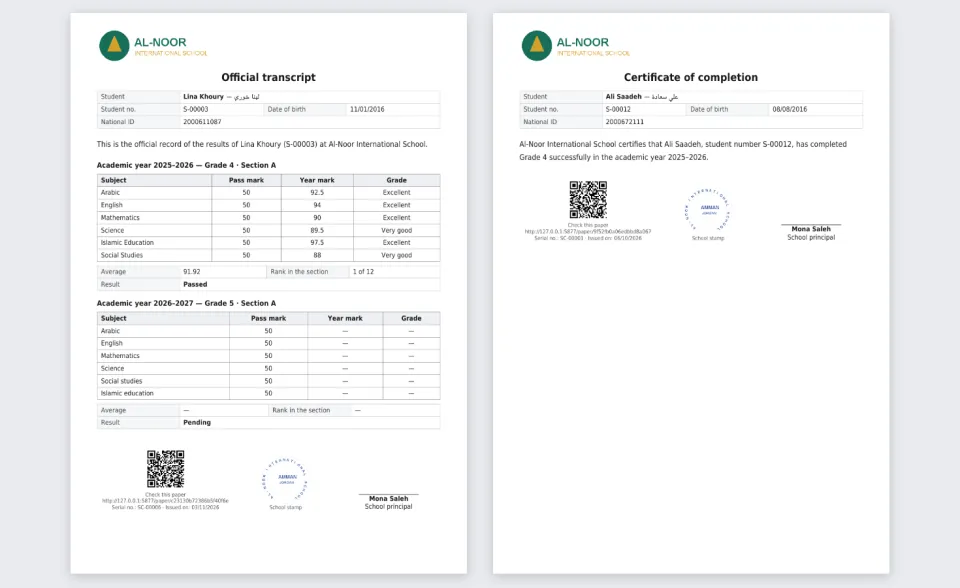
Every paper wears the company's logo at the top, the title and the student's facts, the words of its template (or, for a transcript, each year with every subject's year mark and grade, the average, the rank when the school shows rank, and the result), the QR code with its short link, the serial and the day, the school's stamp and the signer's name and title. An Arabic paper reads right to left with English digits.
The check page
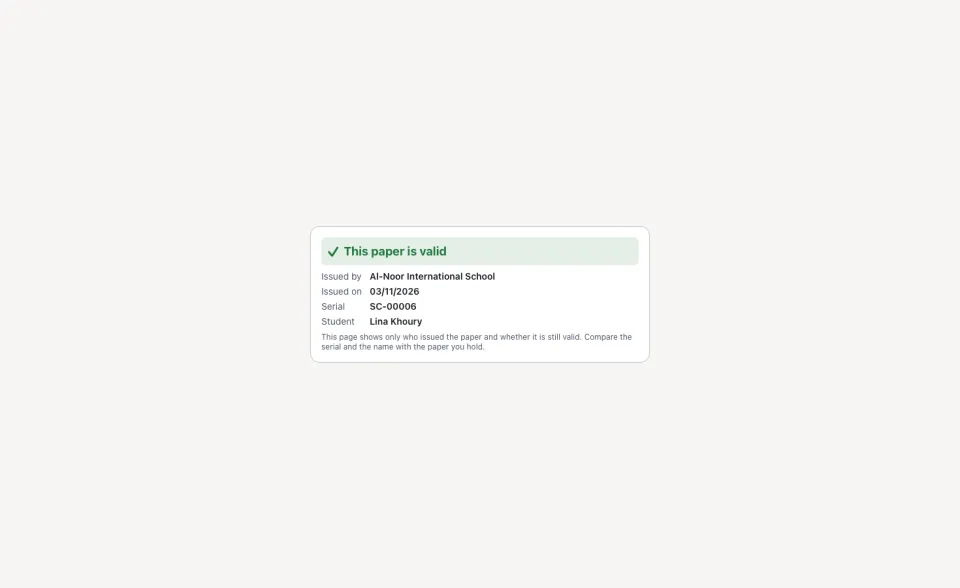
Whoever holds the paper — another school, an embassy — scans the QR code or types the short link. The page says only who issued the paper, on which day, its serial and the student's name, and whether it is valid. No mark, no grade, nothing else.
A withdrawn paper says so on the same page.
The student's Certificates tab
On a student's page, Certificates lists the Papers issued for him and The family's requests; Issue a paper opens Issue on this student.
Questions
Where is “Certificates” in Zyntra OS?
School › Certificates and School › Students › a student › Certificates
Who can use “Certificates”?
Certificates have their own rights: «School Certificates — Issue papers» issues a paper and answers the families' requests; «View» reads the papers issued and the reports; «Withdraw papers» withdraws one with its reason; «Edit templates» keeps the wording and the settings.