

 Zyntra OS
 Zyntra Legal
 Zyntra Real Estate
 Zyntra Hotel
 Zyntra E-commerce
 Zyntra Appointments
 Zyntra Repair
 Zyntra Garage
 Zyntra Concierge
 Zyntra Contracting
 Zyntra Clinic
 Zyntra Dental
 Zyntra School
 Zyntra University
 Zyntra Call Center
 Zyntra OTA
Where
Platform › Health · Platform › Platform log · Platform › Make a demo siteWho
The super administrator of our own installation only.Health
Each live site is one line: whether it Answers (its home page and its sign-in page), its Last backup here and its Copy on the box with how long ago each was made, the Disk used, the Version it runs and its Last sign-in. A line is red when a backup is older than 26 hours, the site does not answer, or its disk is more than 85% used. Red lines come first.
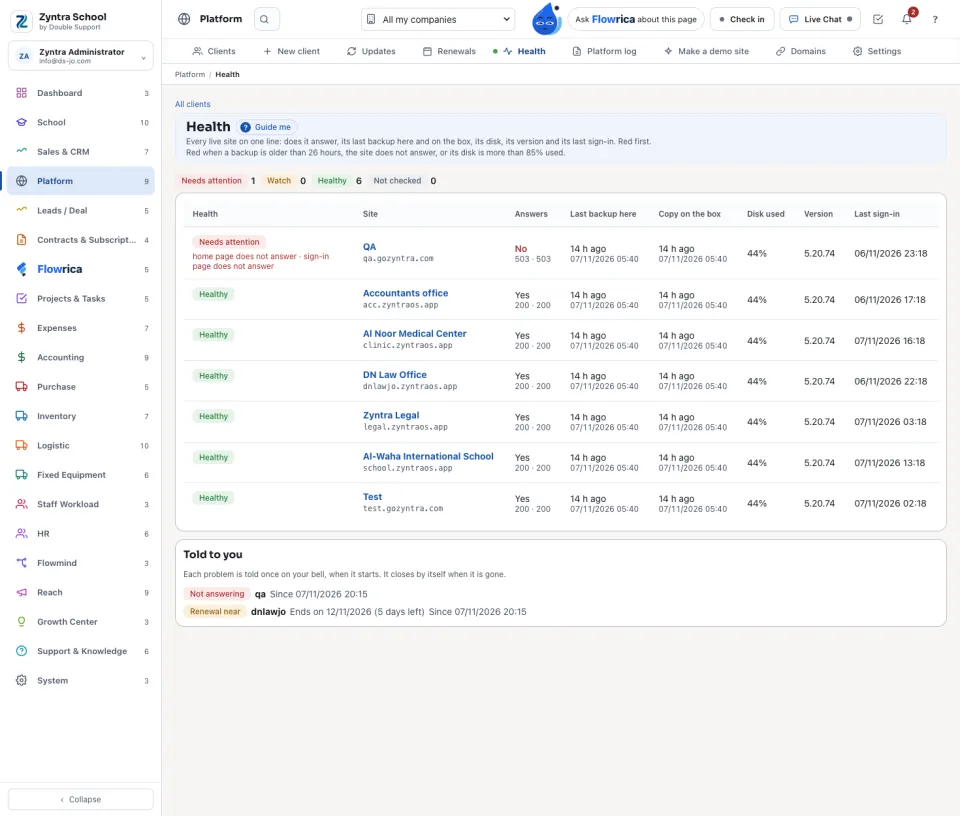
Alerts on your bell
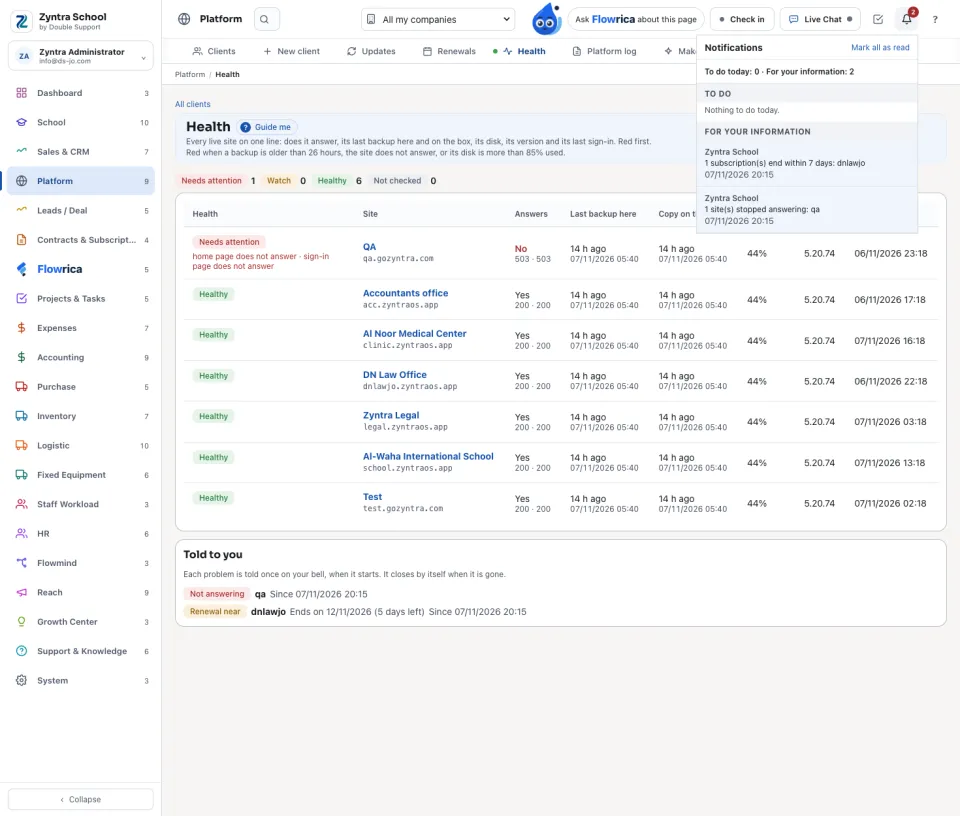
When a site stops answering, the nightly backup fails or grows old, or a subscription ends within 7 days, the Platform rings your notification bell once. A problem seen again is not told again, and several sites that stop at once are told in one line. It closes by itself when it is gone. Nothing is mailed or sent outside.
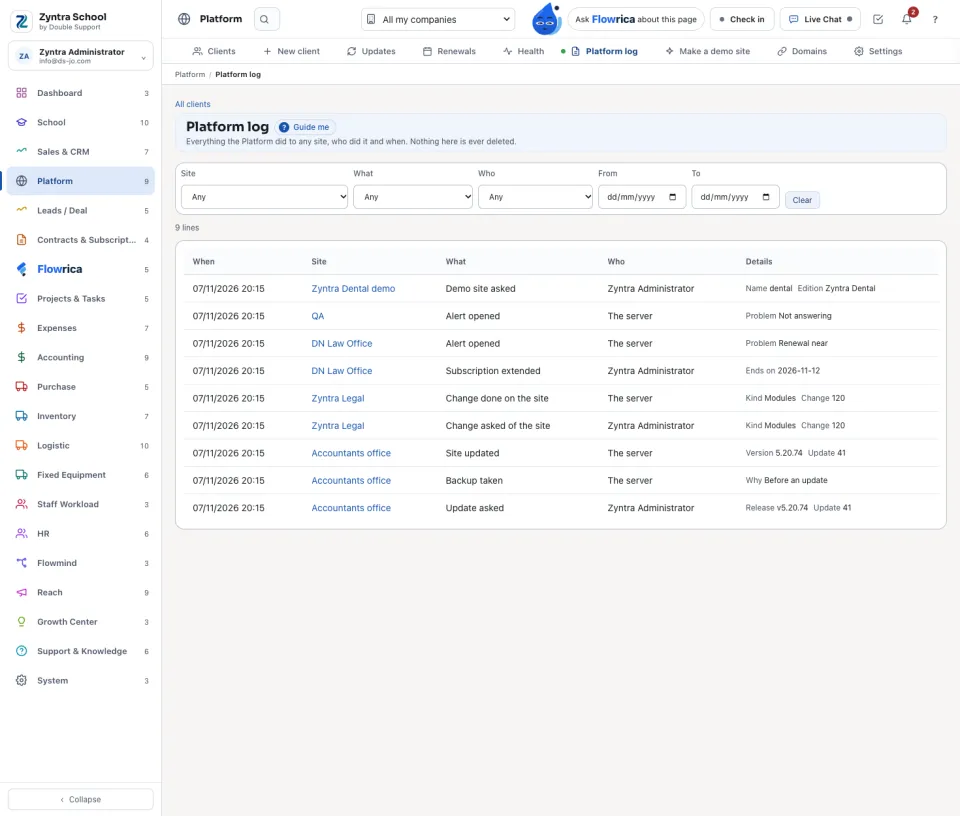
Platform log
Everything the Platform did to any site: a site asked and made, a change asked and done, an update, a backup, a renewal, an alert opened and closed. Each line says when, which site, what, who did it (a person, or the server) and its details. Nothing here is ever deleted.
Make a demo site
Choose the edition, and the server makes its demo the way the edition demos are made: one company, the edition's own records, the demo books, no scheduler and no mail.
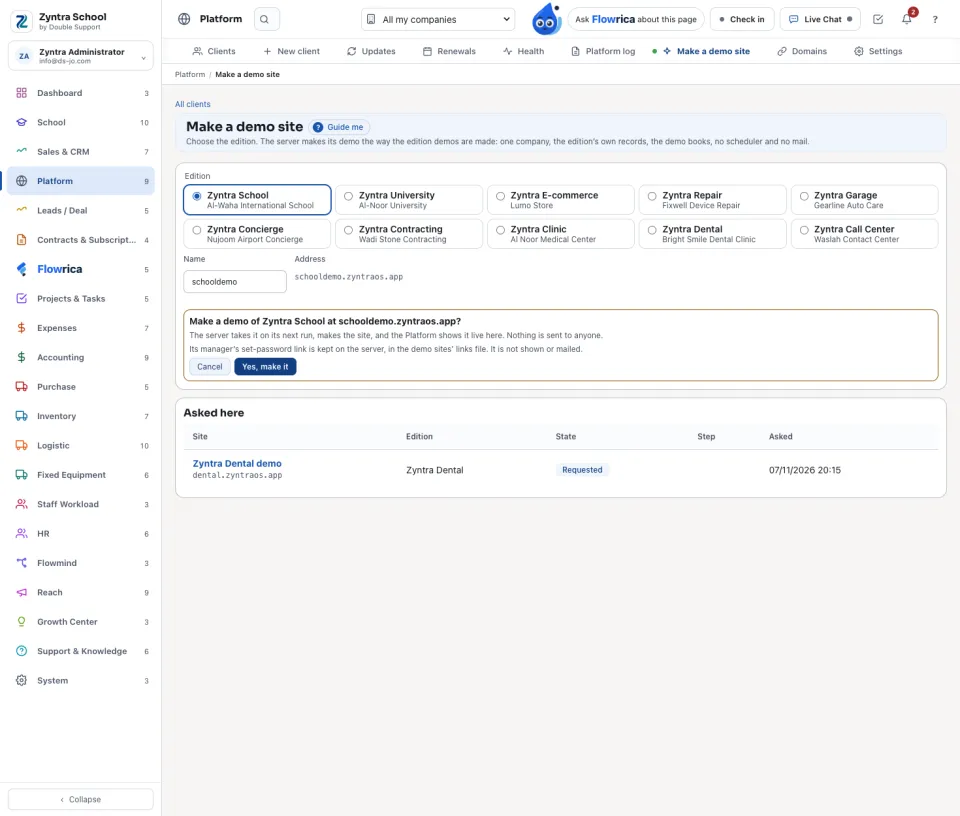
Its manager's set-password link is kept on the server, in the demo sites' links file. It is not shown or mailed.
Questions
Where is “Platform health, alerts, log and demo sites” in Zyntra OS?
Platform › Health · Platform › Platform log · Platform › Make a demo site
Who can use “Platform health, alerts, log and demo sites”?
The super administrator of our own installation only.