

 Zyntra OS
 Zyntra Legal
 Zyntra Real Estate
 Zyntra Hotel
 Zyntra E-commerce
 Zyntra Appointments
 Zyntra Repair
 Zyntra Garage
 Zyntra Concierge
 Zyntra Contracting
 Zyntra Clinic
 Zyntra Dental
 Zyntra School
 Zyntra University
 Zyntra Social
 Zyntra Call Center
 Zyntra OTA

Where
Sales & CRM › Reports › Proposals & EstimatesWho
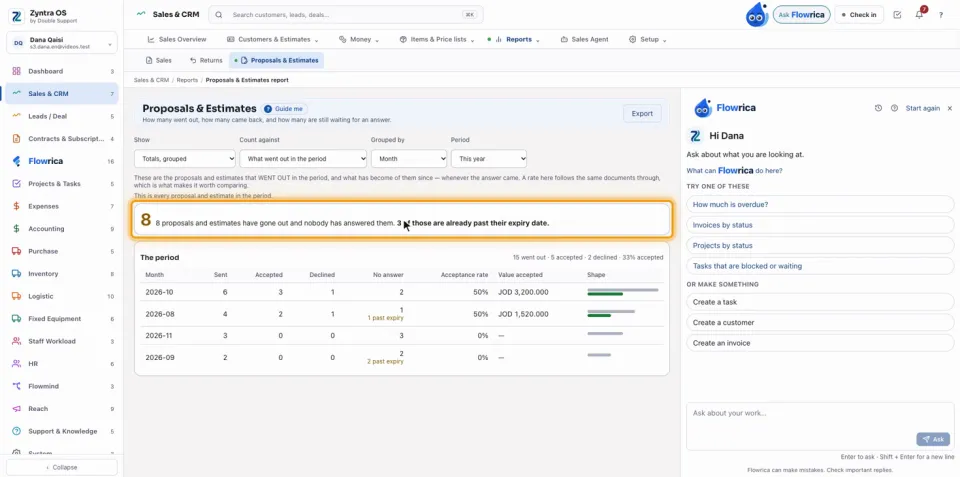
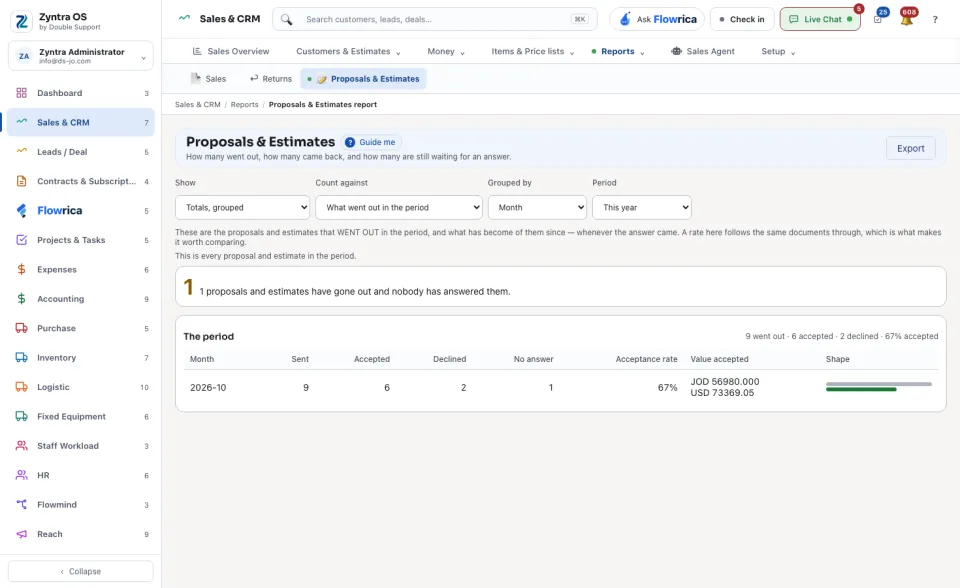
Anyone allowed to see this screen.Choose what to Show, what to Count against, what the rows are Grouped by and the Period. A line sums the period: how many went out, were accepted and were declined, and the share accepted. A band counts those nobody has answered, and how many of them are past their expiry date. The table shows, for each group, Sent, Accepted, Declined, No answer, the Acceptance rate and the Value accepted. Export downloads it.
The band reads, for example, 8 proposals and estimates have gone out and nobody has answered them. 3 of those are already past their expiry date.
Under it The period line: 14 went out · 3 accepted · 3 declined · 50% accepted
. A row with unanswered ones past their expiry says so under its No answer figure, for example 1 past expiry. Count against counts what went out in the period, or the answers that came back in it.
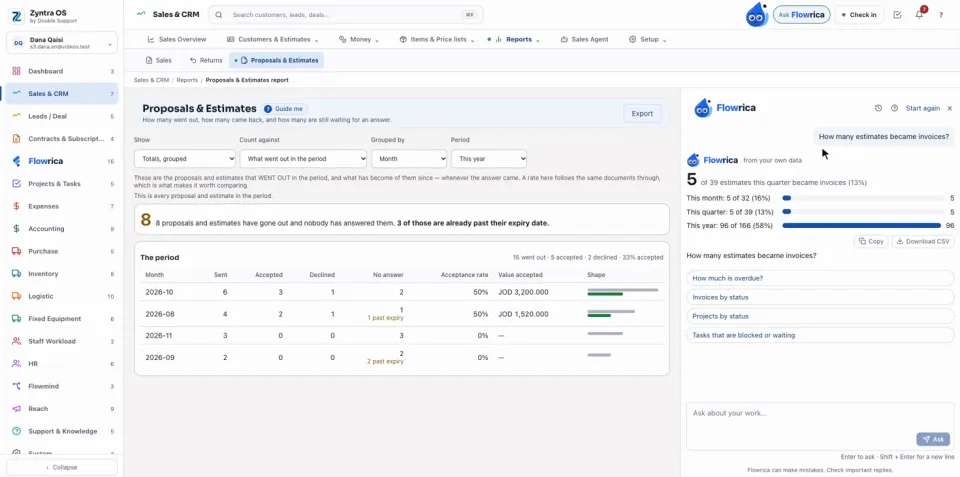
Flowrica answers How many estimates became invoices?
on this screen even though it is not among her suggested questions: type it in her panel and press Ask. She answers from your own data: this month, this quarter and this year, each with its share, with Copy and Download CSV.
Questions
Where is “Proposals & Estimates report” in Zyntra OS?
Sales & CRM › Reports › Proposals & Estimates
Who can use “Proposals & Estimates report”?
Anyone allowed to see this screen.