

 Zyntra OS
 Zyntra Legal
 Zyntra Real Estate
 Zyntra Hotel
 Zyntra E-commerce
 Zyntra Appointments
 Zyntra Repair
 Zyntra Garage
 Zyntra Concierge
 Zyntra Contracting
 Zyntra Clinic
 Zyntra Call Center
 Zyntra OTA
Where
Contracts & Subscriptions › Setup › Contract templatesWho
Anyone allowed to change these settings.1
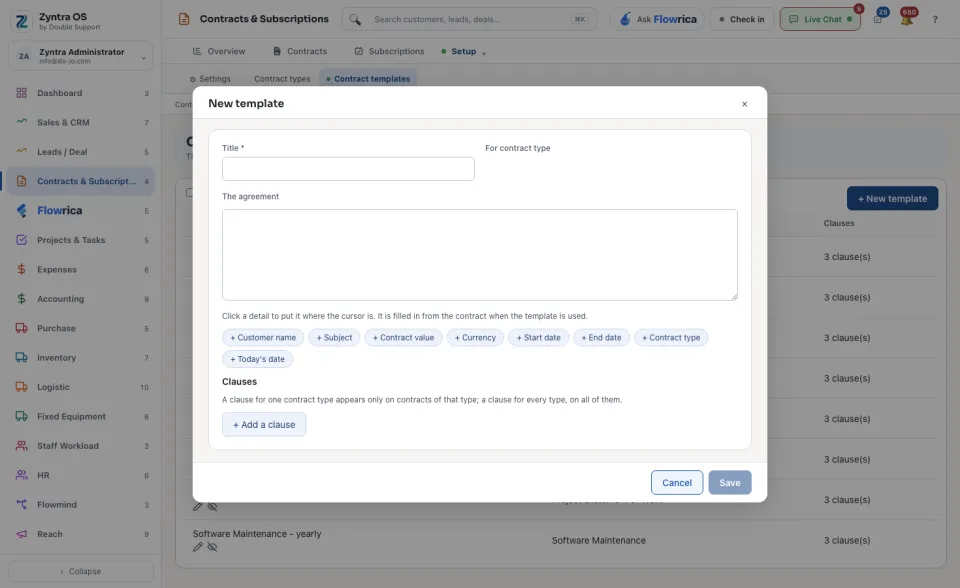
Press + New template.
2
Type the Title. Choose For contract type if the template is for one type only.
3
Write the text under The agreement. To put in a detail of the contract, press it where the cursor is: + Customer name, + Subject, + Contract value, + Currency, + Start date, + End date, + Contract type or + Today's date. The detail is filled in from the contract when the template is used.
4
Under Clauses, press + Add a clause for each clause. A clause for one contract type appears only on contracts of that type. A clause for every type appears on all of them.
5
Press Save.
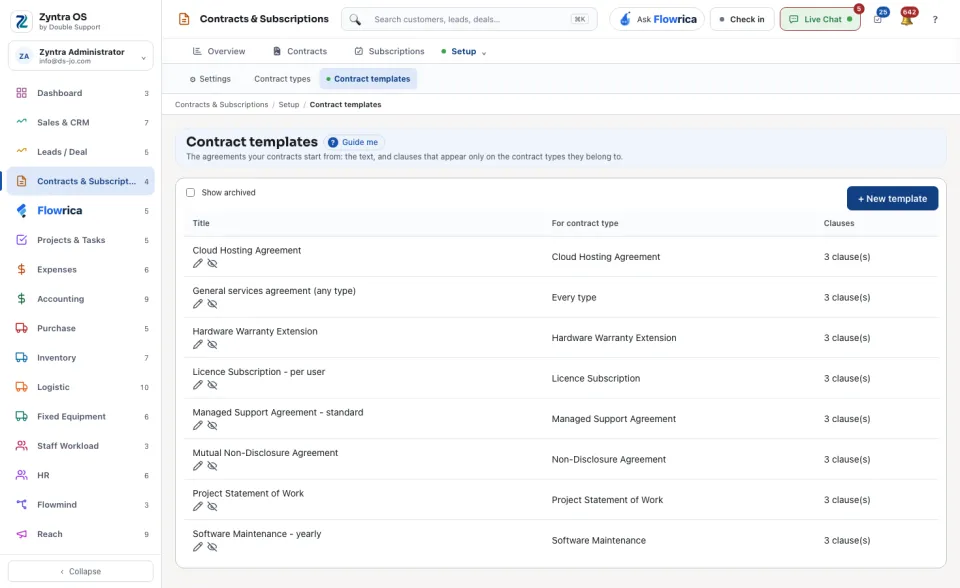
The list shows each template's Title, For contract type and Clauses. Tick Show archived to see the archived templates.
To use a template, open the contract form, choose the template under Start from a template and press Fill the agreement. See Contracts.