Zyntra OS
 Zyntra Legal
 Zyntra Real Estate
 Zyntra Hotel
 Zyntra E-commerce
 Zyntra Appointments
 Zyntra Repair
 Zyntra Garage
 Zyntra Concierge
 Zyntra Contracting
 Zyntra Clinic
 Zyntra Call Center
 Zyntra OTA
Where
Leads / Deal › Setup › SettingsWho
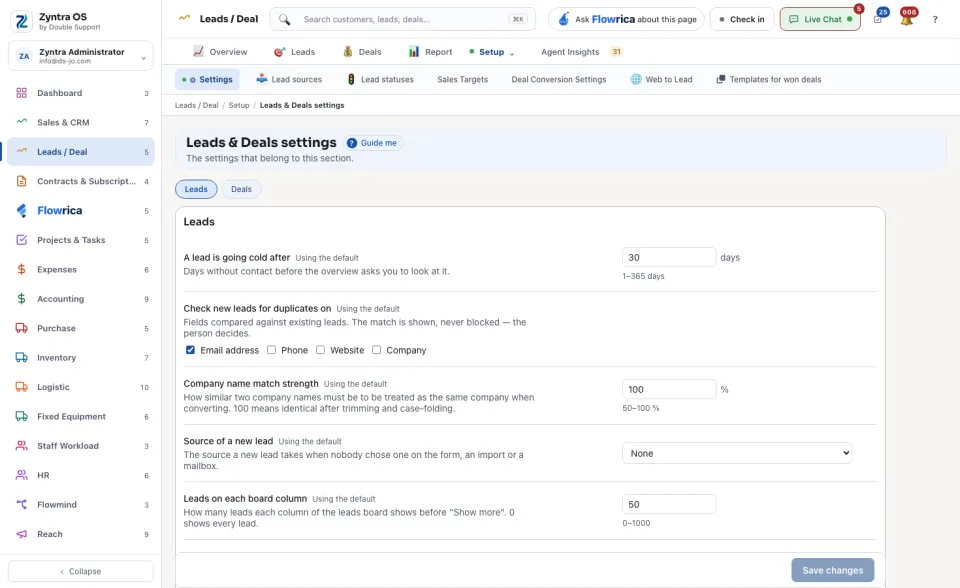
Anyone allowed to see this screen.The settings are grouped under Leads and Deals. Each one explains itself in a line under its name and says Using the default until you change it. Among them: after how many days A lead is going cold, which fields to Check new leads for duplicates on (a match is shown, never blocked), the Source of a new lead, how the leads board is ordered, and whether to Lock a lead once it is converted. Change what you need and press Save changes.