

 Zyntra OS
 Zyntra Legal
 Zyntra Real Estate
 Zyntra Hotel
 Zyntra E-commerce
 Zyntra Appointments
 Zyntra Repair
 Zyntra Garage
 Zyntra Concierge
 Zyntra Contracting
 Zyntra Clinic
 Zyntra Dental
 Zyntra School
 Zyntra University
 Zyntra Call Center
 Zyntra OTA
Where
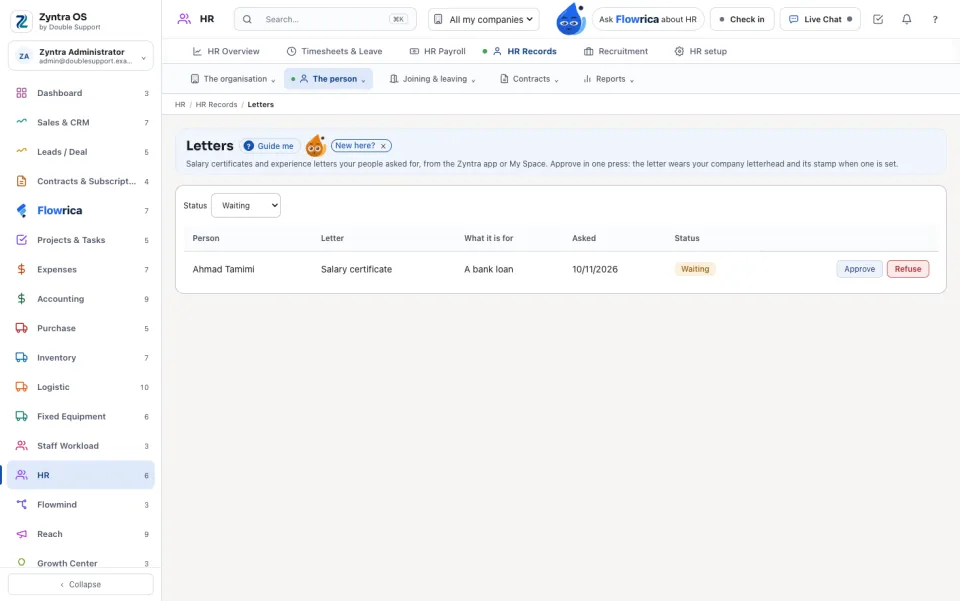
HR › HR Records › The person › LettersWho
Anyone who may see HR records sees the requests of the people inside their reach. Approving or refusing needs «HR records · Edit». Nobody decides their own request.1
Each request is a row with the Person, the Letter, What it is for, the day it was Asked and its Status. Status narrows the list.
2
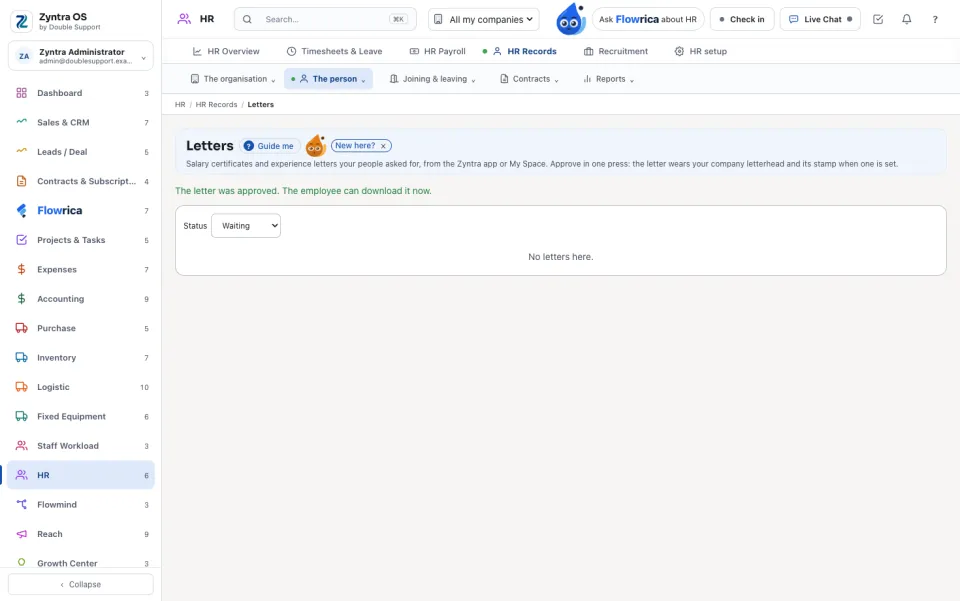
Press Approve or Refuse. The employee is told on their bell and on their phone, and downloads the letter in My Space or the Zyntra app.
3
An approved row has Open the letter. The same requests wait for you in Flowrica's approvals.
Questions
Where is “Letters” in Zyntra OS?
HR › HR Records › The person › Letters
Who can use “Letters”?
Anyone who may see HR records sees the requests of the people inside their reach. Approving or refusing needs «HR records · Edit». Nobody decides their own request.