

 Zyntra OS
 Zyntra Legal
 Zyntra Real Estate
 Zyntra Hotel
 Zyntra E-commerce
 Zyntra Appointments
 Zyntra Repair
 Zyntra Garage
 Zyntra Concierge
 Zyntra Contracting
 Zyntra Clinic
 Zyntra Dental
 Zyntra School
 Zyntra University
 Zyntra Social
 Zyntra Call Center
 Zyntra OTA
Where
Website › SettingsWho
People who hold the Website settings right.Open the site to the world
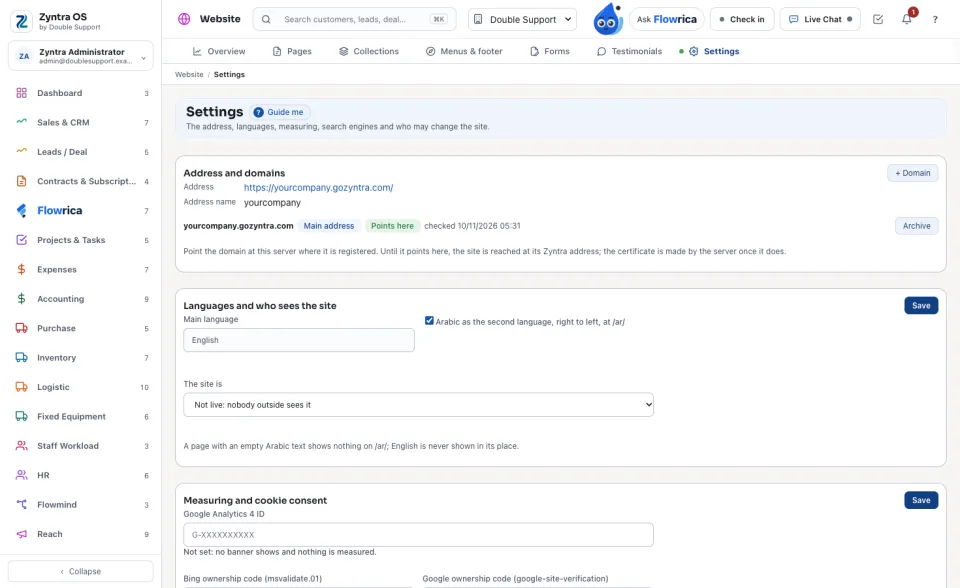
The other cards
| Card | What you set there |
|---|---|
| Measuring and cookie consent | The Google Analytics 4 ID, Ask visitors before measuring and the banner text in each language. With no ID, no banner shows and nothing is measured. “Decline” loads nothing at all. |
| Flowrica chat on the site | Show the chat bubble on every page. Flowrica answers visitors only from this site's published pages. A visitor who leaves a name and an email or phone becomes a lead of this company, with the conversation on it. |
| New leads and applicants | Also email the person each one goes to. A new lead or applicant always appears in the bell of the person it goes to; with this on, they get an email too. |
| Contact and WhatsApp | Phone, Email, the address and the working hours in each language, the WhatsApp number and its first message. The contact blocks and the WhatsApp button read them from here. |
| Search engines | What the site prepares by itself for search engines, each marked Automatic. While the site is not live, search engines are told to stay away. |
| Redirects | + Redirect: an old address sends visitors to the new one. |
| Who may change the site | The people who hold a Website right. Change in Staff opens the staff screen. An editor's changes wait as a draft until someone allowed to publish publishes them. |
| The site's look | The Theme and the colours: Main colour, Accent colour, Text colour, Background and Soft background. |
| Store | For a site that shows domain and email prices: the reseller account they are read from, the Markup on domains (%), the Markup on email (%) and the Domain endings offered. Zyntra only reads prices from the account. It never places an order or buys anything. |
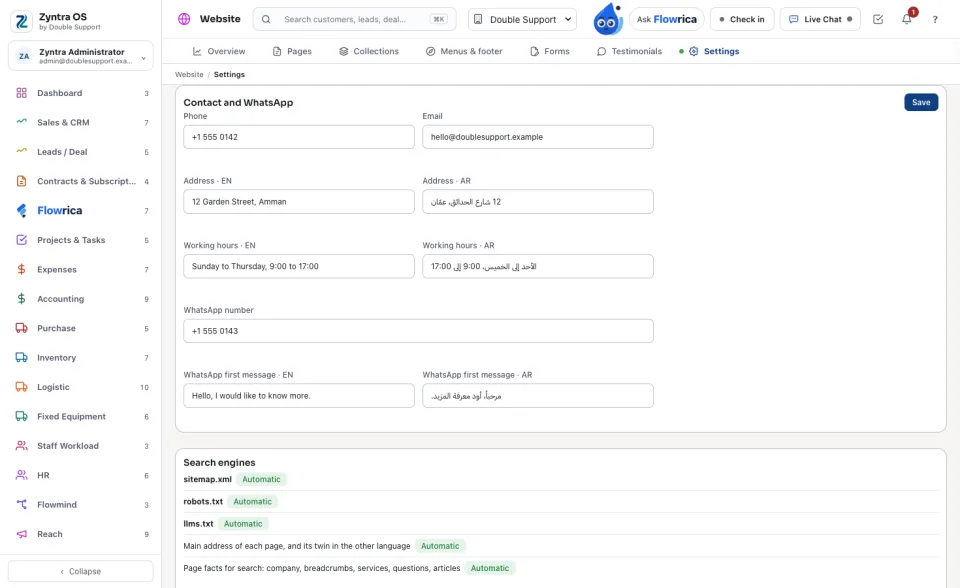
Search engines and answer engines
The site writes its own sitemap.xml, robots.txt and llms.txt, marked Automatic, from the published pages each time they change; each has Open while the site is live. Every page also carries its main address and its twin in the other language, and its facts for search: the company, the breadcrumbs, the services, the questions and the articles. While the site is not live, search engines are told to stay away and no sitemap is offered.
To prove the site is yours to Google or Bing, paste only the content="…" value of each engine's ownership code into the Measuring and cookie consent card; it is added to every page.
Domains and redirects
A site may have more than one domain. Make it the main address chooses the one visitors land on; each domain says whether it already Points here, and when it was checked. A domain no longer used can be archived.
Each redirect sends an Old address to a New address, For good (301) or For now (302), and counts its visits. Redirects are added and changed with the Website publish right.
A redirect changes the live site at once, so adding, changing or archiving one needs the Website publish right. Someone with only the edit right reads the list, and the card says so.
Anyone with a Website right can open this screen to read it. The cards Who may change the site, The site's look and Store show only with the settings right. On the Flowrica chat card, a daily number of Flowrica Advance answers keeps the company's allowance for its staff; after it, the built-in replies answer visitors.
Questions
Where is “Website settings” in Zyntra OS?
Website › Settings
Who can use “Website settings”?
People who hold the Website settings right.