Zyntra OS
 Zyntra Legal
 Zyntra Real Estate
 Zyntra Hotel
 Zyntra E-commerce
 Zyntra Appointments
 Zyntra Repair
 Zyntra Garage
 Zyntra Concierge
 Zyntra Contracting
 Zyntra Clinic
 Zyntra Call Center
 Zyntra OTA
Where
HR › HR Records › Joining & leaving › OnboardingWho
Anyone allowed to see this screen.1
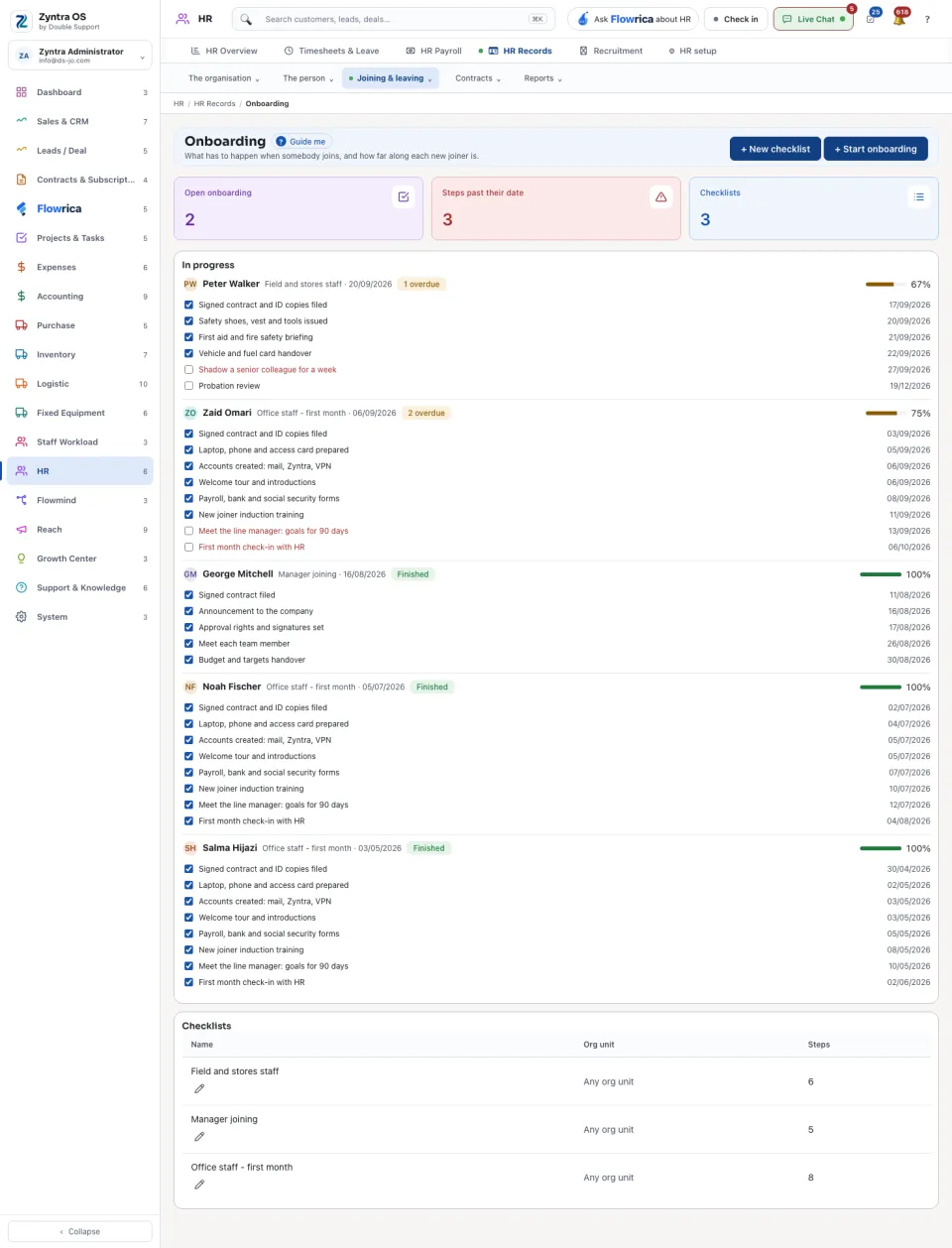
Press + New checklist and list the steps: what has to happen, and within how many days.
2
Press + Start onboarding. Choose the person, the checklist and the joining date.
3
Under In progress, each joiner shows their checklist, each step with its date, how many steps are overdue and the share done. Mark a step when it is done.
The three figures at the top: Open onboarding, Steps past their date and Checklists. The checklists are listed at the bottom; Edit changes one.