

 Zyntra OS
 Zyntra Legal
 Zyntra Real Estate
 Zyntra Hotel
 Zyntra E-commerce
 Zyntra Appointments
 Zyntra Repair
 Zyntra Garage
 Zyntra Concierge
 Zyntra Contracting
 Zyntra Clinic
 Zyntra Call Center
 Zyntra OTA
Where
System › UtilitiesWho
Anyone allowed to see settings; each tab asks its own permission to change things.| Tab | What you do there |
|---|---|
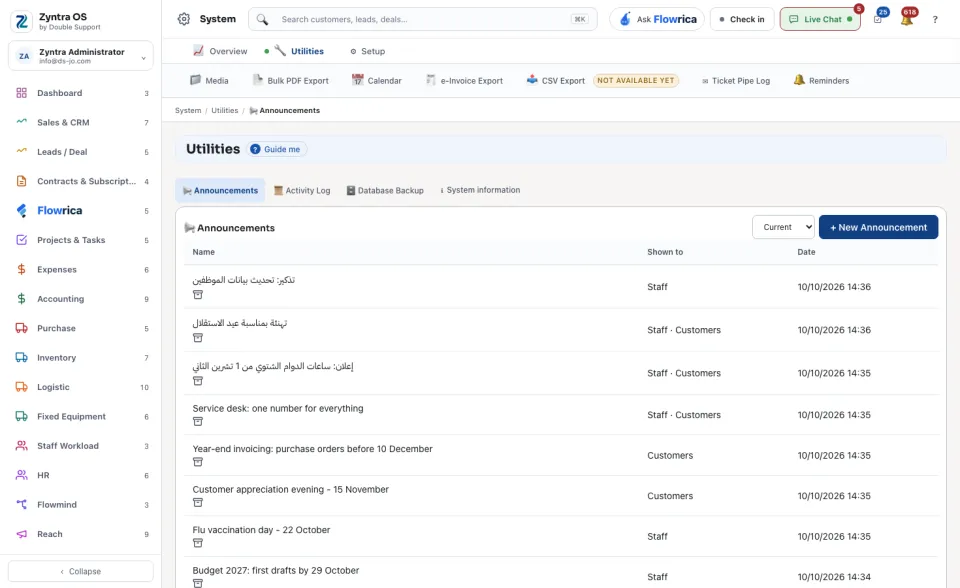
| Announcements | Press + New Announcement, give it a Name and a Message, and tick Show to staff, Show to customers or Show who wrote it. Press Save. The list shows each announcement with who it is Shown to and its Date; Current and Archived switch between the ones in use and the ones put away. |
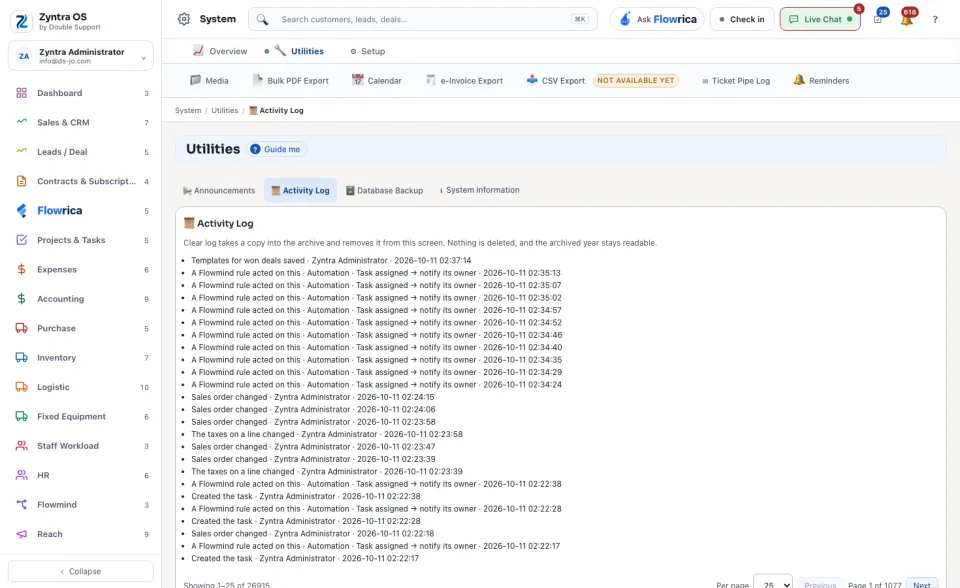
| Activity Log | What happened and who did it, newest first. Clear log takes a copy into the archive and removes it from this screen. Nothing is deleted, and the archived year stays readable. |
| Database Backup | Press Create backup to make a copy of the data; each copy can be downloaded. Making a backup and downloading one are both recorded, with who did it. |
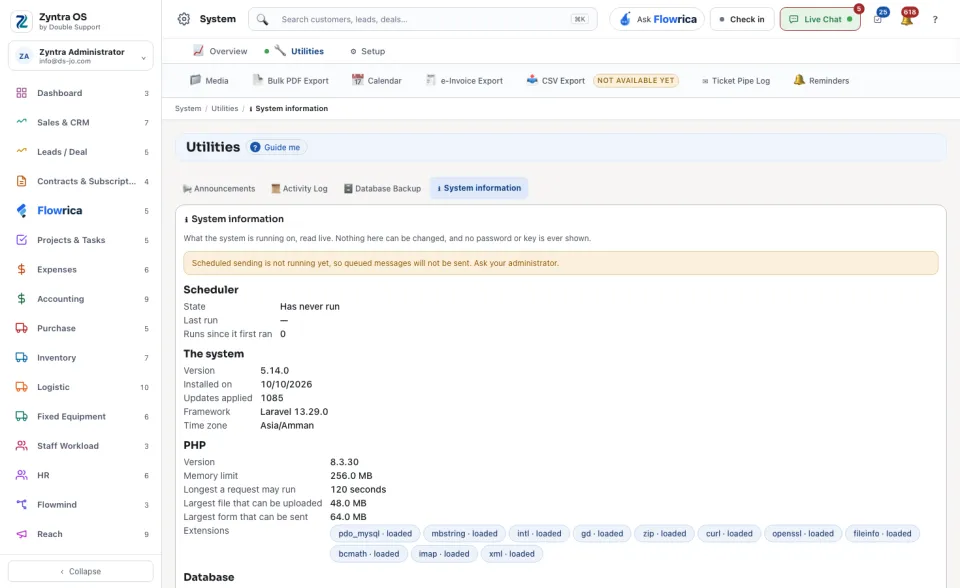
| System information | What the system is running on, read live: the version, when it was installed, the time zone and whether scheduled sending is running. Nothing here can be changed, and no password or key is ever shown. |
The bar above holds the other tools: Media, Bulk PDF Export, Calendar, e-Invoice Export, Ticket Pipe Log and Reminders.