Zyntra OS
 Zyntra Legal
 Zyntra Real Estate
 Zyntra Hotel
 Zyntra E-commerce
 Zyntra Appointments
 Zyntra Repair
 Zyntra Garage
 Zyntra Concierge
 Zyntra Contracting
 Zyntra Clinic
 Zyntra Call Center
 Zyntra OTA
Where
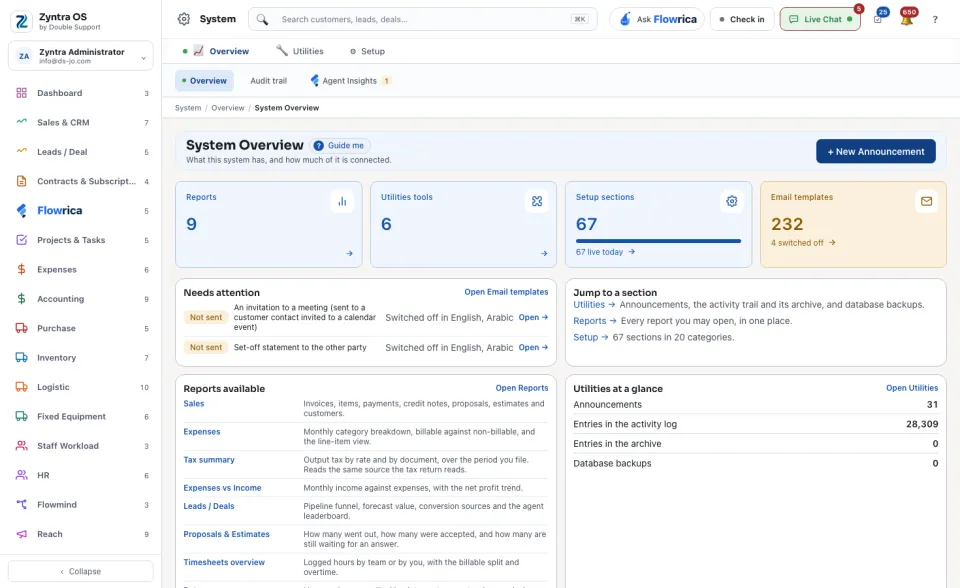
System › OverviewWho
Anyone allowed to see settings.| Part | What it tells you |
|---|---|
| The four cards | How many Reports you may open, how many Utilities tools and Setup sections there are, and how many Email templates, with how many of them are switched off. |
| Needs attention | What should be looked at, for example an email template that is switched off, with an Open link. |
| Jump to a section | Three doors: Utilities, Reports and Setup, each with one line about what is inside. |
| Reports available | The reports you may open, each with what it shows. |
| Utilities at a glance, Recent activity | The tools in short, and the latest things done in the system. |
Press + New Announcement at the top to write an announcement to staff or customers straight away: see Utilities.