

 Zyntra OS
 Zyntra Legal
 Zyntra Real Estate
 Zyntra Hotel
 Zyntra E-commerce
 Zyntra Appointments
 Zyntra Repair
 Zyntra Garage
 Zyntra Concierge
 Zyntra Contracting
 Zyntra Clinic
 Zyntra Call Center
 Zyntra OTA
Where
HR › HR Records › Joining & leaving › Layoff checklistWho
Anyone allowed to see this screen.1
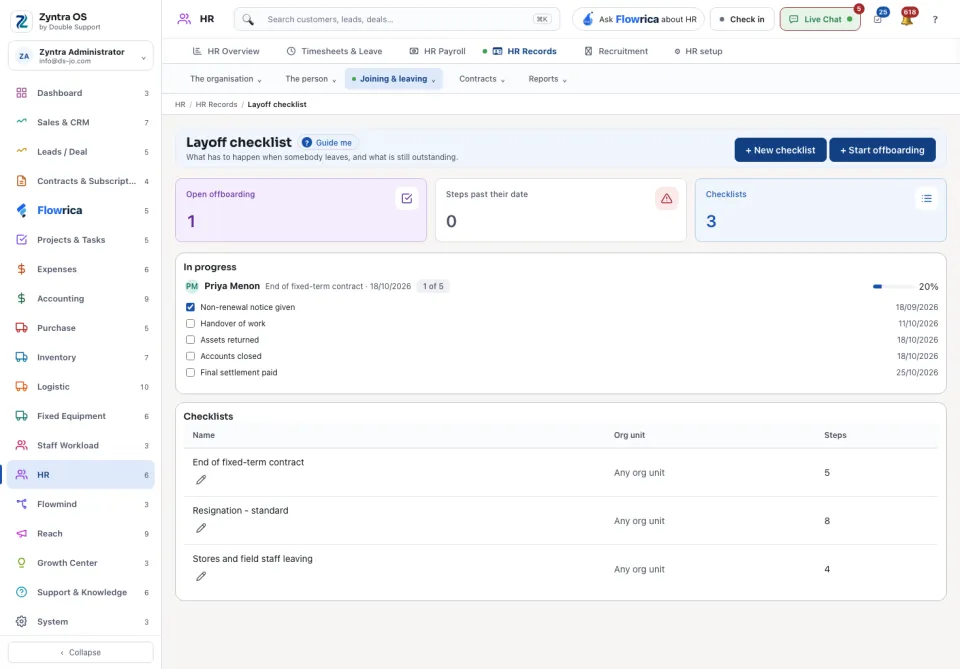
Press + New checklist and list the steps of leaving, for example the handover, the equipment returned, access revoked and the final settlement.
2
Press + Start offboarding. Choose the person, the checklist and the last day.
3
Under In progress, each leaver shows every step with its date, how many are overdue and the share done.
The three figures at the top: Open offboarding, Steps past their date and Checklists. The checklists are listed at the bottom with their org unit and number of steps.
When the person has left, close their account: see Add your staff.