Zyntra OS
 Zyntra Legal
 Zyntra Real Estate
 Zyntra Hotel
 Zyntra E-commerce
 Zyntra Appointments
 Zyntra Repair
 Zyntra Garage
 Zyntra Concierge
 Zyntra Contracting
 Zyntra Clinic
 Zyntra Call Center
 Zyntra OTA
Where
System › Overview › Open ReportsWho
Anyone allowed to open at least one report; each person sees only the reports they may open.1
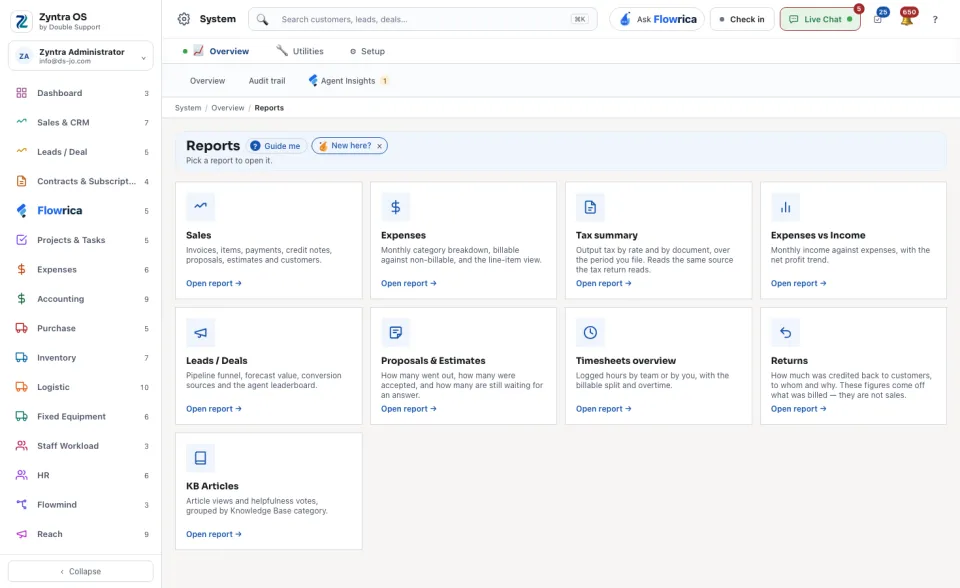
Read the cards. Each one names a report and says in one line what it shows, for example Sales, Expenses, Tax summary, Expenses vs Income, Leads / Deals or Proposals & Estimates.
2
Press Open report → on the card. The report opens in its own part of the system, with its own dates and filters.
A report you are not allowed to open has no card here. The same reports are also reached from the Reports tab of their own part, for example in Sales & CRM.