Zyntra OS
 Zyntra Legal
 Zyntra Real Estate
 Zyntra Hotel
 Zyntra E-commerce
 Zyntra Appointments
 Zyntra Repair
 Zyntra Garage
 Zyntra Concierge
 Zyntra Contracting
 Zyntra Clinic
 Zyntra Call Center
 Zyntra OTA
Where
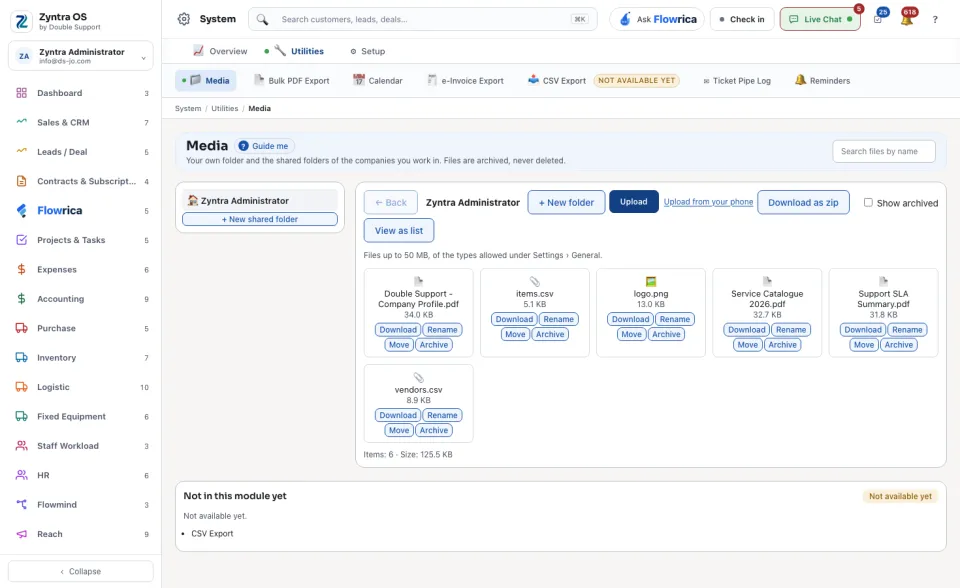
System › Utilities › MediaWho
Anyone allowed to see their own or everyone’s media.1
Your own folder opens first, under your name. Press + New folder to make a folder inside it, or + New shared folder for one your colleagues use too. ← Back goes up one folder.
2
Add files: press Upload and choose them, or Upload from your phone to send a photo from your phone. A file may be up to 50 MB, of the types the settings allow.
3
Press a file to open it. Download as zip takes the whole folder at once. View as list changes how the folder is drawn.
4
To put a file or a folder away, archive it. Tick Show archived to see what was put away and bring it back.
The line under the folder counts its items and their size.