Zyntra OS
 Zyntra Legal
 Zyntra Real Estate
 Zyntra Hotel
 Zyntra E-commerce
 Zyntra Appointments
 Zyntra Repair
 Zyntra Garage
 Zyntra Concierge
 Zyntra Contracting
 Zyntra Clinic
 Zyntra Call Center
 Zyntra OTA
Where
System › Setup › TranslationsWho
Anyone allowed to see settings; exporting, importing and saving need permission to edit settings.1
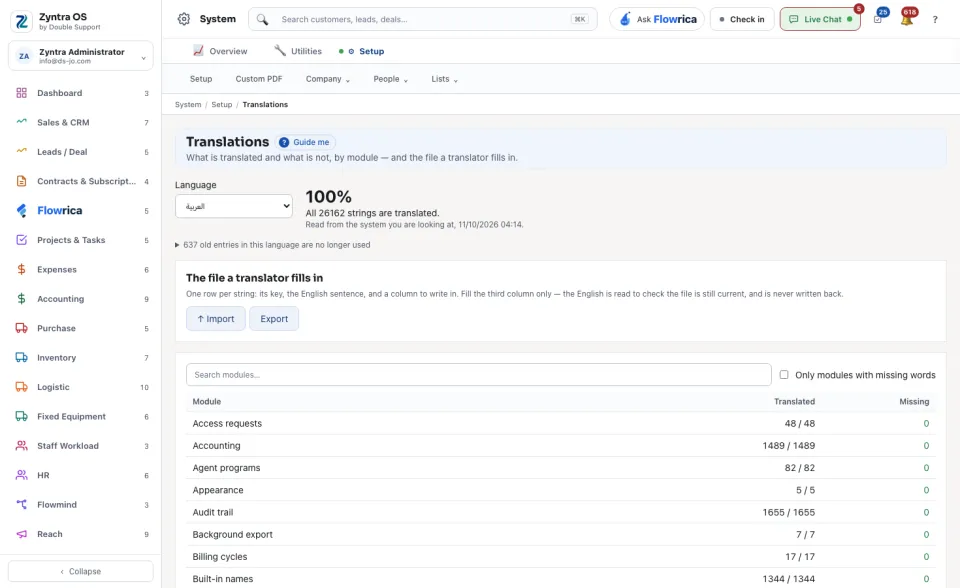
Pick the Language. The line beside it says how much is translated, as a percentage and a count.
2
Read the table: for each Module, how many words are Translated and how many are Missing. Tick Only modules with missing words to see what is left.
3
Under The file a translator fills in, press Export to get the file: one row per sentence, with the English and an empty column to write in. The translator fills the third column only.
4
Press Import to send the filled file back.
The menu’s own words are typed here directly: beside The word today, fill In this language, then press Save the menu words. Tick Only untranslated to see the rows still empty.