

 Zyntra OS
 Zyntra Legal
 Zyntra Real Estate
 Zyntra Hotel
 Zyntra E-commerce
 Zyntra Appointments
 Zyntra Repair
 Zyntra Garage
 Zyntra Concierge
 Zyntra Contracting
 Zyntra Clinic
 Zyntra Dental
 Zyntra School
 Zyntra University
 Zyntra Social
 Zyntra Call Center
 Zyntra OTA
Where
Support & Knowledge › Support settingsWho
Anyone allowed to change the support settings.The screen has seven views. Press one to open it.
| View | What it holds |
|---|---|
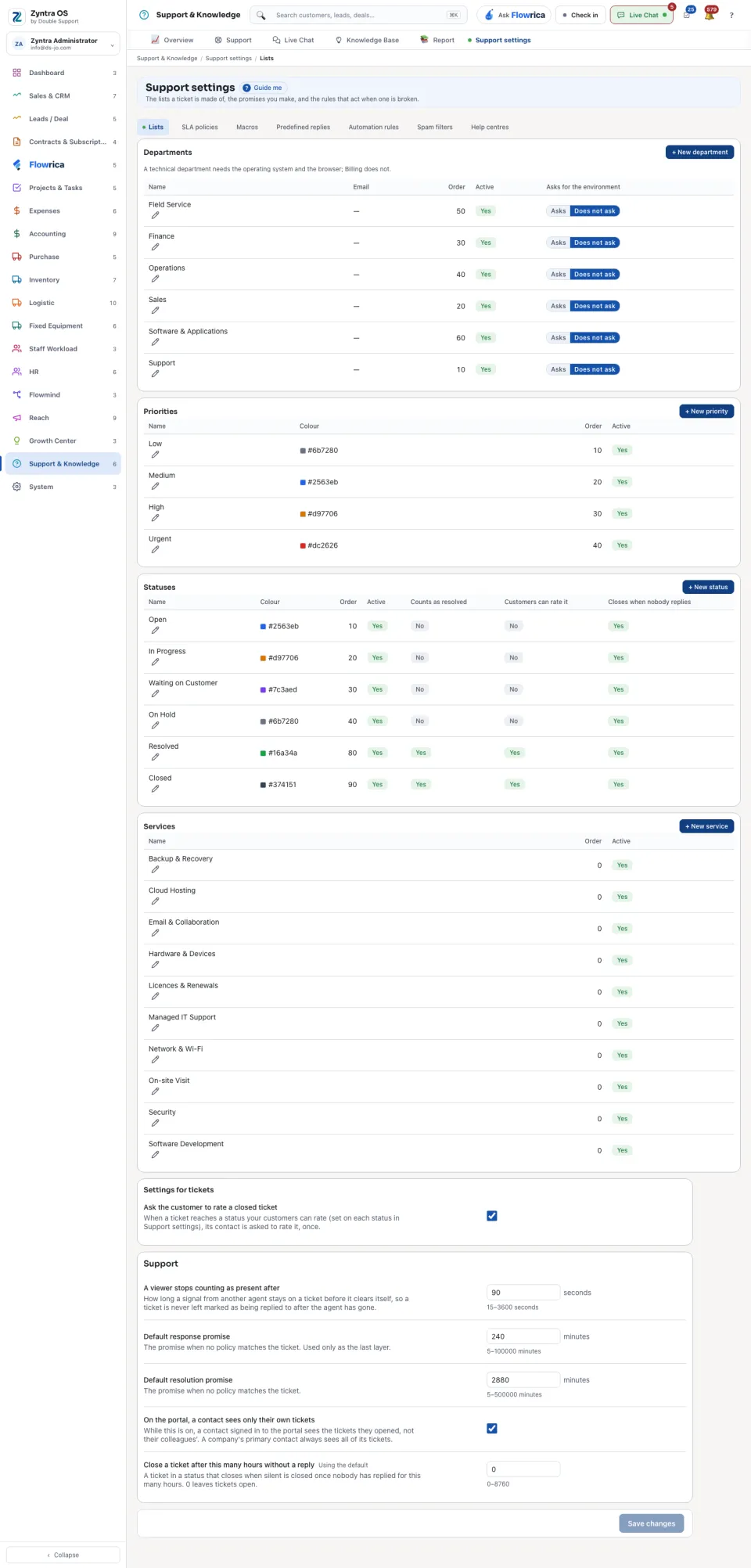
| Lists | The Departments, Priorities, Statuses and Services a ticket can have, and the general settings. |
| SLA policies | The promises: how fast a ticket must get a first answer and a solution. |
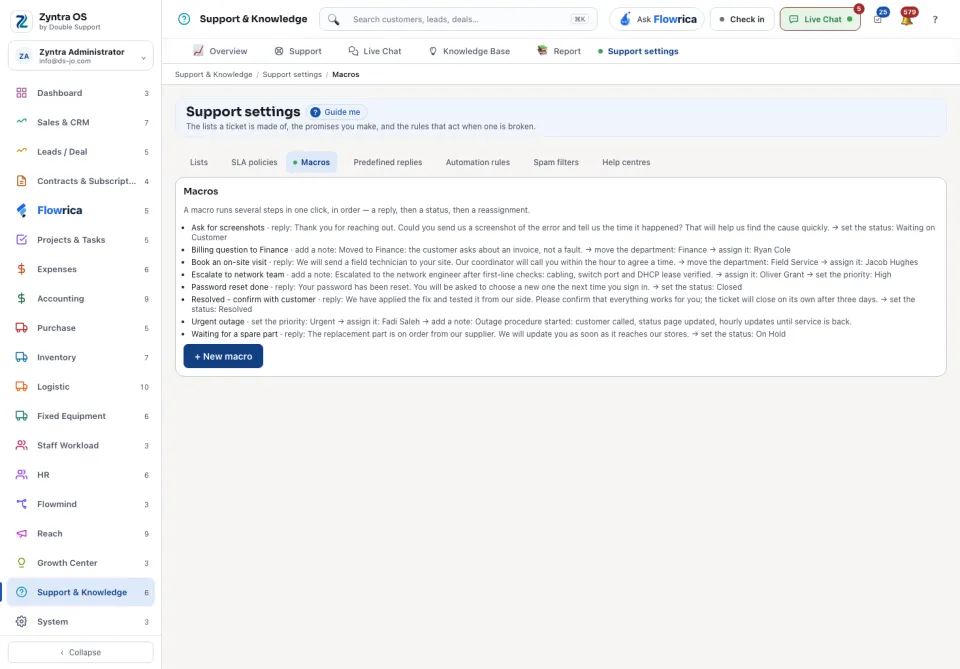
| Macros | Several changes to a ticket done with one press. |
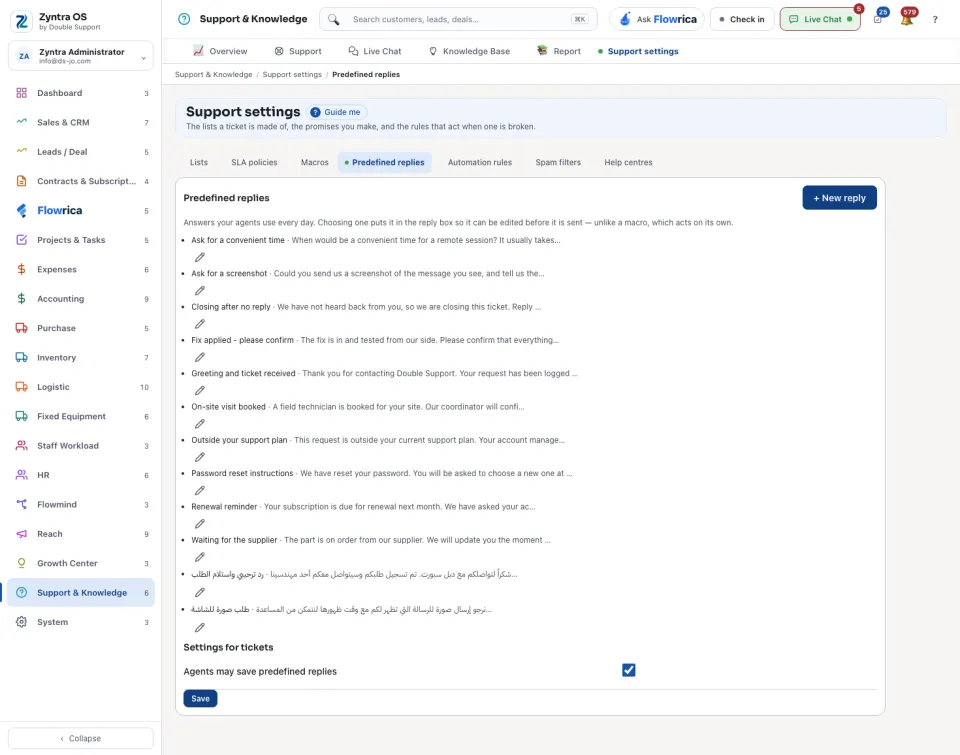
| Predefined replies | Ready answers to put into a reply. |
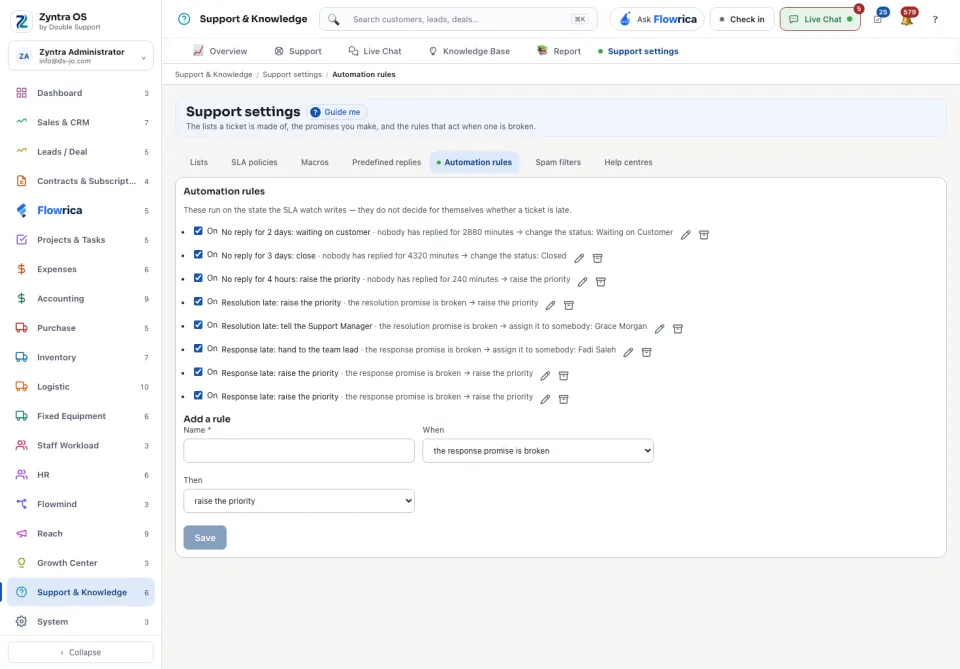
| Automation rules | What the system does by itself when something happens to a ticket. |
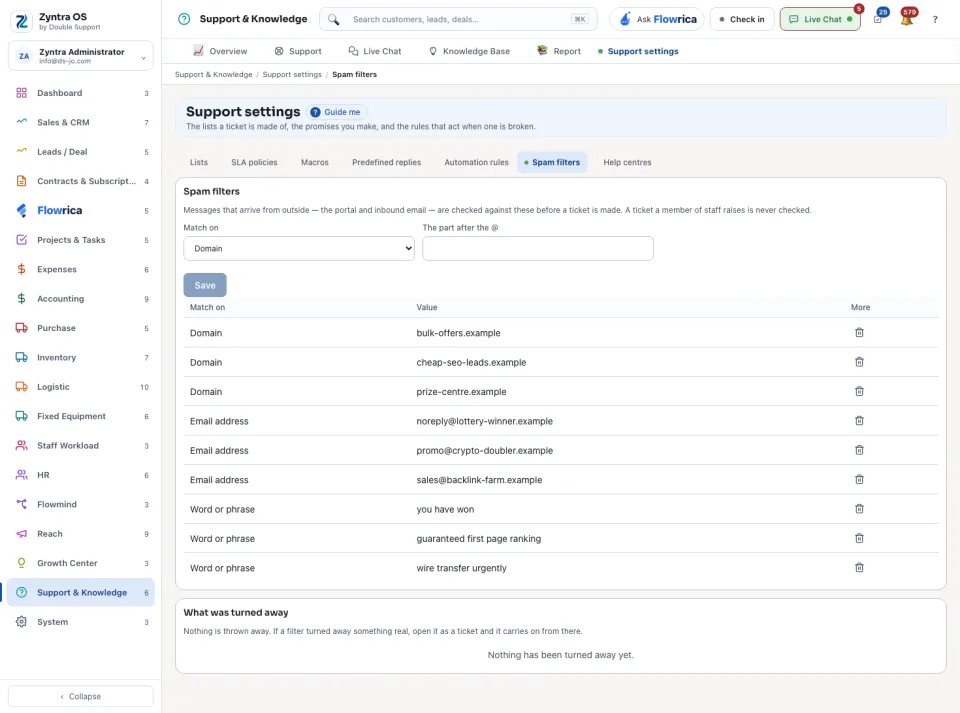
| Spam filters | What is kept out of the ticket list. |
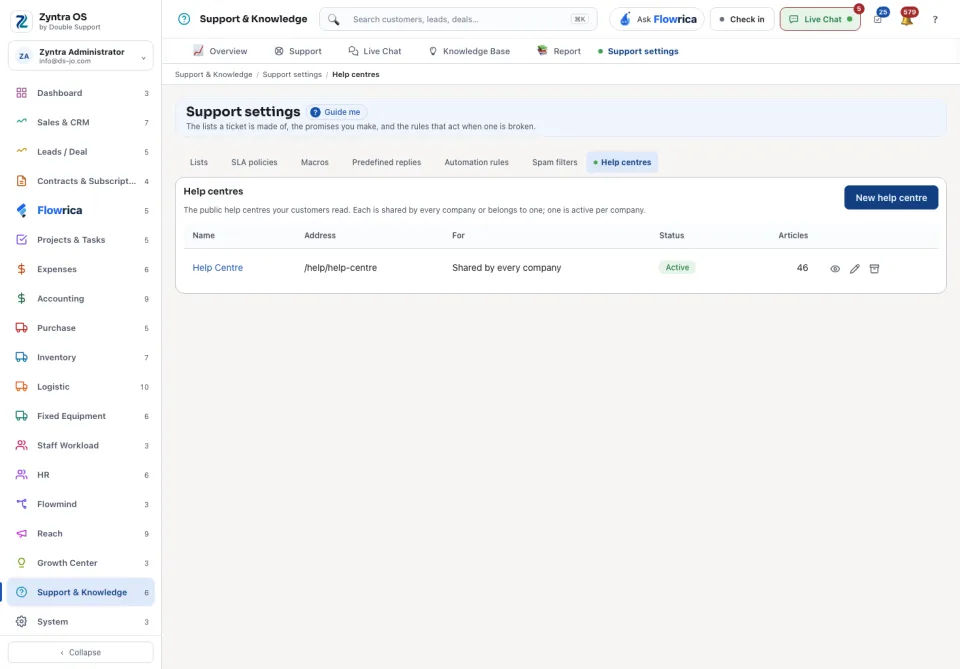
| Help centres | The public pages where customers read your articles. |
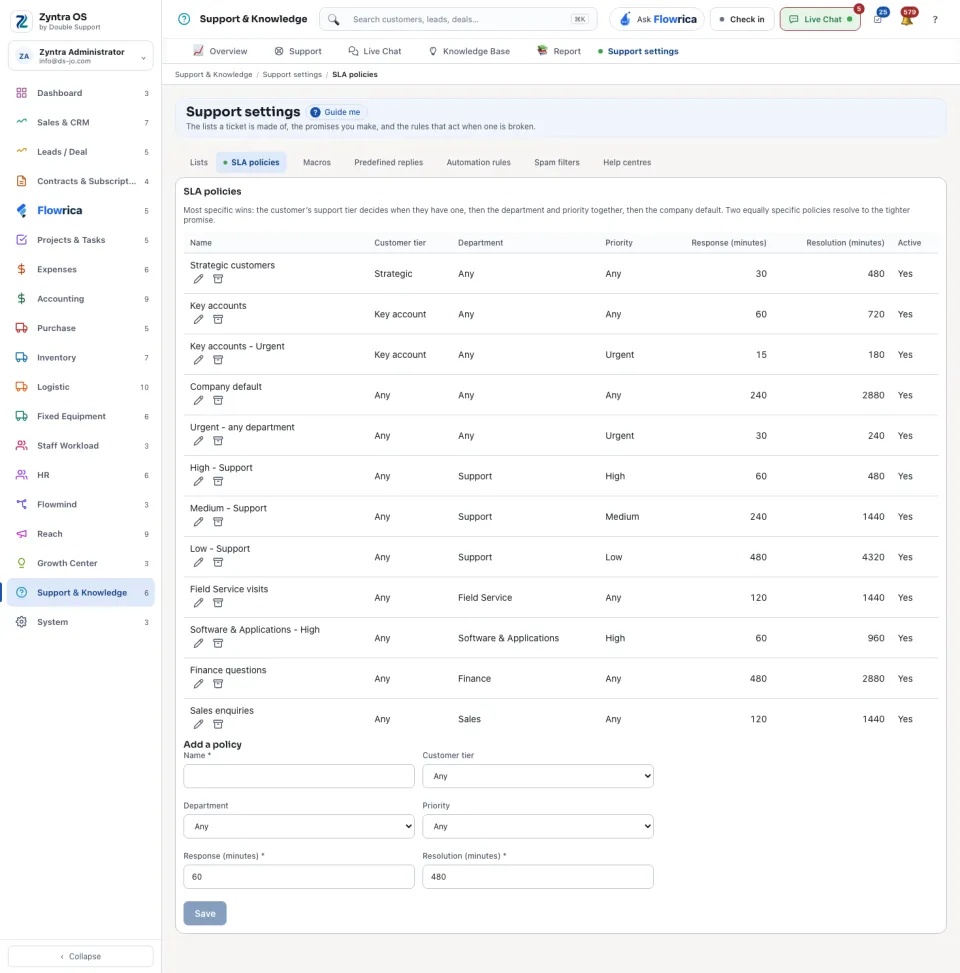
On SLA policies, press Add a policy to make a new one in its own window; a policy in the table is changed from its row.
The lists
A department that Asks for the environment makes the customer say which operating system and browser they use. A status can be one that Counts as resolved, one that Customers can rate, and one that Closes when nobody replies.
Macros and predefined replies
A macro is changed from its row: Edit opens it with its steps in order, and Archive takes it off every ticket. Archived macros are kept under Archived macros and come back with Restore. A predefined reply is added in its own window with + New reply, and taken off every ticket with Remove on its row.
The settings
| Setting | What it decides |
|---|---|
| Ask the customer to rate a closed ticket | Whether a closed ticket asks the customer for a rating. |
| A viewer stops counting as present after | How long somebody is shown as looking at a ticket after they stop. |
| Default response promise | The minutes allowed for a first answer when no policy says otherwise. |
| Default resolution promise | The minutes allowed to solve a ticket when no policy says otherwise. |
| On the portal, a contact sees only their own tickets | Whether a contact sees their company's other tickets on the portal. |
| Close a ticket after this many hours without a reply | When a ticket that waits for the customer closes by itself. |
Press Save changes after you change a setting. A setting marked Using the default has not been changed for this company.
Who changes what every company uses
The statuses, priorities, departments, services, SLA policies, macros, automation rules and spam filters are one set for every company. Only someone who works in every company changes them; anyone else is told so and nothing is saved.
The refused messages under Spam filters are each company's own: you see, and open as a ticket, only the messages that came to a company you work in. The ticket goes back to that company.
Questions
Where is “Support settings” in Zyntra OS?
Support & Knowledge › Support settings
Who can use “Support settings”?
Anyone allowed to change the support settings.