

 Zyntra OS
 Zyntra Legal
 Zyntra Real Estate
 Zyntra Hotel
 Zyntra E-commerce
 Zyntra Appointments
 Zyntra Repair
 Zyntra Garage
 Zyntra Concierge
 Zyntra Contracting
 Zyntra Clinic
 Zyntra Dental
 Zyntra School
 Zyntra University
 Zyntra Call Center
 Zyntra OTA
Where
My Space › Me › My papers · the Zyntra app: Me › My papers · for HR: HR › HR Records › The person › Paper updates, also opened from Documents expiringWho
Everyone sees and sends only their own papers. Approving or refusing needs «HR records · Edit», for people inside your reach. Nobody decides their own paper. The photo is seen only by its person and by HR.1
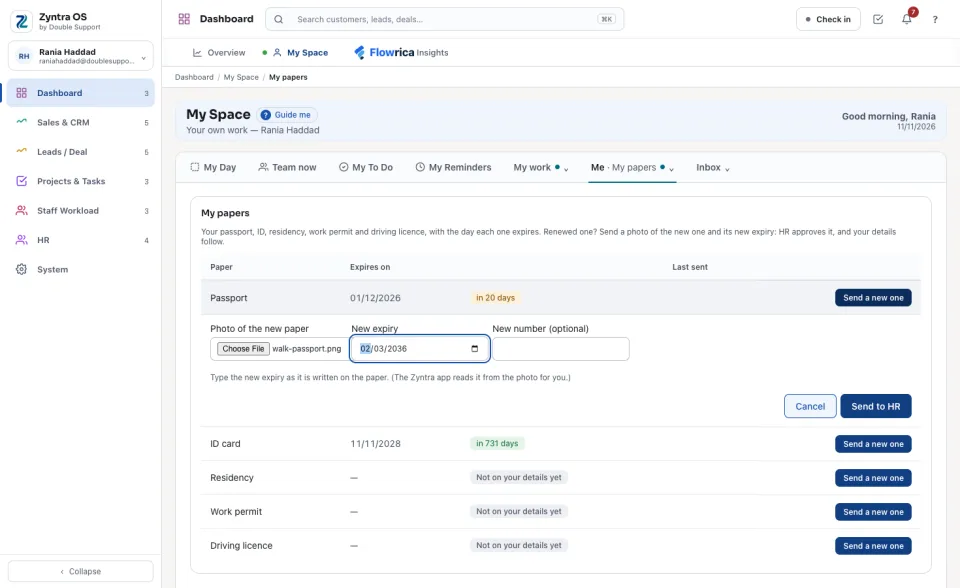
Open My papers. Each paper shows Expires on and how long is left. On the renewed one, press Send a new one, choose the Photo of the new paper, type the New expiry as it is written on the paper, and the New number (optional). Press Send to HR.
2
In the Zyntra app, Send a new one opens the camera. The phone reads the expiry from the photo by itself, and nothing leaves the phone to be read. Check the day it shows, press it to change it if it is not the one on the paper, then press Send to HR.
3
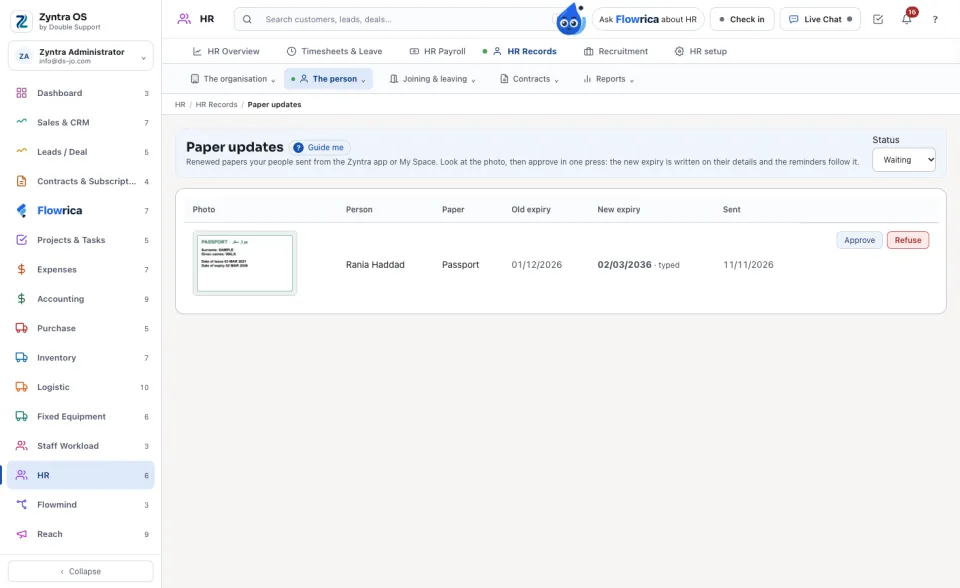
HR is told on the bell. Under Paper updates each row shows the photo, the Old expiry and the New expiry, and whether that day was read from the photo or typed. Press the photo to see it larger, then Approve, or Refuse and write why.
4
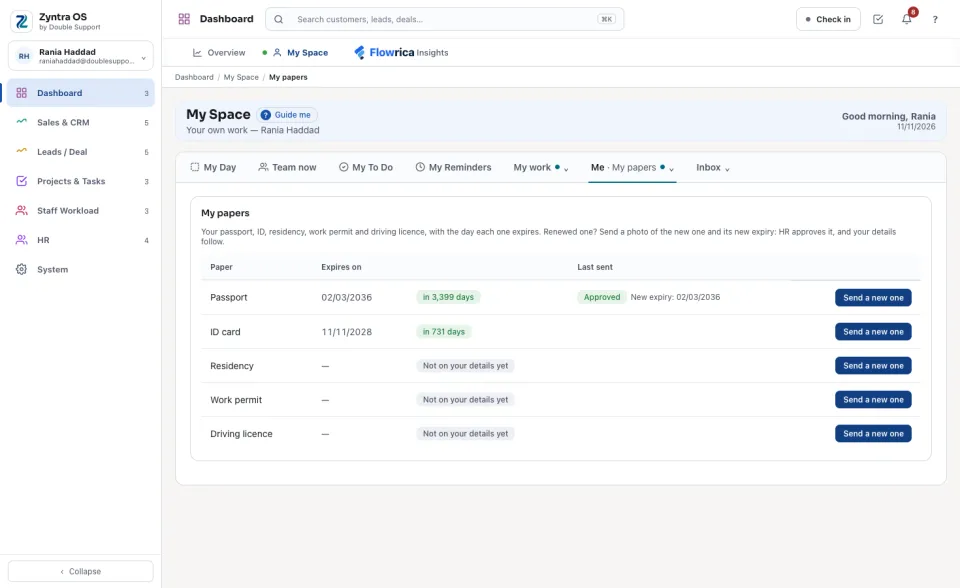
The person is told on the bell. Approved, the new expiry is on their details and in Documents expiring; refused, the reason shows beside the paper and they can send it again.
Questions
Where is “My papers and paper updates” in Zyntra OS?
My Space › Me › My papers · the Zyntra app: Me › My papers · for HR: HR › HR Records › The person › Paper updates, also opened from Documents expiring
Who can use “My papers and paper updates”?
Everyone sees and sends only their own papers. Approving or refusing needs «HR records · Edit», for people inside your reach. Nobody decides their own paper. The photo is seen only by its person and by HR.