

 Zyntra OS
 Zyntra Legal
 Zyntra Real Estate
 Zyntra Hotel
 Zyntra E-commerce
 Zyntra Appointments
 Zyntra Repair
 Zyntra Garage
 Zyntra Concierge
 Zyntra Contracting
 Zyntra Clinic
 Zyntra Dental
 Zyntra School
 Zyntra University
 Zyntra Social
 Zyntra Call Center
 Zyntra OTA
Where
HR › HR OverviewWho
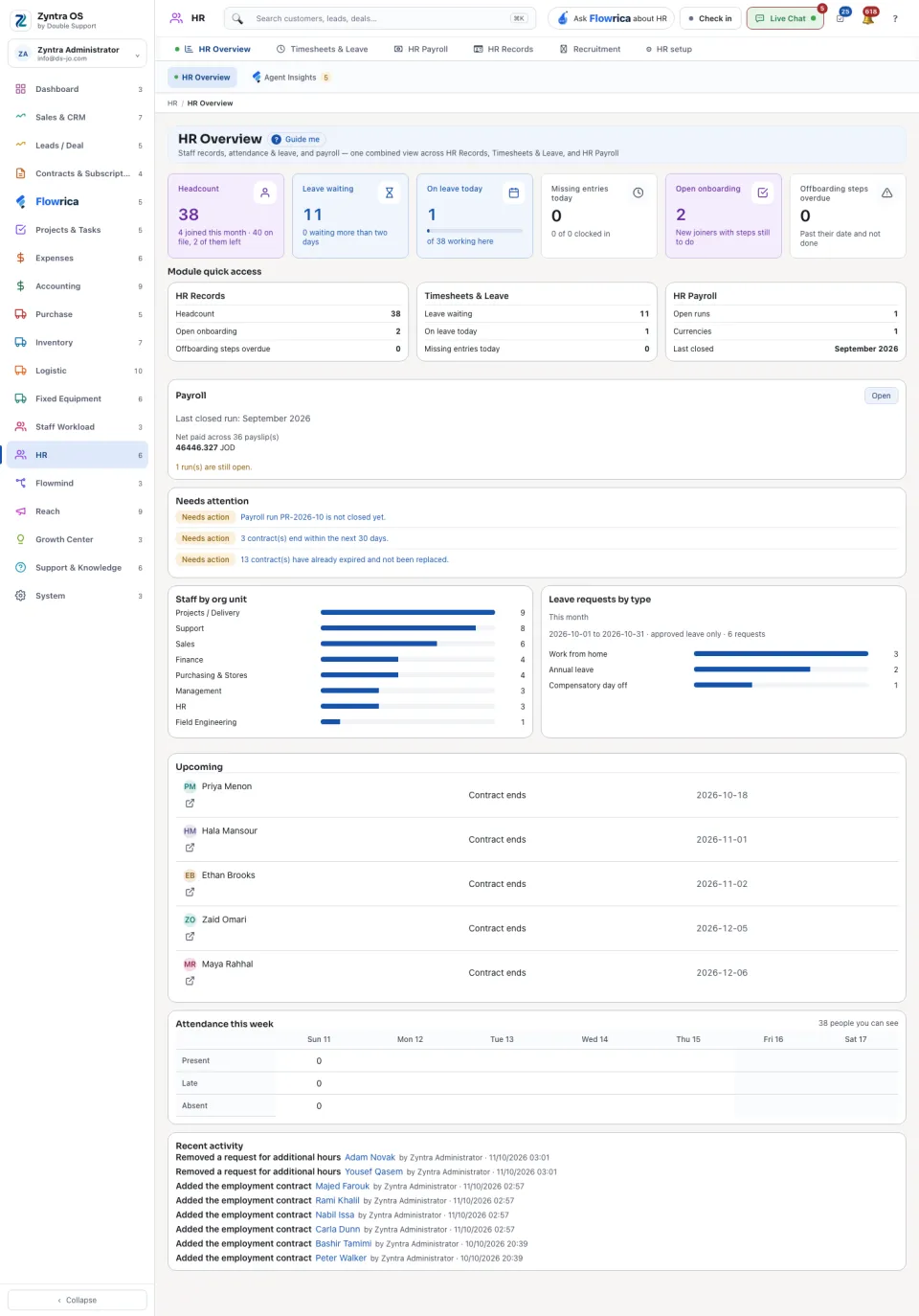
Anyone allowed to see this screen.Six figures open the screen: Headcount, Leave waiting, On leave today, Missing entries today, Open onboarding and Offboarding steps overdue.
Press any of the six figures to see the people behind its number, only the ones you are allowed to see, each with their org unit, leave dates or checklist steps. Press a name to open their HR record when you may open HR records; Open the full list goes to the screen the figure comes from.
Module quick access repeats them under the three parts of HR: HR Records, Timesheets & Leave and HR Payroll. Press a part to go there. The payroll card shows the last closed run with its net pay for each currency, and says how many runs are still open; Open goes to payroll.
Needs attention lists what somebody must act on: a payroll run not closed yet, contracts that expired and were not replaced, flags raised by your team. Below it: Staff by org unit, leave requests by type for the month, contracts ending soon, Attendance this week and Recent activity.
In every HR and payroll form, a field marked * must be filled. Left empty, it is not saved, and the form says which field is missing.
Questions
Where is “HR overview” in Zyntra OS?
HR › HR Overview
Who can use “HR overview”?
Anyone allowed to see this screen.