

 Zyntra OS
 Zyntra Legal
 Zyntra Real Estate
 Zyntra Hotel
 Zyntra E-commerce
 Zyntra Appointments
 Zyntra Repair
 Zyntra Garage
 Zyntra Concierge
 Zyntra Contracting
 Zyntra Clinic
 Zyntra Call Center
 Zyntra OTA
Where
Accounting › Documents › VendorsWho
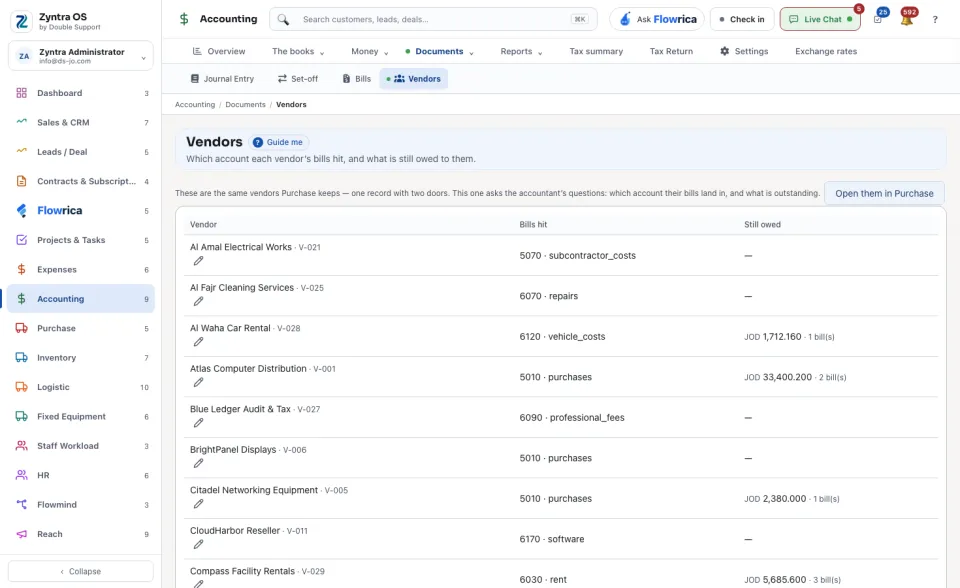
People whose role may see accounting vendors.These are the same vendors Purchase keeps: one record with two doors. Vendors are added and edited in Purchase: press Open them in Purchase.
The list shows each Vendor, the account its Bills hit and what is Still owed, with the number of bills.
1
On a vendor, press Set the account its bills hit.
2
Choose the account, for example the rent account for your landlord, and press Save.
It is a default: a single bill may still name another account. A vendor with none says No default — each bill says, and the screen counts how many vendors have no default.