Zyntra OS
 Zyntra Legal
 Zyntra Real Estate
 Zyntra Hotel
 Zyntra E-commerce
 Zyntra Appointments
 Zyntra Repair
 Zyntra Garage
 Zyntra Concierge
 Zyntra Contracting
 Zyntra Clinic
 Zyntra Call Center
 Zyntra OTA
Where
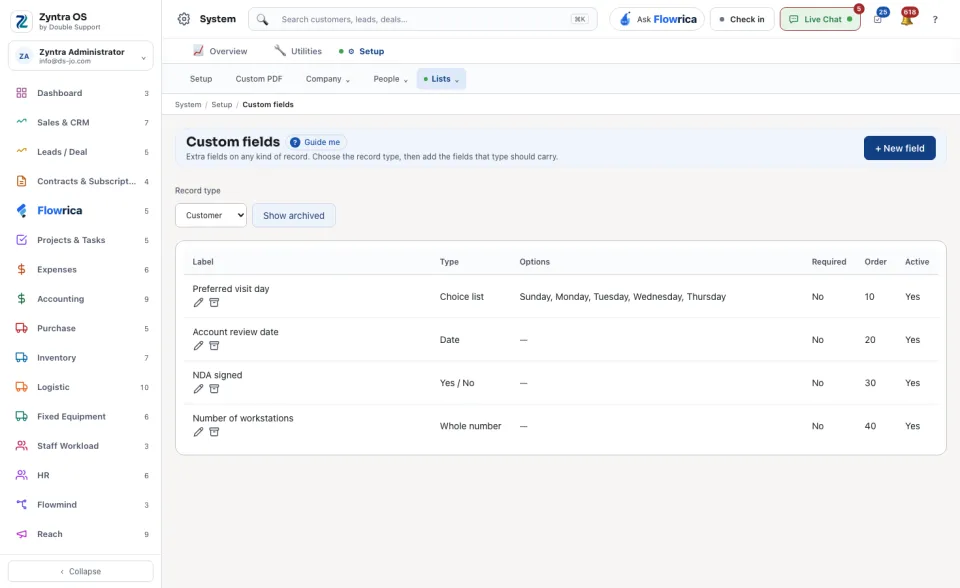
System › Setup › Custom fieldsWho
Anyone allowed to see settings; adding or changing a field needs permission to edit them.1
Choose the Record type the field belongs to, for example Customer, Lead, Invoice, Project or Staff.
2
Press + New field. Give it a Label, the name people see, and a Type, for example one line of text, a date or a choice list. A choice list also needs its Options.
3
Say whether the field must be filled in, and whether it prints on the document.
4
Save it. The field appears on the form of every record of that type, in the place its Order gives it.
The list shows each field with whether it is Required and Active. Archiving a field takes it off every form and keeps the answers already given; tick Show archived to see it and bring it back.