Zyntra OS
 Zyntra Legal
 Zyntra Real Estate
 Zyntra Hotel
 Zyntra E-commerce
 Zyntra Appointments
 Zyntra Repair
 Zyntra Garage
 Zyntra Concierge
 Zyntra Contracting
 Zyntra Clinic
 Zyntra Call Center
 Zyntra OTA
Where
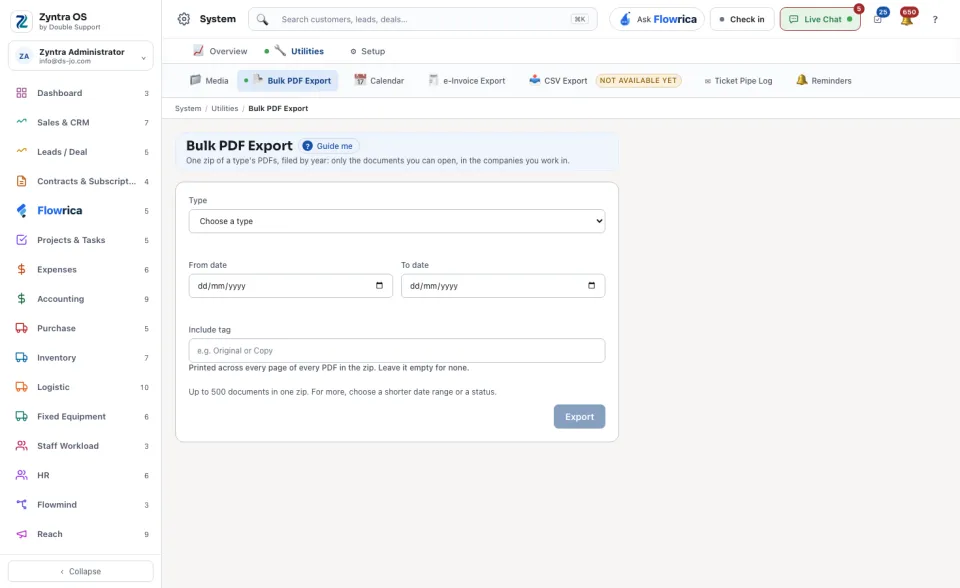
System › Utilities › Bulk PDF ExportWho
Anyone allowed to use the bulk export.1
Choose the Type: Invoices, Estimates, Payments, Credit notes, Proposals or Expenses.
2
Choose the From date and the To date. Where the type offers it, narrow by status too.
3
Include tag is optional: a word such as Copy, printed across every page of every PDF in the zip. Leave it empty for none.
4
Press Export and save the zip.
One zip holds up to 500 documents. For more, choose a shorter date range or a status and export again.