Zyntra OS
 Zyntra Legal
 Zyntra Real Estate
 Zyntra Hotel
 Zyntra E-commerce
 Zyntra Appointments
 Zyntra Repair
 Zyntra Garage
 Zyntra Concierge
 Zyntra Contracting
 Zyntra Clinic
 Zyntra Call Center
 Zyntra OTA
Where
Purchase › Catalog & Vendors › Vendor contactsWho
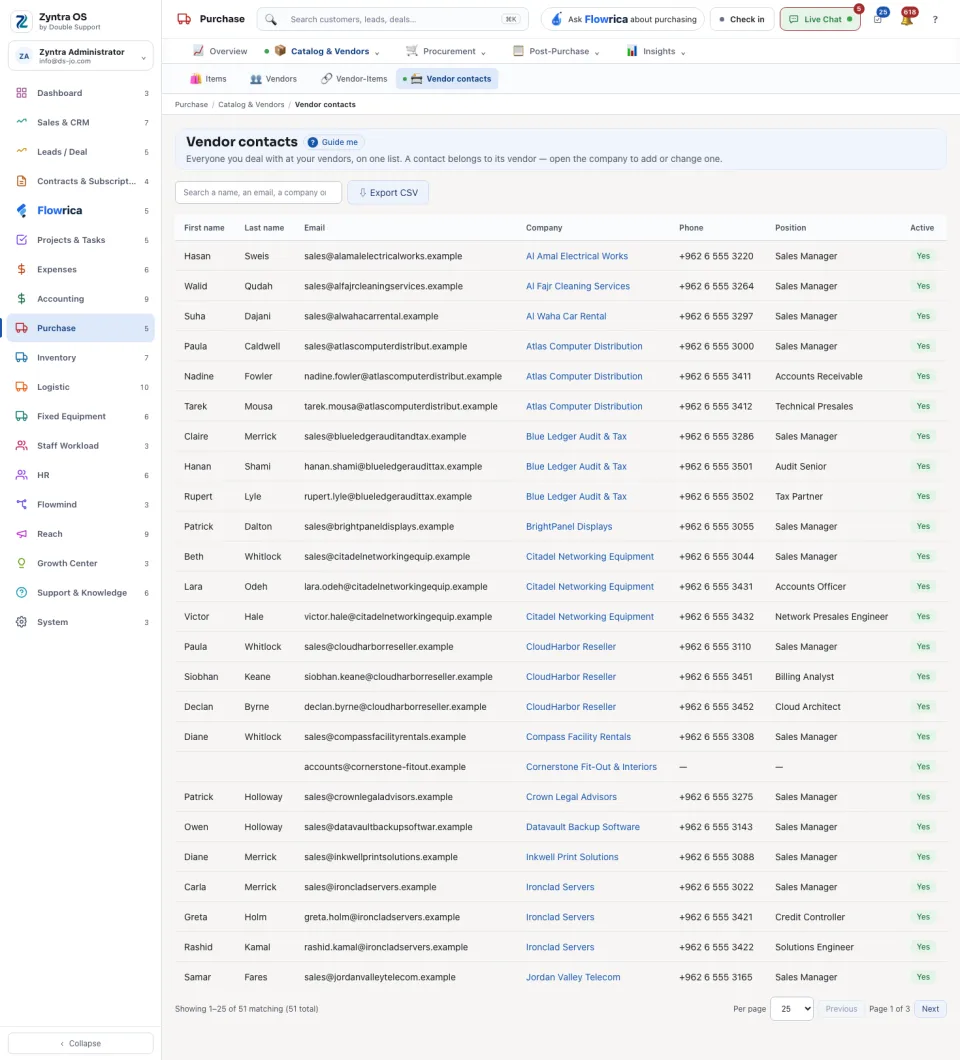
Anyone allowed to see this screen.A contact belongs to its vendor, so there is no button to add one here. To add or change a contact, open the company under Vendors and use + Add contact on its page.
The list shows First name, Last name, Email, Company, Phone, Position and Active. Search a name, an email, a company or a phone. Export CSV gives you the list as a file. While no vendor has a contact the screen says so.