

 Zyntra OS
 Zyntra Legal
 Zyntra Real Estate
 Zyntra Hotel
 Zyntra E-commerce
 Zyntra Appointments
 Zyntra Repair
 Zyntra Garage
 Zyntra Concierge
 Zyntra Contracting
 Zyntra Clinic
 Zyntra Call Center
 Zyntra OTA
Where
Dashboard › Flowrica InsightsWho
Anyone; each person sees only the parts their permissions reach.1
The first page lists every part of the system that has something to tell you, such as HR, Projects, Sales or Support. Press Open on one to read its cards.
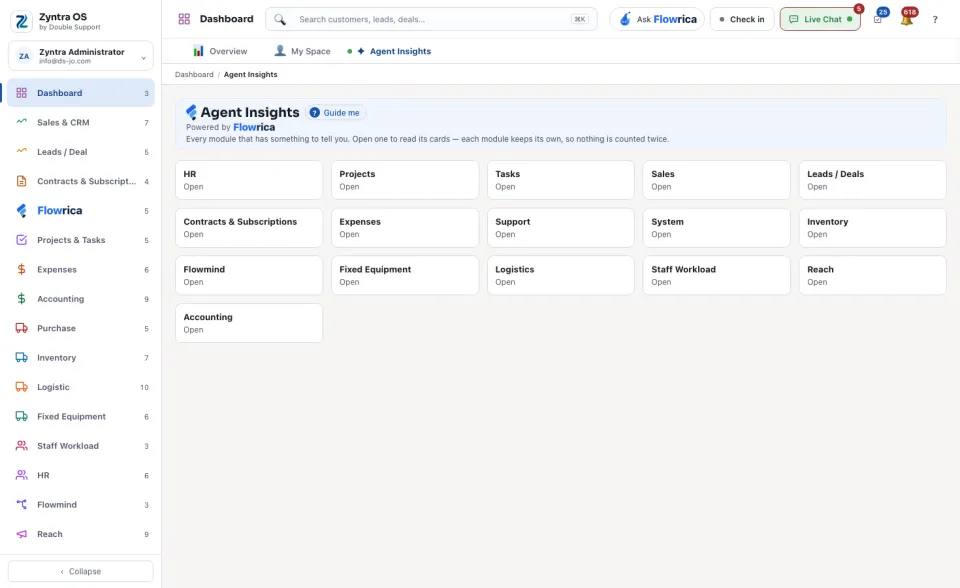
2
Each card has a title and one line saying what it counts. Under it are the items, each labelled Needs action or For information, with the record it is about.
3
Decide what to do with an item, using the buttons under it:
| Button | What it does |
|---|---|
| Follow up | Sets a reminder against the record. |
| Pin to overview | Keeps the item on the overview of its part of the system. |
| Read later | Hides it until a day you choose. |
| Mark read, Dismiss | Clears it from your list. |
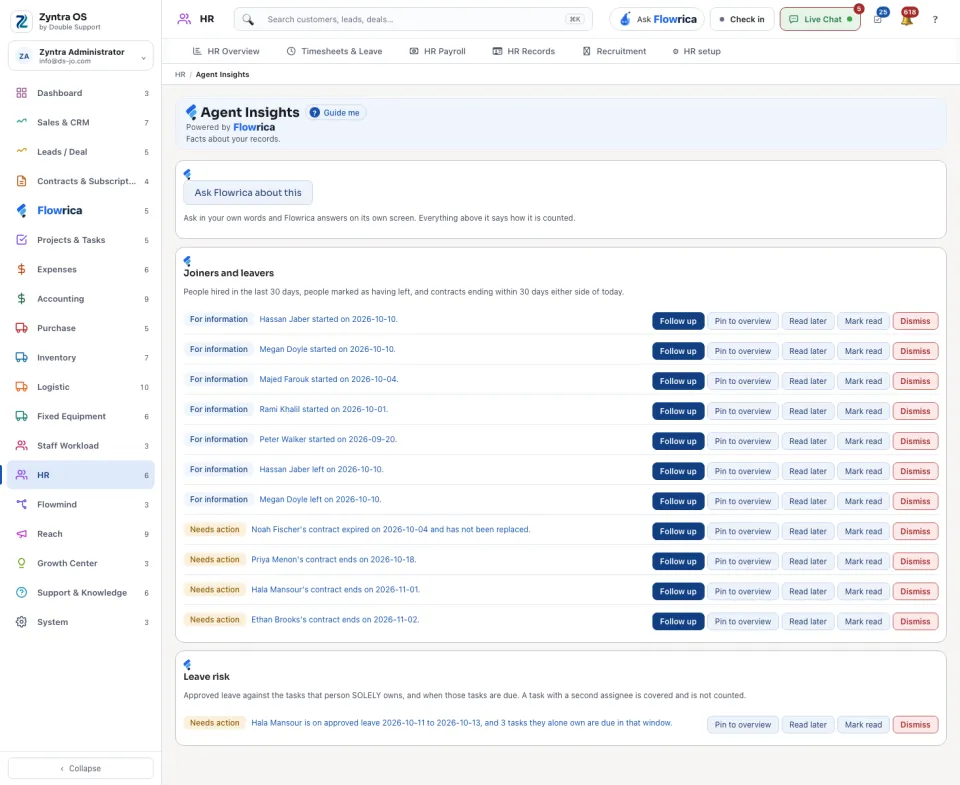
Ask Flowrica about this at the top of a part lets you ask about these records in your own words.